Active email storage (logs/reports)
Note
This is a paid feature. If you are interested in using active email storage, contact Support or your dedicated account manager.
Active email storage enables on-demand retrieval of your email content through the Infobip web interface. Email messages remain available for retrieval for the duration of the defined retention period, which is 3 months by default and can be extended up to 3 years.
Active email storage is intended for short-term, operational scenarios where frequent or immediate access to email content is required, including:
- Customer support: Retrieve email content to resolve customer inquiries, verify communications, or investigate disputes.
- Operational troubleshooting: Access email messages to investigate delivery issues, verify content, or diagnose technical problems.
- Internal reviews: Retrieve email files for quality assurance, compliance audits, or content verification.
- Real-time monitoring: Access recent email communications to monitor service quality and track customer interactions.
Email retrieval procedure
- Log in to the Infobip web interface.
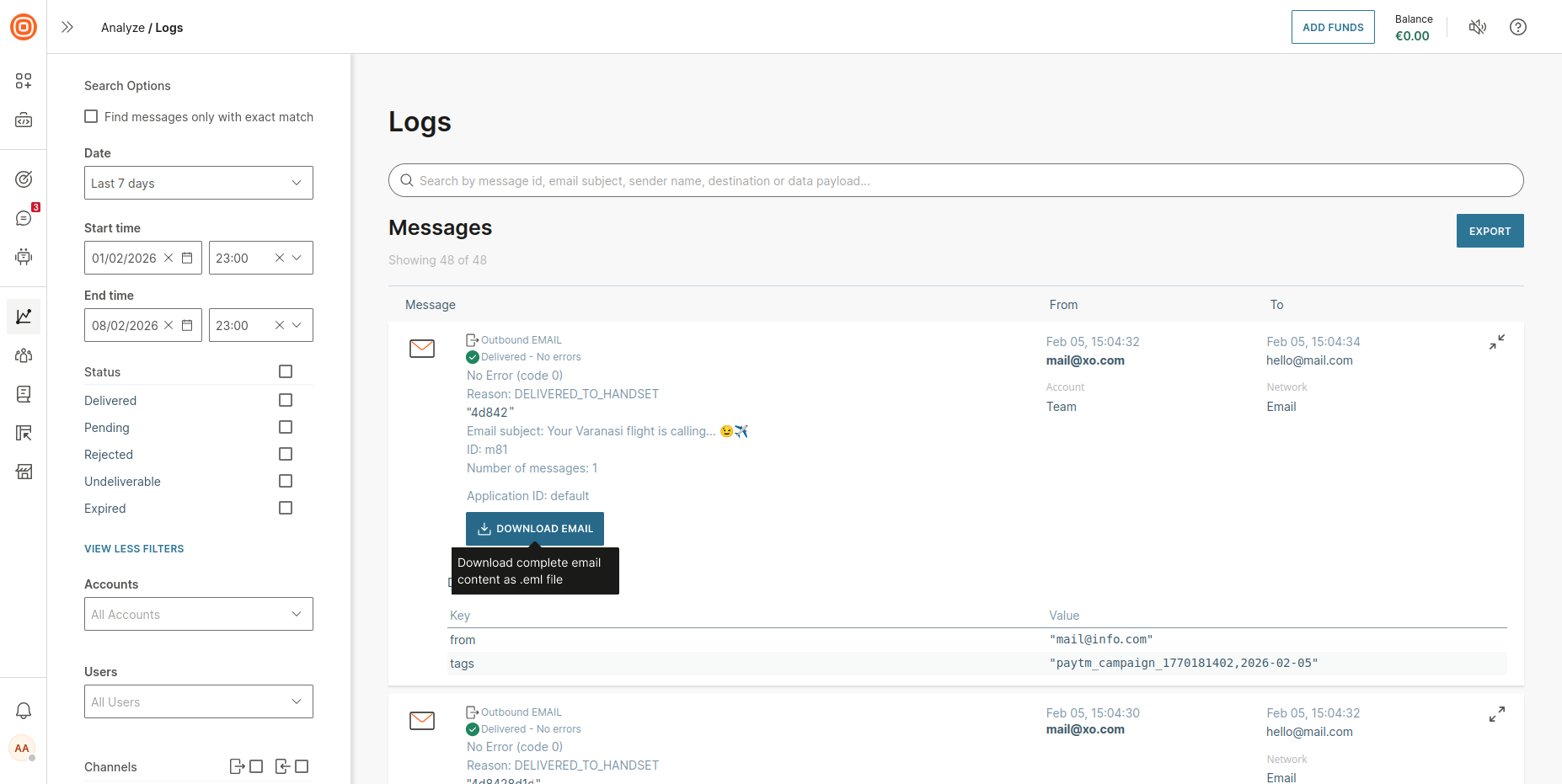
- Go to Analyze > Logs.
- Under Filters, select Email from the channel options.
- Use filters to locate the specific email:
- Sender address - filter by the "from" address
- Recipient address - filter by the "to" address
- Date range - select the time period when the email was sent
- Message ID - search by a specific message identifier
- Select the email entry to view its details.
- Select Download email to save the complete .eml file to your device.
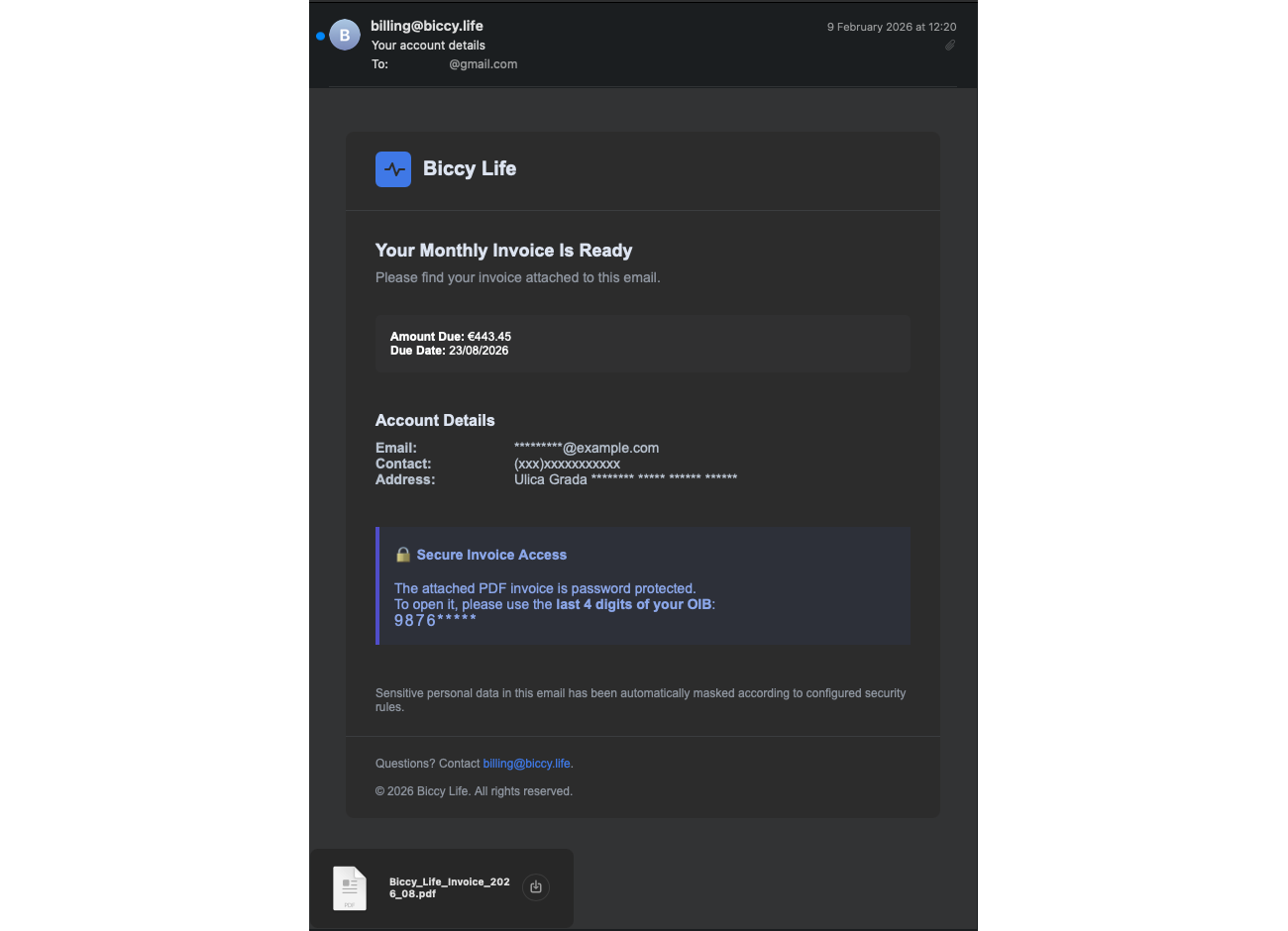
- The downloaded .eml file contains the full email, including headers, body content, and attachments, and can be opened with any standard email client.
- To open the .eml file, double-click it to open the email in your default email app.
- If it does not open, right-click the file and choose Open with, then select an email app or a web browser.
 Example of a downloaded and opened .eml file
Was this page helpful?