AI agents
IMPORTANT
AI agents are available only in the following data centers: Europe (EU1), Sweden (SE1), Germany (FR4), India (MUNM), and United States (NY2).
AI agents perform multi-step tasks by combining large language models (LLMs), tools, and external integrations. They support versioning, so you can update and roll back agent configurations as needed.
For simpler information retrieval without versioning, use Knowledge agents instead.
My agents page
To access your agents, go to AI Agents > My agents.
The page has two tabs:
- Agents
- Knowledge agents
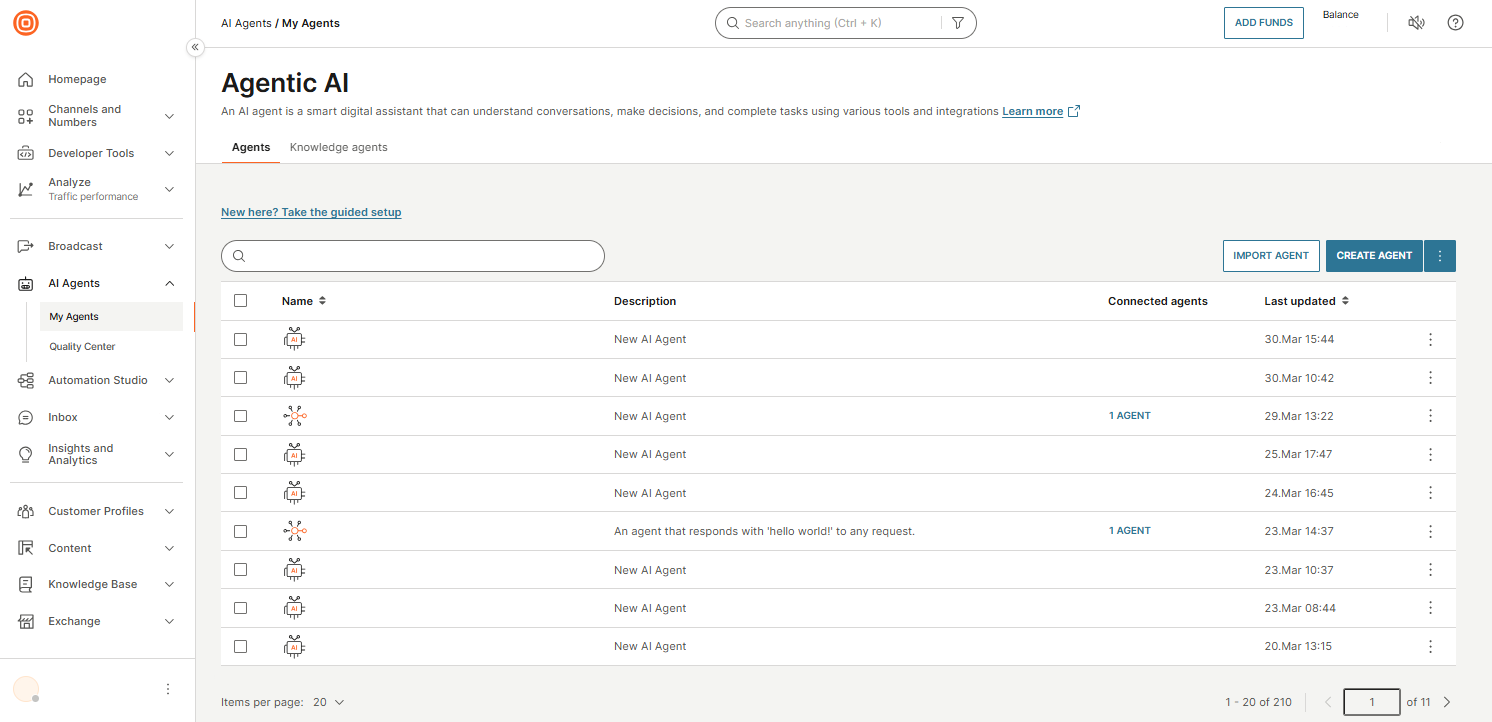
The Agents tab shows all your agents in a table:
| Column | Description |
|---|---|
| Name | Agent name. Select to open the agent. |
| Description | Short description of the agent. |
| Connected agents | Number of connected subagents. Displayed for orchestrators only. |
| Last updated | Date and time of last modification. |
Available actions
In the My agents page, you have the following actions:
- Search: Find agents by name using the search bar.
- Create agent: Select Create agent to build a new agent from scratch.
- Import agent: Select Import agent to upload a previously exported
.exportfile.
Use the three-dot menu on each agent to edit, duplicate, export, delete, or go to Quality center.
For more details, see Manage AI agents.