Deliverability agent
The Deliverability agent is an AI-powered chat assistant embedded in the Email deliverability center. Ask questions, spot patterns, and discover what is standing between your emails and the inbox. You can also upload your HTML to get a detailed content analysis.
To open the agent, select the Deliverability agent button available on any page in the Email deliverability center.
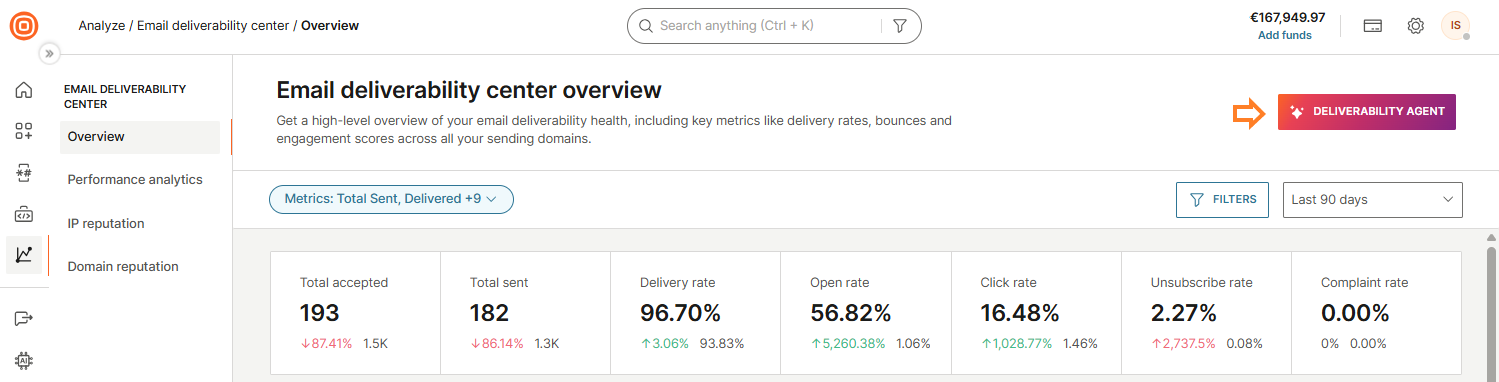
Prompt tab
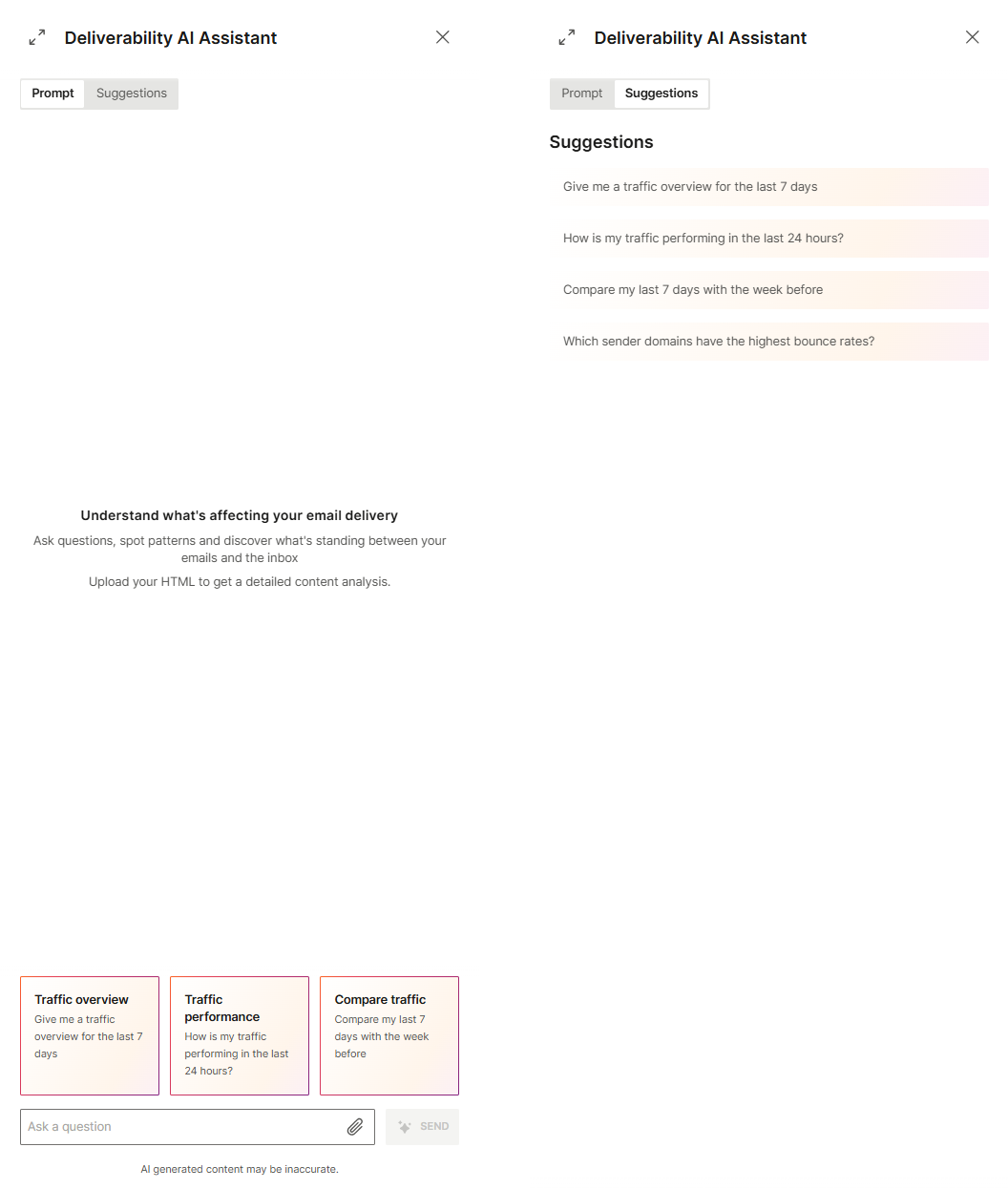
The Prompt tab is the main chat interface. Use the Ask a question input field to type your question and select Send to submit it.
The following suggestion cards appear when you open the assistant to help you get started:
- Traffic overview: Give me a traffic overview for the last 7 days
- Traffic performance: How is my traffic performing in the last 24 hours?
- Compare traffic: Compare my last 7 days with the week before
HTML content analysis
In addition to answering questions, the assistant can analyze your email HTML for content-related deliverability issues such as spam trigger words, broken links, missing unsubscribe links, and formatting problems.
To run a content analysis, upload your HTML file using one of the following methods:
- Drag and drop: Drag your HTML file directly into the input field.
- Attachment icon: Select the attachment icon at the bottom right of the Ask a question input field, select your HTML file, and select Open.
The assistant analyzes the content and returns a detailed report with findings and recommendations.
Suggestions tab
The Suggestions tab provides a list of pre-made questions you can select to send directly to the assistant. The following suggestions are available:
- Give me a traffic overview for the last 7 days
- How is my traffic performing in the last 24 hours?
- Compare my last 7 days with the week before
- Which sender domains have the highest bounce rates?
How responses are structured
Every response from the assistant is structured into sections based on what is relevant to your question. A response can include the following:
| Section | Description |
|---|---|
| Summary | A concise overview of the key finding or answer. |
| Delivery and bounce metrics | A data table with delivery metrics (Accepted, Sent, Delivered, Dropped) broken down by date or period. |
| Domain and IP performance | Analysis of performance broken down by sender domain or sending IP. |
| Reputation and blocklist status | Assessment of sender reputation, blocklist status, and recommendations for further checks. |
| Spam trap metrics | Spam trap hit analysis and recommendations for list hygiene. |
| High priority actions | A collapsible list of high-priority recommendations that require immediate attention. |
| Medium priority actions | A collapsible list of medium-priority recommendations based on the data. |
| Low priority actions | A collapsible list of lower-priority recommendations based on the data. |
| Suggested follow-up questions | Questions you can select to dig deeper into a specific area. |
After a conversation starts, the following controls appear at the top of the panel:
- Copy: Copy the conversation.
- Delete: Delete the conversation and start a new one.
What you can ask
The assistant has access to your actual sending data and is trained on email deliverability expertise. The following are examples of questions you can ask:
For traffic and performance, use prompts like:
- Give me a traffic overview for the last 7 days.
- How is my traffic performing in the last 24 hours?
- Compare my last 7 days with the week before.
- Which sender domains have the highest bounce rates?
For reputation and blocklists, use prompts like:
- Which of my IPs are on a blocklist?
- Check my sender domain reputation.
- What is the Sender Score for my sending IPs?
For engagement, use prompts like:
- What is my open rate per mailbox provider?
- Show me click rates broken down by sender domain.
- Which recipient domains have the highest hard bounce rate?
For best practices and recommendations, use prompts like:
- How should I warm up a new IP?
- What is causing my spam complaint rate to increase?
- How do I reduce my bounce rate?
For general deliverability questions, use prompts like:
- What is DMARC and do I need it? (see Set up your domain)
- What is the difference between a soft bounce and a hard bounce? (see Email delivery errors)
- Why are my emails landing in spam at Gmail? (see Understand email deliverability)