Person profile details
When you open a person profile in Customer Profiles from the persons list, the information is organized into several tabs that provide a complete view of the person data and activity:
- Overview
- Contact information
- Attributes, tags, and events
To find specific profiles, use person filters based on person type, channels, tags, attributes, or events.
Overview
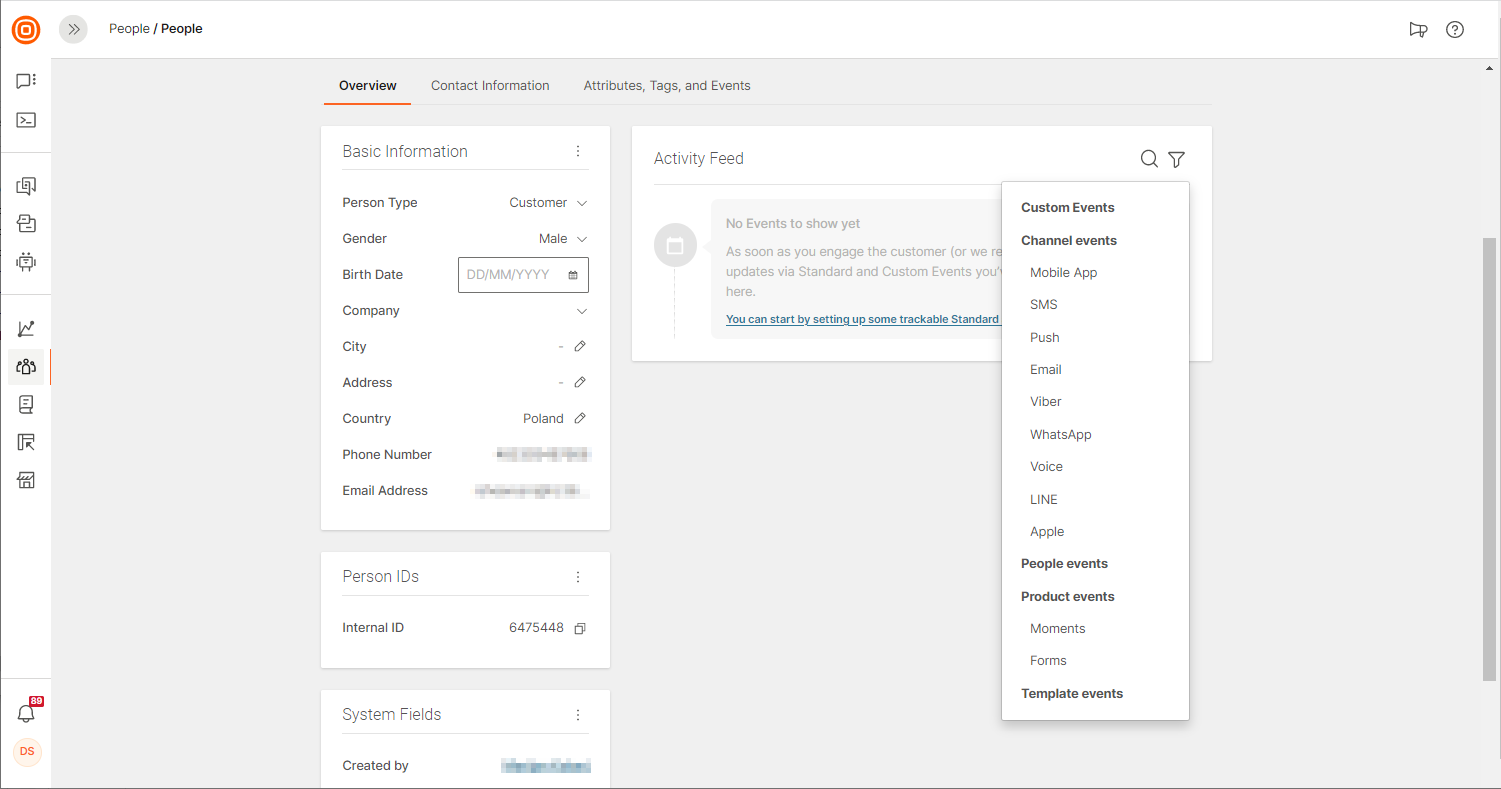
Overview shows profile data including:
- Basic information: Required and optional information that you entered
- Person IDs: Identifiers on the Infobip platform and on connected systems used to sync customer data (such as Salesforce Sales Cloud or Microsoft Dynamics 365)
- System fields: Information about which user created the customer profile, when, and how. Also includes browser and operating system information
- Activity feed: Quick insight into recent profile changes and activity updates. Use filtering to focus on specific events.
Contact information
The Contact information tab contains all relevant channels through which the person can be contacted.
Mandatory contact information
Each profile must have at least one of the following:
- Phone number
- External person ID
Channel contact information [#channel-contact-information-contact-information]
If the person has interacted with your business through channels such as WhatsApp or Viber, the associated contact information is included in the Contact information tab.
To view additional details, enable Show channel activity or Show additional information. These options show when the person was last contacted and how they interacted with your business through this channel.
When an end user adopts a WhatsApp username, Meta can hide their phone number and identify them by a business-scoped user ID (BSUID) instead. To support this, a person can hold a WhatsApp contact separate from their phone number. A profile can exist with a WhatsApp contact only, with no phone number, when the person first reaches you from a username. When both a phone number and a WhatsApp contact are known for the same person, they are matched to a single profile.
Contact information rules [#contact-information-rules-contact-information]
- Multiple contacts for the same profile - A profile can have multiple phone numbers or email addresses.
- Multiple profiles with the same contact information - Multiple profiles can share the same phone number or email address.
Attributes, tags, and events
The Attributes, tags, and events tab provides a complete view of person interests and behavior. Use this information for better audience segmentation and grouping.
This tab displays:
- Custom attributes: Profile-specific information for personalized communication
- Tags: Labels to categorize and organize persons
- Events: Activity history and interactions
- Activity feed: Timeline of profile changes and updates
To start a conversation with the person, select Start conversation. Inbox opens, where you can create a conversation.