Send your first Viber message
To use Viber Business Messages on the Infobip platform, you need to meet the following requirements:
- Create an Infobip account (if you do not already have one) by completing the platform onboarding.
- Enable your Viber configuration and obtain approval from Viber.
Start your free trial
New Infobip users automatically receive a 60-day free trial and are assigned Infobip's test sender. Use this Infobip-branded sender to test your Viber communication.
Limitations:
- You can send 100 free Viber messages to 5 recipients.
- You can only send messages to verified numbers.
- To start sending live traffic, register a dedicated Viber sender during the onboarding process in our web interface.
When your free trial ends, a banner will appear at the top of your homepage. You can add funds by clicking the Upgrade now button, allowing you to continue sending messages to your customers.
Upgrade to a paying account
When ready, you can upgrade to a paying account. Select the Add funds options at the top of the page and choose a billing option. Once you add funds to your account balance, it will no longer be in free trial mode.
Start using Viber
Once you have registered for an Infobip account and started your free trial, you can send your first Viber message! 
-
Start using Viber on our web interface. At the top of the page, select whether you are a business user or a developer:
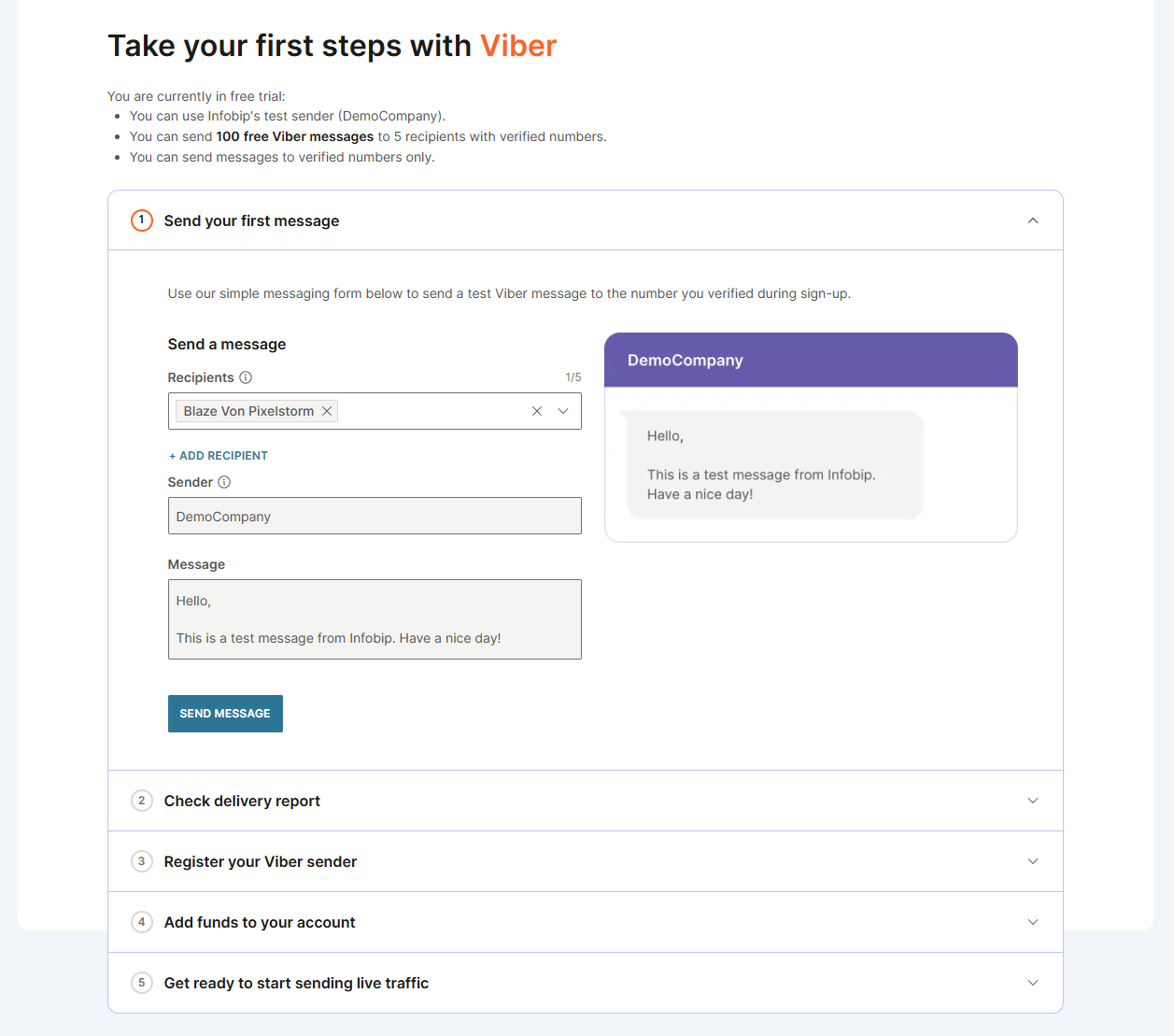
- Business users can test messages directly in the web interface.
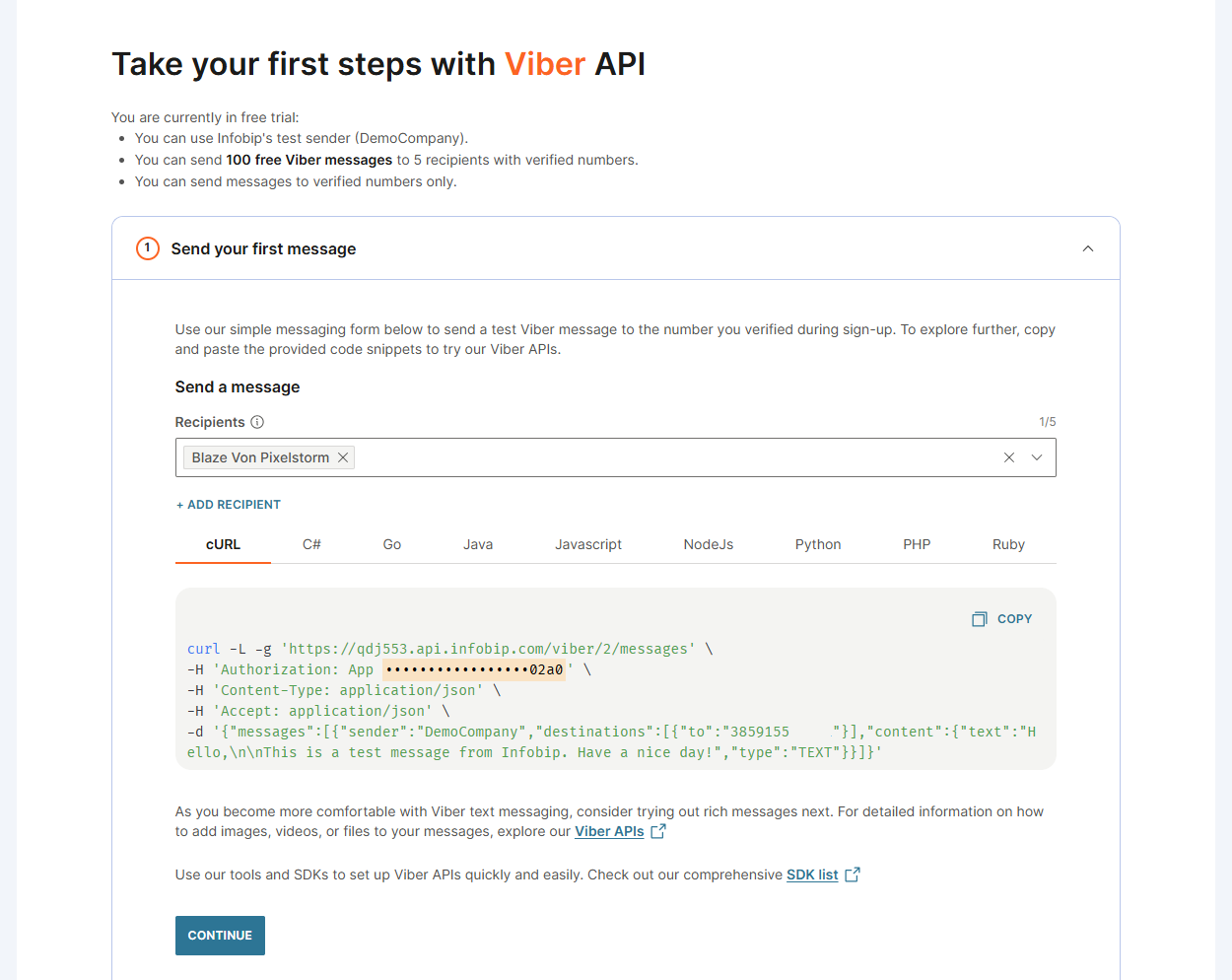
- Developers can send test messages using the ready-made API request.
Business user experience
Developer experience
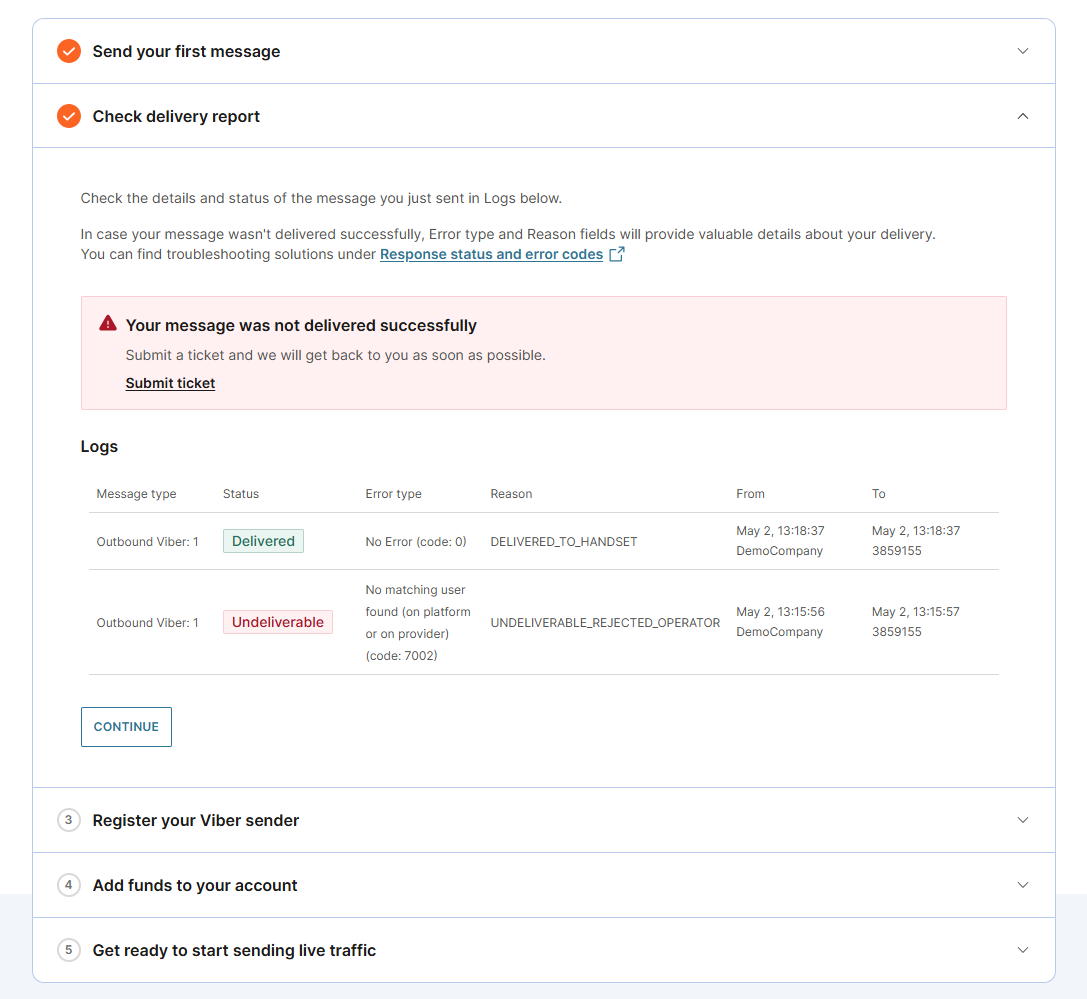
- After sending a test message, check the delivery report to confirm successful delivery. If delivery fails, review the response status and error codes to identify the issue.
-
Register a Viber sender
- To start sending live messages to customers, you must register a Viber sender.
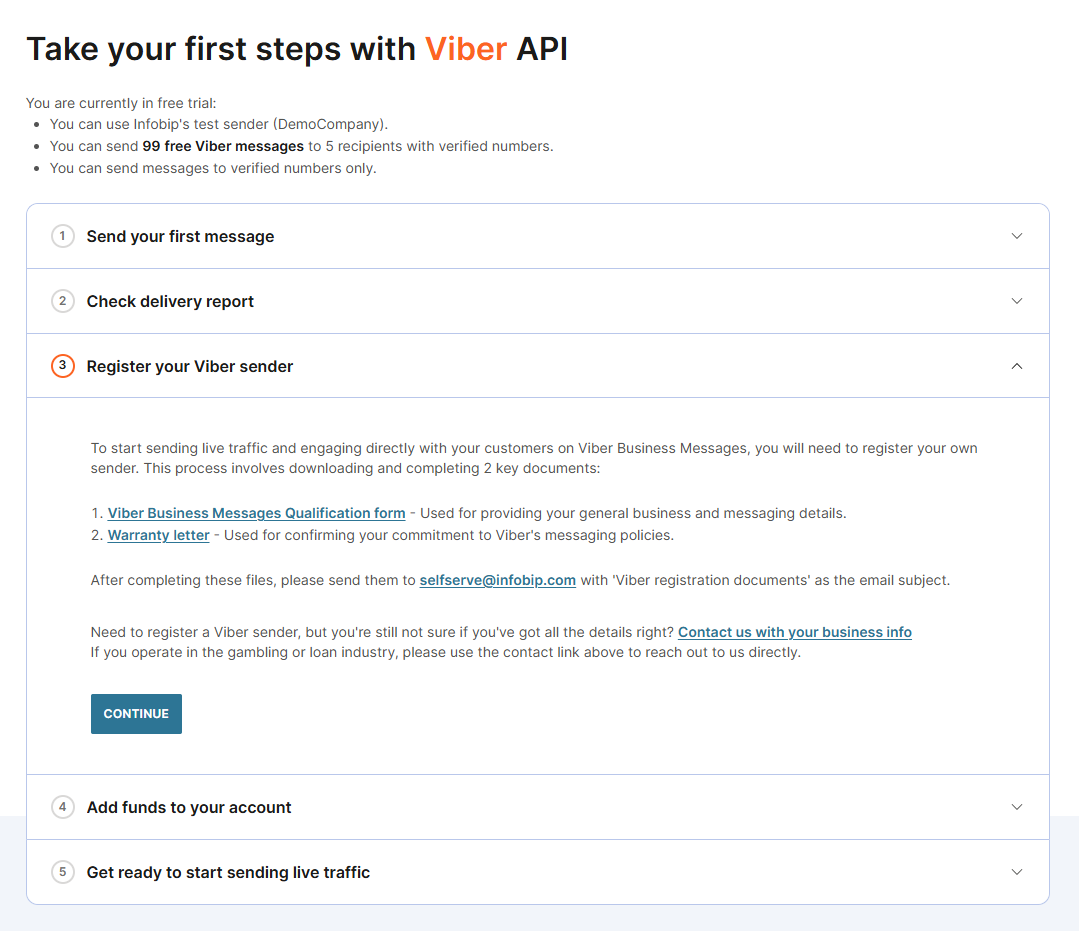
- Download the two documents from our web interface, fill them in and send them to our Support with "Viber registration documents" as the subject.
- Viber Business Messages qualification form: Complete this form to register a Viber sender. It includes details about message types, destination countries, and technical setup.
- Warranty letter: Sign this letter to confirm consent-based messaging and compliance with Viber's verified sender rules.
- You can also reach out to us using the contact form. Click the Contact us with your business info link.
-
(Optional) Upgrade your account
- To upgrade your account now, select Add funds and follow the steps to become a paying account.
- To upgrade your account at a later time:
- If your free trial is still active, select Add funds at the top of the web interface.
- If your trial has expired, a banner will appear on your homepage. Select Upgrade now to add funds.
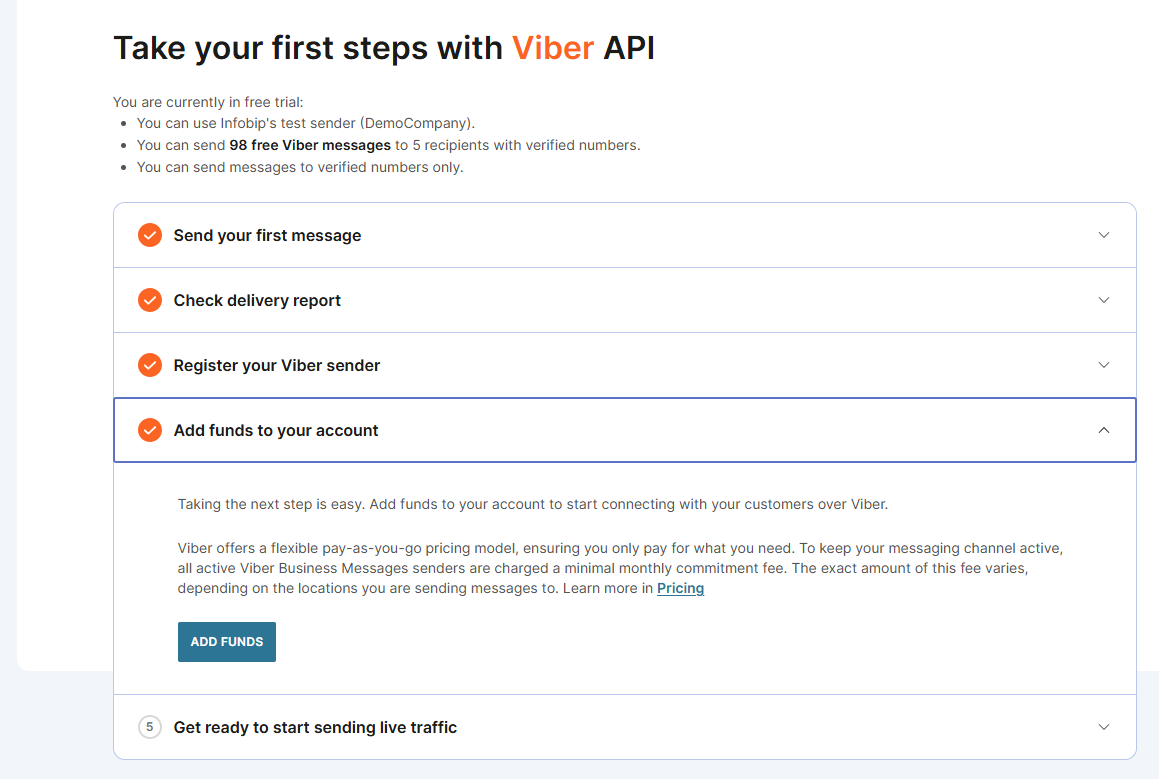
You are now ready to explore the Infobip platform and leverage Viber for customer communication! 