Authenticate mobile users
In mobile apps, Live Chat uses the Mobile SDK to manage users in Customer Profiles (People). For extra security, you can also require a personalization token when users authenticate.
How Live Chat manages mobile users [#how-live-chat-manages-mobile-users]
For mobile app installations, Live Chat uses the Mobile SDK (Android(opens in new tab), iOS(opens in new tab)) to manage users in Customer Profiles (People).
To learn how the Mobile SDK manages your users, see the Users and installations section in the Android(opens in new tab) or iOS(opens in new tab) documentation.
The Push Registration ID is the unique Infobip identifier for the device of the user. It also uniquely identifies anonymous users. As a result, all mobile users with a profile in Customer Profiles (People) keep their chat history indefinitely. This applies regardless of their Lead or Customer status.
Additional security [#additional-security]
For enhanced security, you can require a personalization token during mobile app authentication. Generate the token in the same way as for web authentication, then provide it to the Mobile SDK.
For instructions on how to provide the token to the Mobile SDK, see the Android(opens in new tab) or iOS(opens in new tab) documentation.
When you authenticate on mobile with a personalization token, Live Chat does not create a profile. It also does not add the unique identifier to the profile of the user in Customer Profiles (People). The unique identifier in the token must already exist in the profile of the user.
To make sure the identifier exists in the profile, use one of the following methods:
- Update the user profile manually.
- Use the Personalize function in the Mobile SDK.
- Call the Personalize push instance REST API.
To enable additional security for your mobile users:
- Go to the configuration page of your widget.
- Expand the Installation and security section.
- In User authentication, turn on Mobile app user authentication.
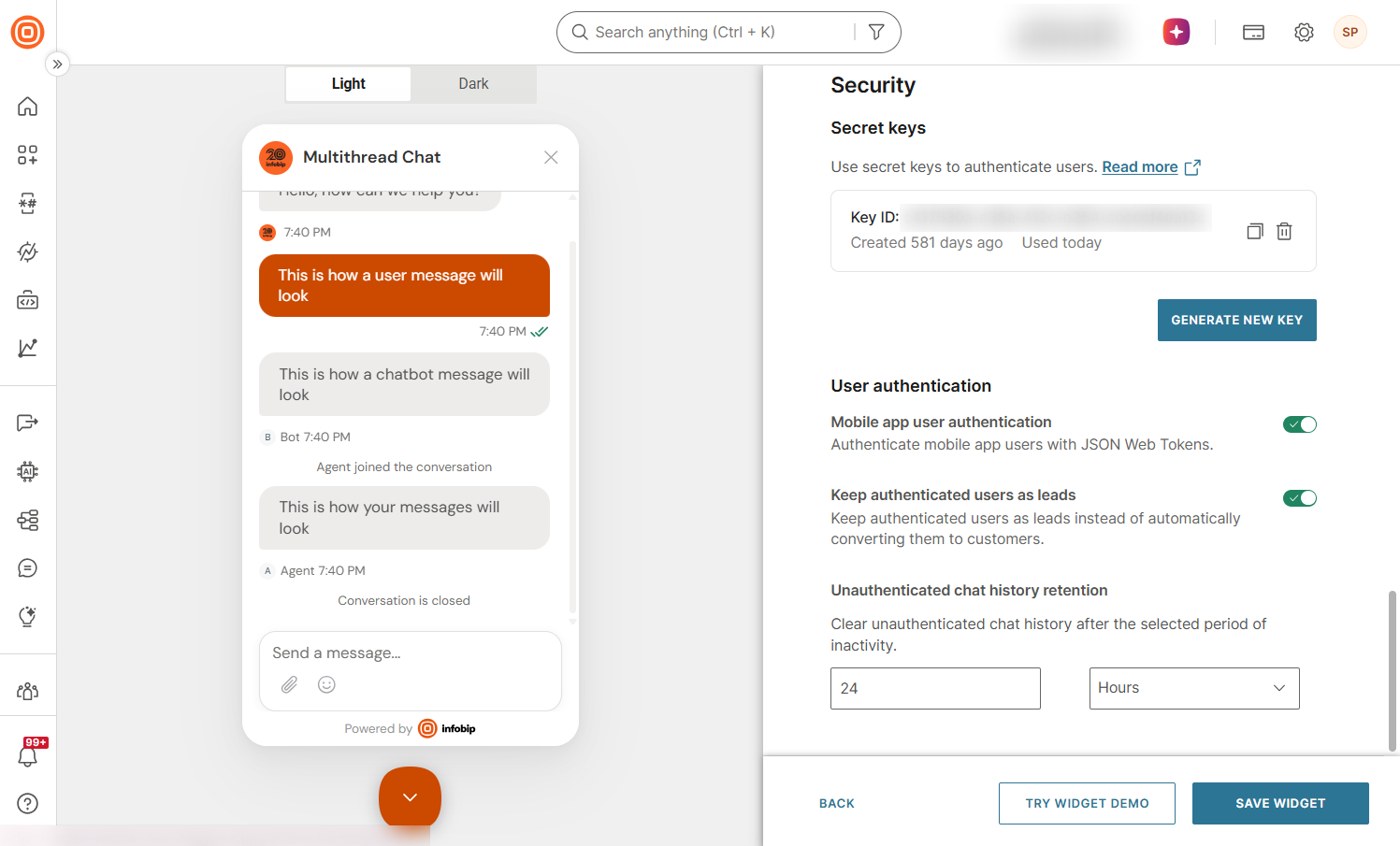
- Select Save widget.
Best practice [#best-practice]
The Mobile SDK requests a personalization token for the initial authentication and again for automatic re-authentication after certain errors. Generate a fresh token for each request. Keep the token lifetime short (exp field of the token).
Authenticate web users
Generate the personalization token and review the JWT payload structure.
Mobile in-app chat
Install in-app chat and personalize users in your mobile app.
User types
Learn how to de-authenticate users on web and mobile.
Was this page helpful?