User input
Use the User input section of the Live Chat widget configuration to configure user reply and file upload options. In this section, choose whether users can type free-text replies and send file attachments.
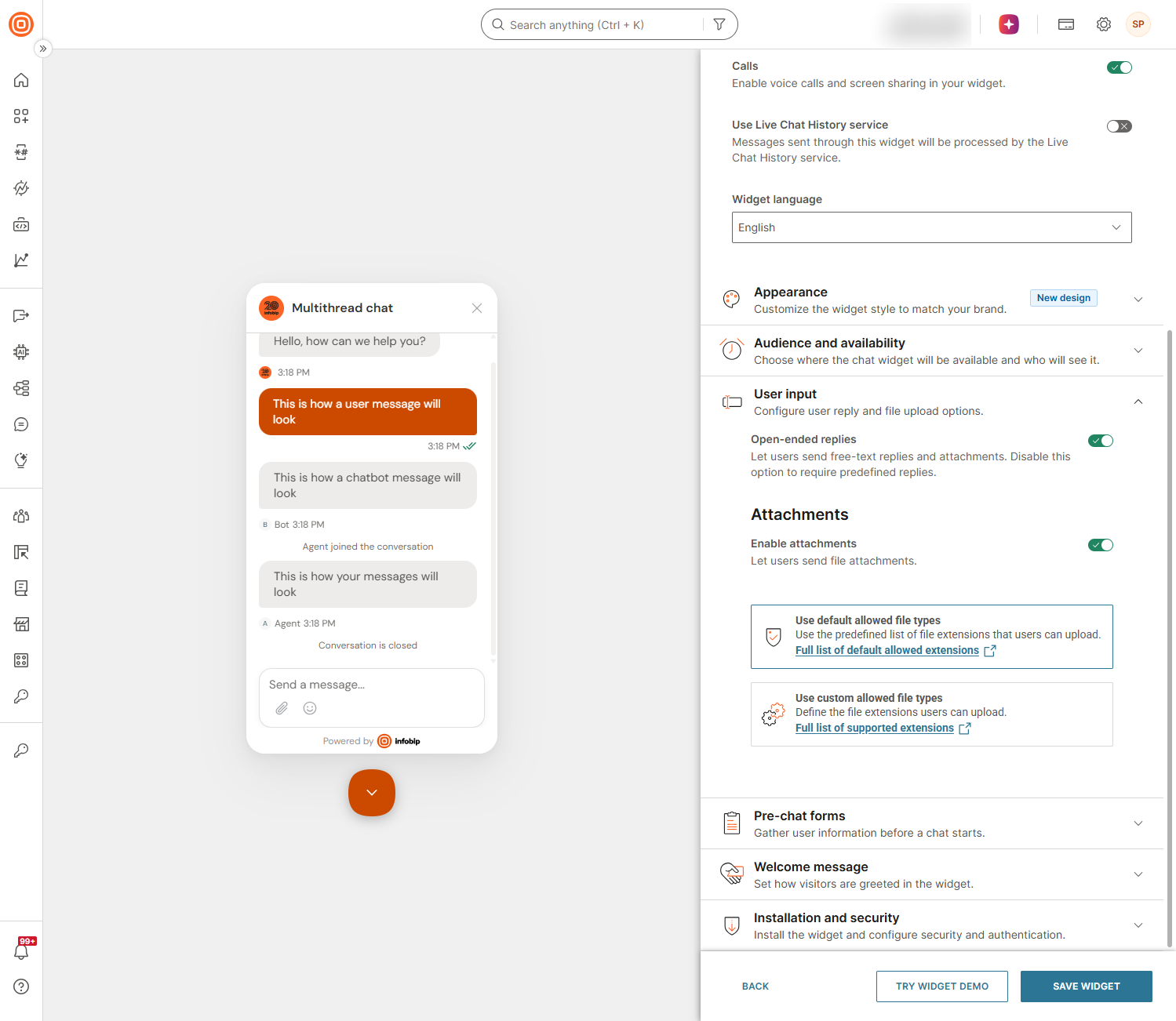
Open-ended replies [#open-ended-replies]
Turn on Open-ended replies to let users send free-text replies and attachments. Turn it off to require predefined replies, such as quick replies and card buttons.
Attachments [#attachments]
Turn on Enable attachments to let users send file attachments. Then, select one of the following options:
- Use default allowed file types: Use the predefined list of file extensions that users can upload. See Default allowed extensions.
- Use custom allowed file types: Define the file extensions that users can upload. See Custom allowed extensions.
The following rules apply to files that users send:
- Only files with permitted extensions are accepted.
- The maximum file size is 10 MB.
These rules do not apply to files shared by agents. To permit only agents to send files, turn off Enable attachments. For the attachment message type, see Attachments.
Supported file types [#supported-file-types]
Users can send files with the default allowed file types or with your custom list of file types.
Default allowed extensions [#default-allowed-extensions]
The following table lists the default allowed file extensions by category:
| Category | Extensions |
|---|---|
| Image | .jpg, .jpeg, .jpe, .bmp, .gif, .svg, .svgz, .png, .tiff, .tif |
| Video | .avi, .mpeg, .mpg, .mpe, .m1v, .m2v, .qt, .mov, .mp4, .mp4v, .mpg4 |
| Audio | .aac, .mpga, .mp2, .mp2a, .mp3, .m2a, .m3a, .oga, .ogg, .spx, .opus, .wav |
| Others | .doc, .dot, .docx, .xls, .xlm, .xla, .xlc, .xlt, .xlw, .xlsx, .pdf, .txt, .text, .conf, .def, .list, .log, .in, .xml, .xsl |
Custom allowed extensions [#custom-allowed-extensions]
Define your own list of permitted extensions. Your list overrides the default list.
Live Chat supports all file extensions listed by the Apache foundation(opens in new tab). If the list contains an unsupported extension, you cannot save the widget.
If an extension that you need is not supported, contact Support.
File type checks [#checking-the-file-type]
When a user submits a file, Live Chat checks whether the extension is permitted.
Live Chat also examines the file signature to determine its MIME type(opens in new tab). Live Chat maintains an internal mapping between extensions and MIME types, so you only need to specify the extensions.
If the resolved MIME type is not permitted, Live Chat rejects the file, even if the extension itself is permitted.
Live Chat does not verify whether the MIME type matches the provided extension. For example, if you permit .txt and .png extensions and a user submits a PNG file named my_image.txt, Live Chat accepts the file.
Message types
Learn how the widget shows attachments that users and agents send.
Pre-chat forms
Collect customer information before the chat starts.
Content Security Policy (CSP) in Live Chat
Add the sources that the widget requires to your website security policy.
Was this page helpful?