Logs
The Logs page provides comprehensive tracking of conversation events and system configuration changes. Access to logs depends on your assigned role, ensuring appropriate visibility for different user types.
The Logs page is divided into two tabs:
- Conversation logs - Track events related to specific conversations.
- Audit logs - Record configuration changes made at the queue, route, or account level.
Role-based access
Access to the Logs page varies based on your role within Conversations:
- Agent for Conversations - No access to the Logs page.
- Conversations setup - Can view only Audit logs.
- Supervisor for Conversations - Can view only Conversation logs.
- Users with both Supervisor and Conversations setup roles - Can access both tabs.
Conversation logs
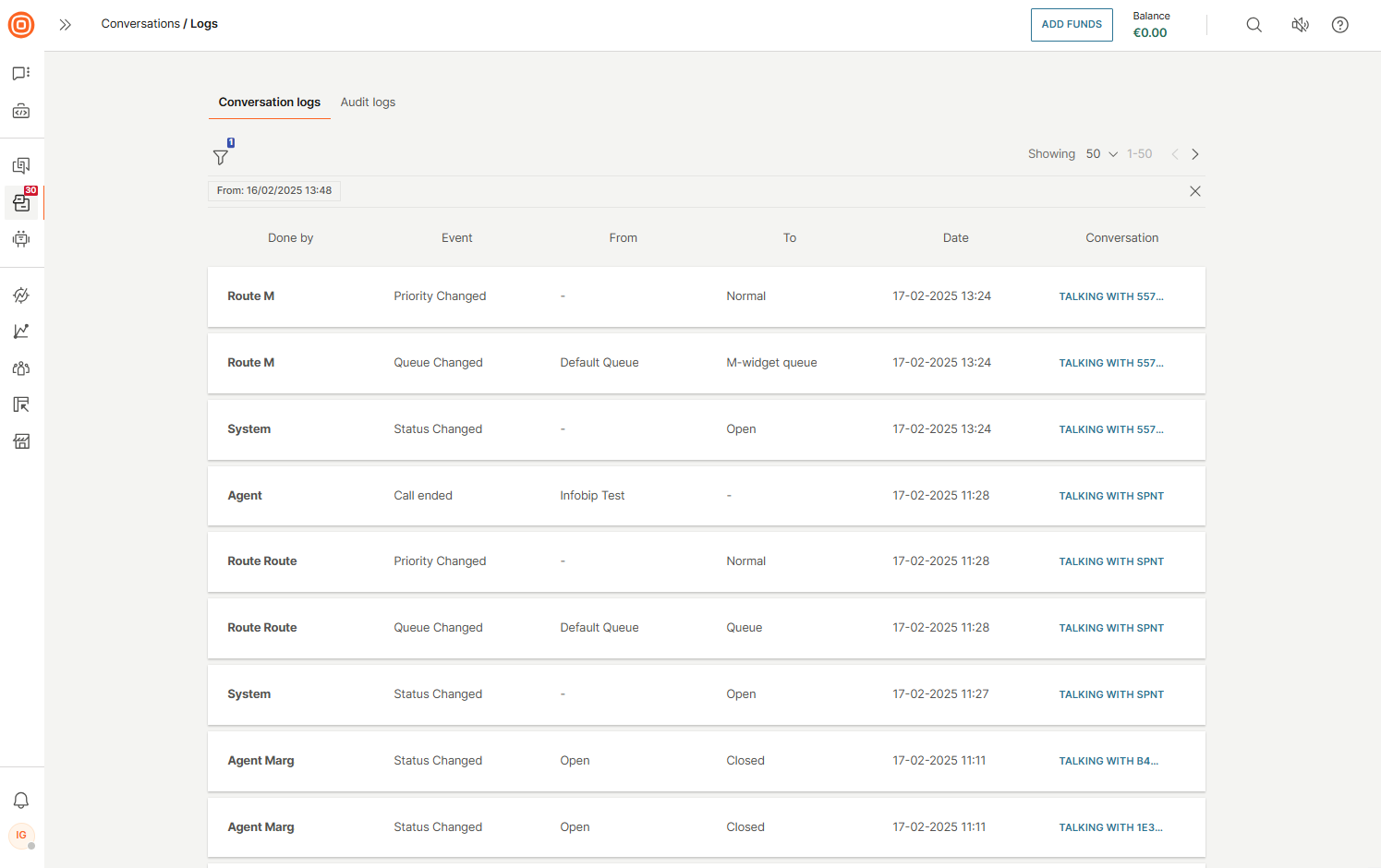
The Conversation logs page consolidates all conversation events in chronological order, showing who made changes to specific conversations and when those changes occurred.
The table displays the following information:
- Done by - User who performed the action
- Event - Type of event that occurred
- From - Previous value (if applicable)
- To - New value (if applicable)
- Date - Timestamp of the event
- Conversation link - Direct link to the conversation
Filter conversation logs
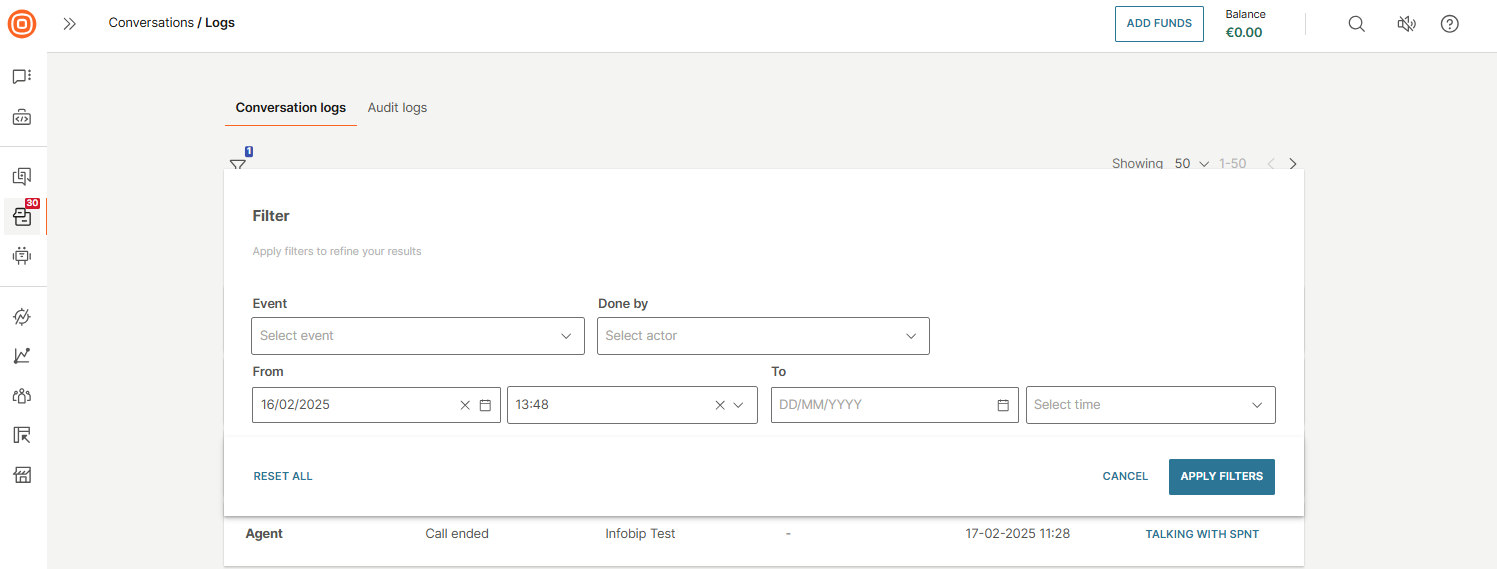
You can filter conversation logs by the following criteria:
- Event - Type of event (status changed, assignment changed, etc.)
- Done by - User who performed the action
- From - Previous value
- To - New value
To apply filters, select the wanted criteria and then select the Apply Filters button.
Audit logs
BETAThis feature is currently released as a Beta version, as it is a continuous work in progress.
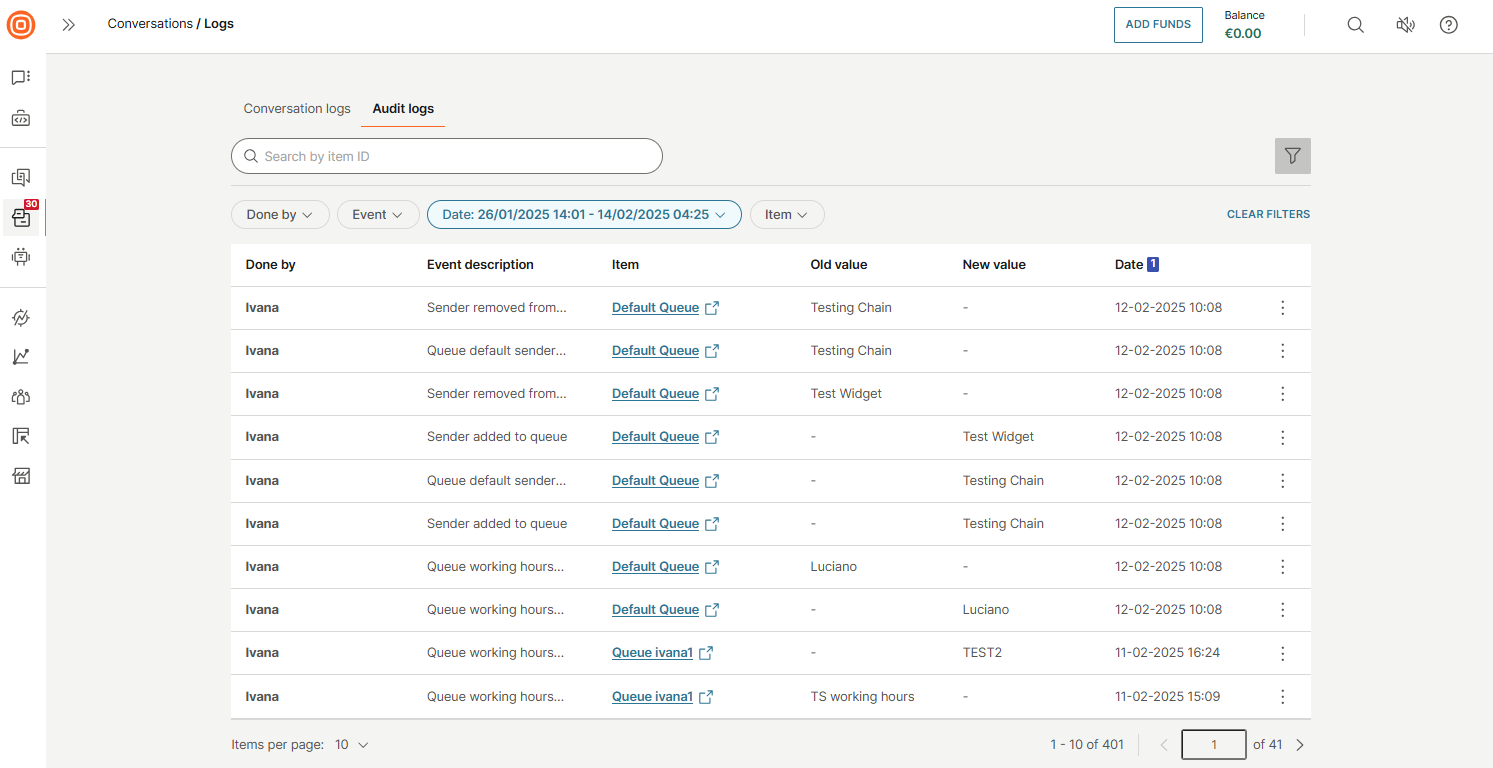
The Audit logs tab displays records of changes made to objects within Conversations settings. These logs differ from Conversation logs, which track only conversation-level events.
Search and filter audit logs
You can search audit logs by item ID using the Search by field, or apply the following filters:
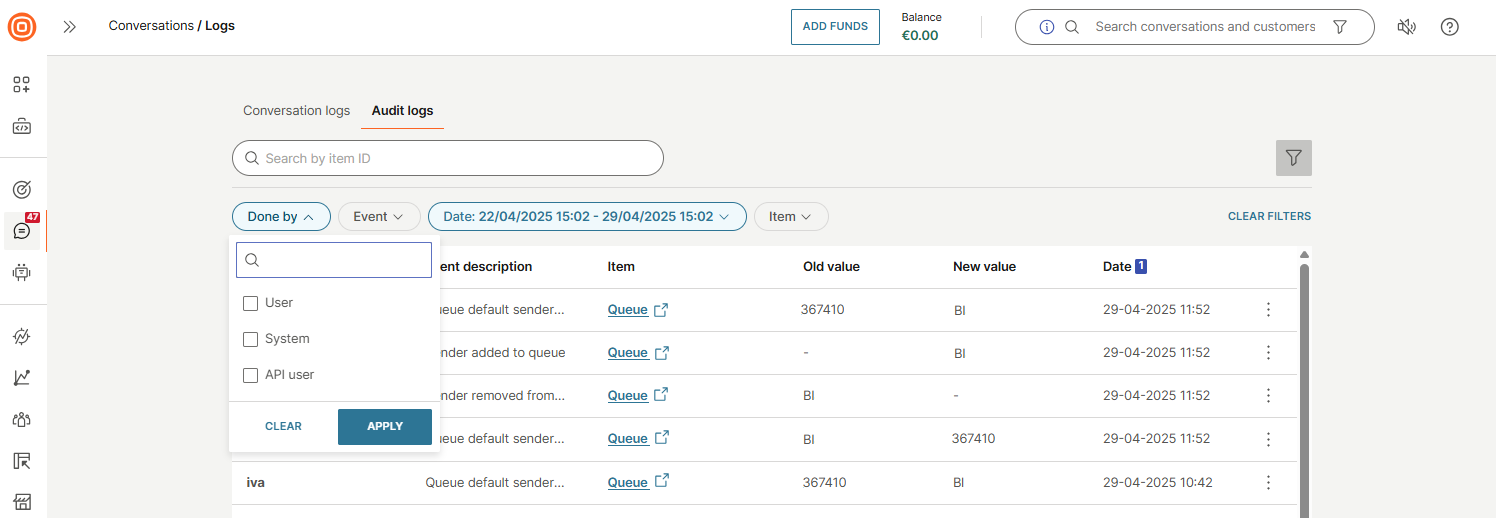
Done by filter
Filter by who or what made the change:
- User
- System
- API user
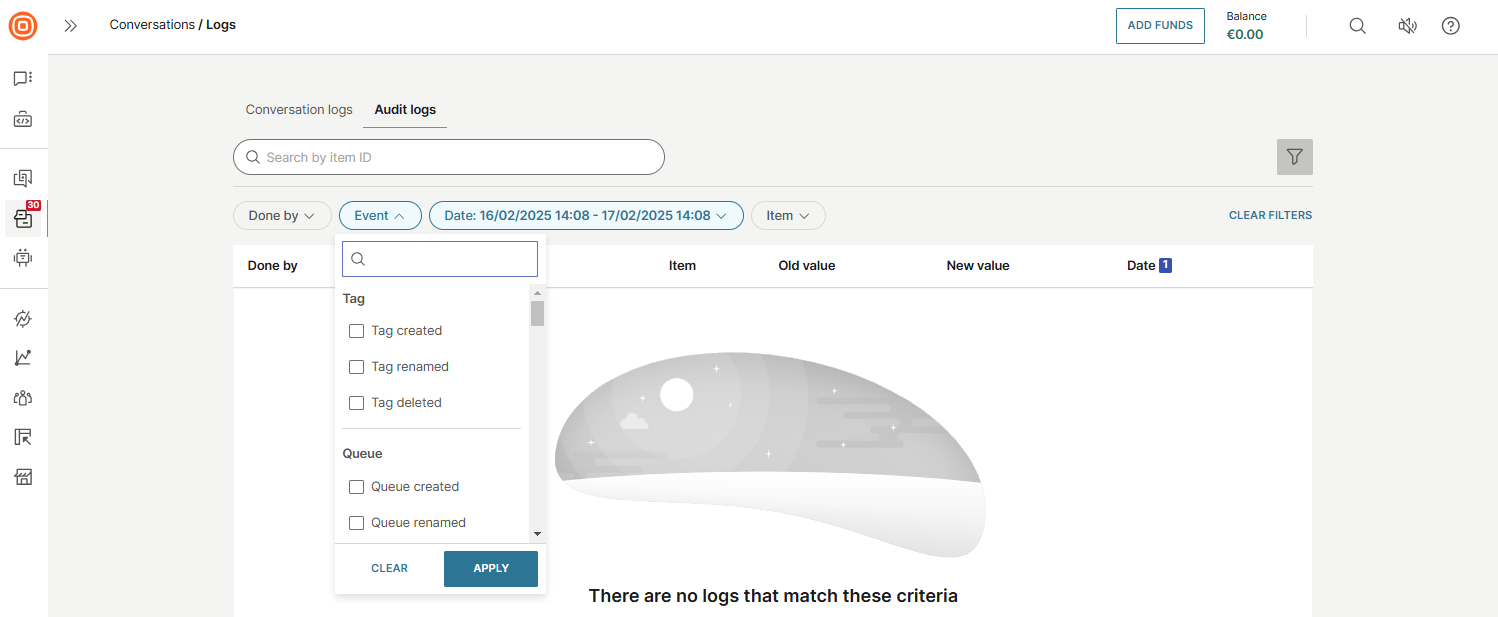
Event filter
Filter by the type of event that occurred:
Tag events:
- Tag created
- Tag renamed
- Tag deleted
Queue events:
- Queue created
- Queue renamed
- Queue deleted
- Queue working hours changed
- Agent added to queue
- Agent removed from queue
- Sender added to queue
- Sender removed from queue
- Queue default sender changed
- Assignment method changed for queue
Account configuration events:
- Account capacity live messaging created
- Account capacity live messaging changed
- Account capacity live messaging deleted
- Account capacity live chat created
- Account capacity live chat changed
- Account capacity live chat deleted
- Account capacity voice created
- Account capacity voice changed
- Account capacity voice deleted
- Account capacity email created
- Account capacity email changed
- Account capacity email deleted
Agent configuration events:
- Agent capacity live messaging created
- Agent capacity live messaging changed
- Agent capacity live messaging deleted
- Agent capacity live chat created
- Agent capacity live chat changed
- Agent capacity live chat deleted
- Agent capacity voice created
- Agent capacity voice changed
- Agent capacity voice deleted
- Agent capacity email created
- Agent capacity email changed
- Agent capacity email deleted
Route events:
- Route created
- Route renamed
- Route destination queue changed
- Route priority changed
- Route enabled changed
- Route only during working hours changed
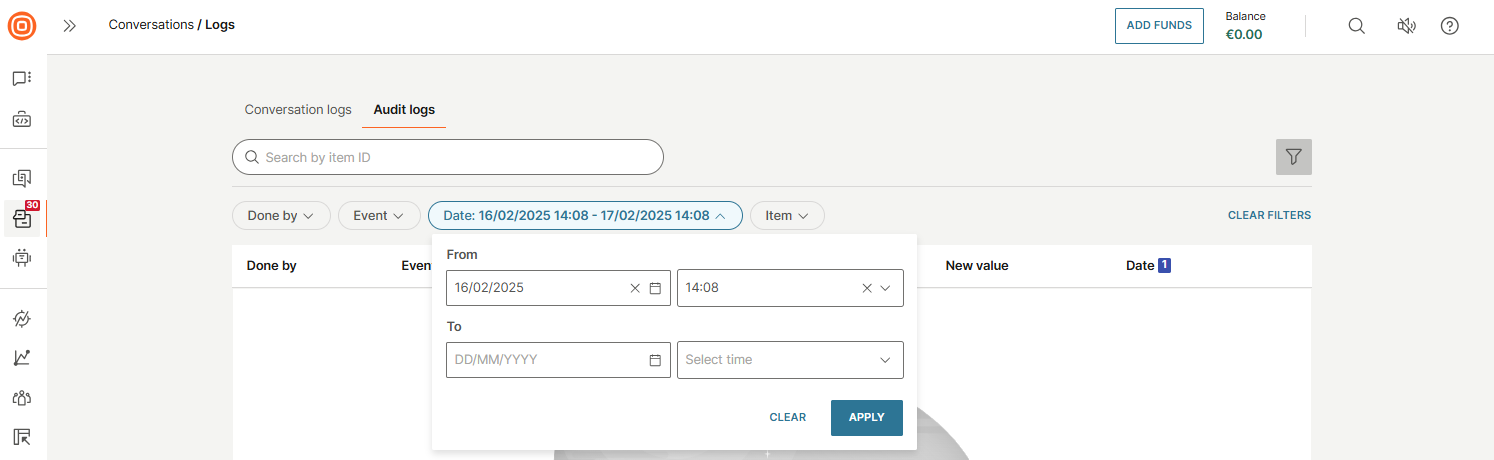
Date filter
Filter by date range:
- From - Start date and time
- To - End date and time
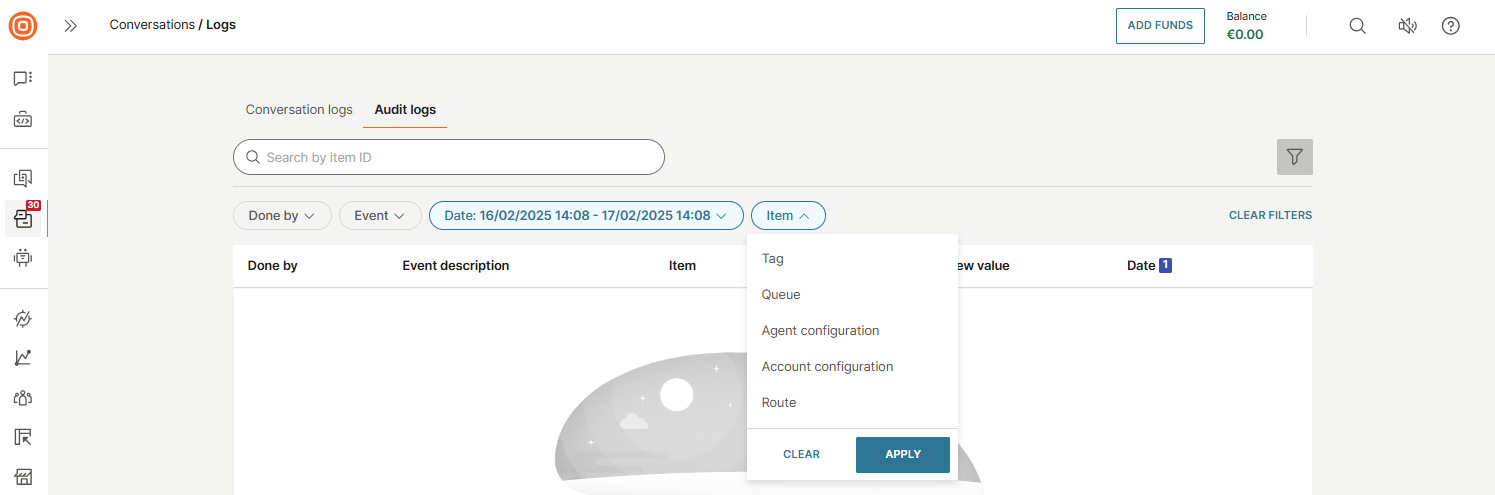
Item filter
Filter by the type of item that was changed:
- Tag
- Queue
- Agent configuration
- Account configuration
- Route
Filter by specific items
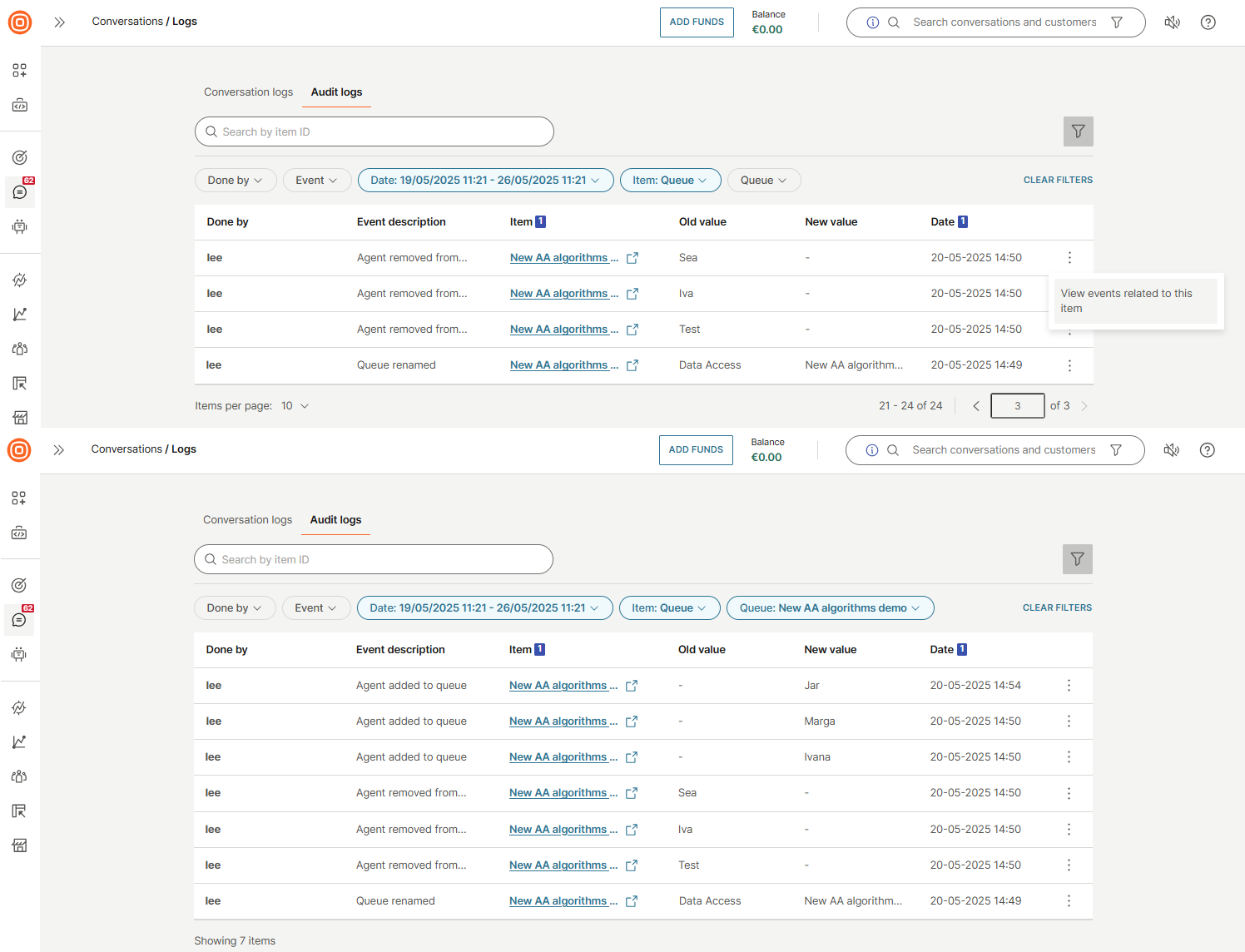
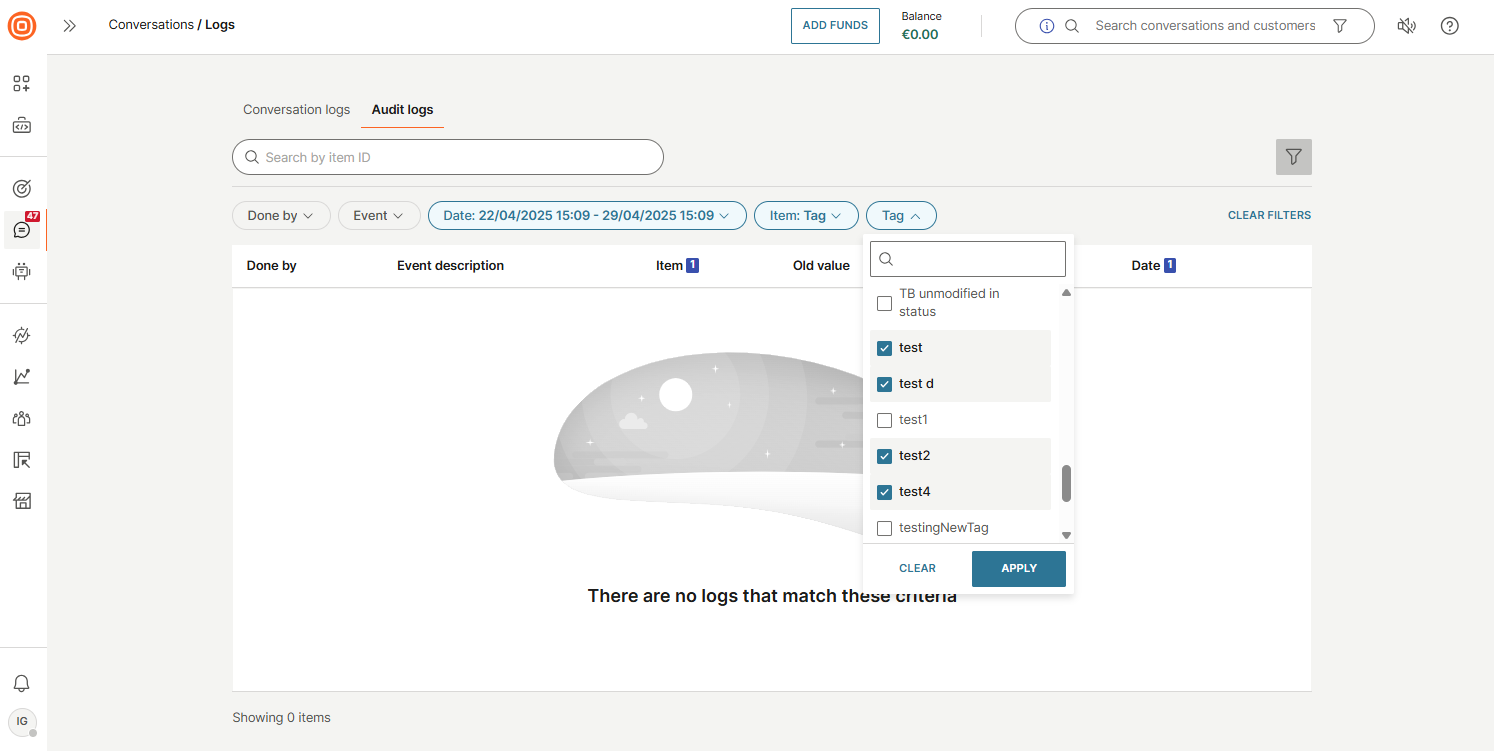
When you select an item type (for example, Item → Tag), an additional filter appears, allowing you to select specific items from that category.
View related events
To see all events related to a specific item, select the three dots menu next to any log entry and click View events related to this item.