





Apple Messages for Business: What it is and how to use it for customer engagement
Getting closer to your customers when they need you is now easier than ever with Apple Messages for Business.

Apple Messages for Business connects brands with iPhone, iPad, and Mac users directly inside the Messages app for support, discovery, scheduling, and Apple Pay checkout. With Invitations, approved brands can now initiate those conversations with customers who have opted in. That shifts the channel from a reactive support tool to a full customer engagement platform.
With 88% of customers saying experience matters as much as products, and 150 million active iPhone users in the US alone, Apple Messages for Business is one of the highest-leverage channels available to iOS-first brands. This guide covers what the channel can do, how Invitations works, and how to get started in five steps.
Why is it time to upgrade your customer service with Apple Messages for Business?
The customer journey increasingly begins and ends online. In fact:
In other words, how and where you engage customers matters more than ever.
To respond to these shifts in consumer behavior, businesses have been transforming the way they interact with their customers by moving from traditional channels to digital ones.
A business’s online presence is no longer just its website and the keywords it uses to rank on search, it’s also how easy they make it for customers to contact them and complete their journey.
What is Apple Messages for Business?
Apple Messages for Business (formerly Apple Business Chat) is a native iOS messaging solution that allows brands to connect with customers directly through the Messages app – on iPhone, iPad, Mac, or Apple Watch. You can explore the full feature set on our Apple Messages for Business page.
Whether it’s customer support, scheduling, product discovery, or Apple Pay-enabled checkouts, Apple Messages for Business helps you meet iOS users directly in their preferred messaging app. Securely, seamlessly, and on their terms.
Now, you might be asking yourself: why should I cater to iOS users?
With 63% of US smartphones running iOS and 150.7 million active iPhone users in the country, not having an Apple Messages for Business presence means missing a significant share of your market. And with 2.5 billion active Apple devices worldwide, that audience is there in every market you expand into.
All in all, communicating with customers through Apple Messages for Business helps you deliver a fully connected experience to a wider audience.
Apple Messages for Business Invitations: proactive engagement for opted-in customers
Apple Messages for Business has always been opt-in by design – customers come to you through entry points like Spotlight, Maps, or Safari. Invitations, launched in 2026, adds the other direction: approved brands can now initiate conversations with customers who have opted in.
Three practical entry points brands are using today:
- IVR deflection. A customer calls about a delayed order and hits the queue. Instead of waiting on hold, they get the option to continue via Apple Messages for Business. An automated flow handles the tracking query instantly; a live agent steps in only if needed. Same issue resolved, faster, with no hold time.
- Web opt-in. A customer creates an account or reaches checkout. They agree to receive messages as part of the sign-up flow. From that point, you have a direct line to that customer on a channel they already trust.
- Post-purchase and lifecycle. Order confirmations, shipping updates, appointment reminders, re-engagement – Invitations lets you engage customers at the moments that matter most, not just when they have a problem.
One thing worth knowing: Invitations require explicit opt-in and use Apple-controlled templates. This is what makes customers trust the channel enough to opt in, and keeps the experience high-quality on both sides.
11 ways Apple Messages for Business can power customer engagement
Apple Messages for Business gives you the tools to engage customers across the full journey, from first discovery to post-purchase. Here’s what the channel makes possible:
1. Make messaging a first choice
Introduce messaging as the first choice for your customers by enabling “Message Suggest” so customers can start a conversation directly from Safari, Maps, Siri, or Spotlight. This reduces pressure on your contact center while offering a fast, familiar way for customers to reach you.

2. Build a premium, branded journey
Stand out with rich, personalized conversations that reflect your brand. With Apple’s built-in Messages app, customers enjoy a high-quality, native iOS experience that feels trustworthy and professional.

3. Capture attention with rich content
Deliver rich experiences to keep customers engaged through the entire journey. Make your messaging more exciting and visible with media-rich messages; share images, videos, carousels, and links that entice customers to click and continue the conversation.

4. Streamline the journey with quick replies
Help customers act faster with tap-to-respond options. Quick replies reduce friction and keep conversations flowing smoothly.
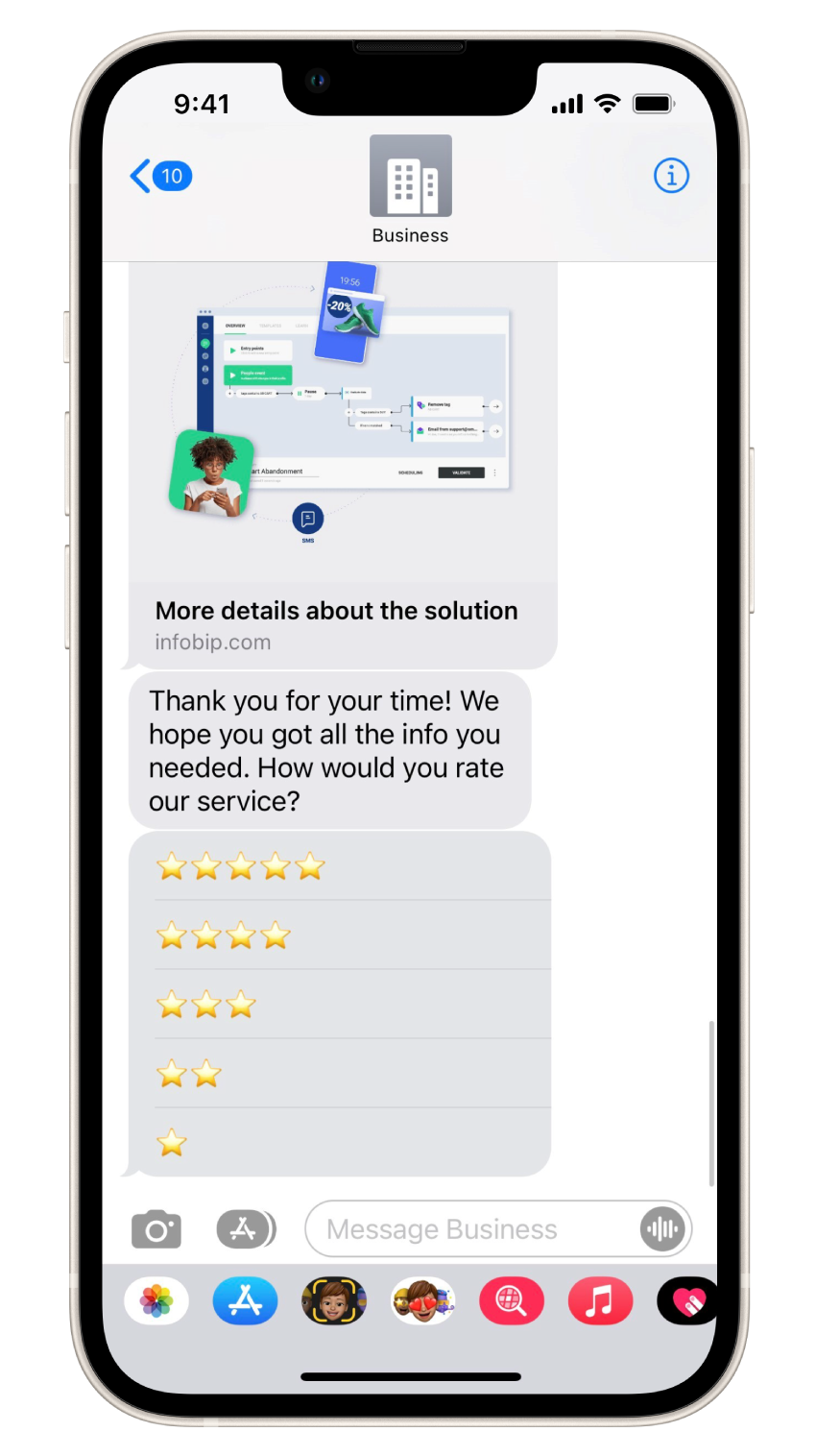
5. Guide choice with a list picker
Present multiple options, like store locations, product types, or service categories, by using a list picker. Each item can include text and images, and lists can be grouped into sections to simplify selection and improve clarity.

6. Simplify scheduling with a time picker
Let customers easily book appointments by selecting from available time slots. The time picker also displays potential calendar conflicts, helping customers choose the option that works best without back-and-forth messaging.

7. Enable in-message payments with Apple Pay
44.5% of online users worldwide prefer digital mobile wallets as a payment method. Make your purchasing process a part of your Apple Messages for Business conversations by offering authenticated Apple Pay options; streamlining the checkout process without ever leaving the Messages app.

8. Enhance security with end-to-end encryption
Let your customers know that everything stays between the two of you with end-to-end encrypted messaging that ensures security and builds trust.

9. Send and store important documents
Share digital assets like tickets, order confirmations, or loyalty cards that can be stored directly in Apple Wallet, ensuring customers always have access when they need it.

10. Make interactions more expressive and immersive
Add life to your new digital channel by sharing 3D files, emojis, or AR content to make your customers feel like they are right there with you.

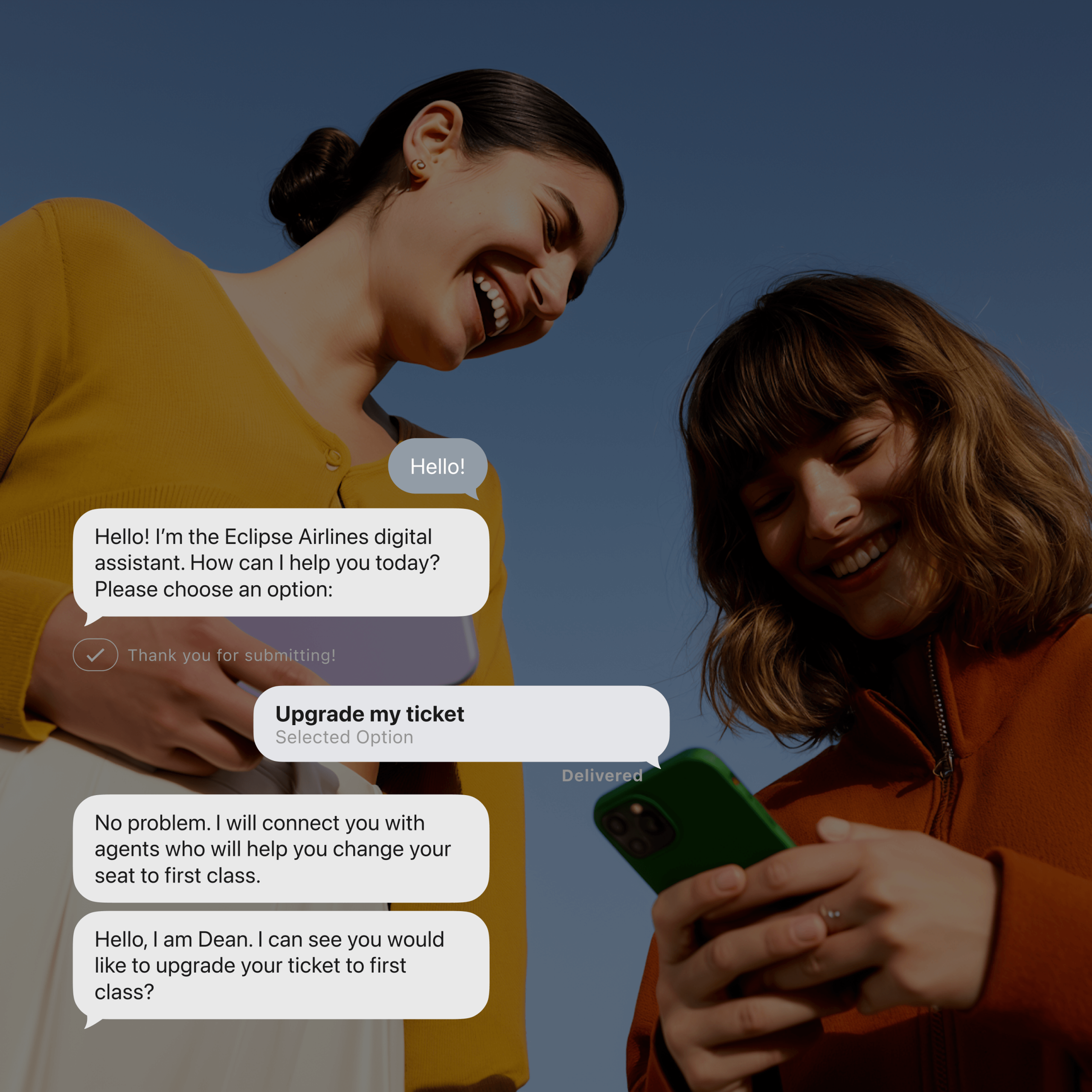
11. Transfer to agents without losing context
Offer customers personalized service at every step of their journey by seamlessly transferring to live agents without losing context or conversation history.
How to start using Apple Messages for Business in 5 simple steps
Before getting started, define what kind of experience you want to deliver. What types of questions will customers ask? What use cases will you support? What are the key entry points: Safari, Maps, Siri?
Once you have the answers, add them to a simple document that our team can share with you. If you are a little unsure, don’t worry, we can help you to map a customer journey that is just right for your business goals.
This blog will serve as a guide for your implementation phase, outlining what you need to prepare, how to set up your account, and how to go live with confidence.
Step 0: Get approval from Apple before you begin
Before you can move forward with setup, Apple must first review and approve your proposed use cases. This is a mandatory step. Without Apple’s approval, you won’t be able to continue with the onboarding process.
To start, you’ll need to prepare and submit the following:
- A document containing all the use cases
- User journey diagrams
- Entry point mock ups
Once you’ve compiled these materials, our team will send them to Apple on your behalf. Only after Apple approves both your use cases and your business profile can you proceed with account setup and integration.
Step 1: Log in
Log into the Apple Business Register with your business email, preferably using your business email, by clicking on this link: Apple Business Register.
Step 2: Create an account
Provide basic details about your business, then select Infobip as your authorized Messaging Service Provider. Once submitted, Apple will review and confirm your registration.
Step 3: Connect
Next, you’ll need to connect your test sender to the Infobip platform. This is done by clicking the “Test your Messaging Service Provider connection” link in the Apple Business Register.
You’ll be redirected to the Infobip Portal, where you can log in and add each test sender as a communication resource. This connection allows you to start testing your setup and preview how messages will appear in a live environment.
You are now connected! You can now explore all the opportunities to use Apple messaging through Infobip’s chatbot building and contact center solutions, and can send real messages to your test device.
Step 4: Business goals
To keep the focus on your business goals you can refer back to the user experience that you envisaged in your initial document. Start with a chatbot to triage your customer queries – offering them a list of options, including transferring them to a live agent if the bot is unable to help.
Step 5: Prepare to go live
Once everything is finalized, let our team know that you are ready. We will send Apple the recording of a user experience, and they will review it and give feedback.
Once Apple confirms that your experience is flawless, you will be ready to go live. Some final steps to ensure a successful launch:
- Make sure all of your internal operations and marketing are ready
- Agree on the metrics you would like to track with our team
- Enable all the entry points so that your customers can easily find you
And after launch, we stay with you. Infobip continuously monitors performance and helps optimize your conversational experiences.
Ready to transform customer engagement with Apple Messages for Business?
Apple Messages for Business is more than just a messaging channel. It’s a powerful tool to build loyalty, drive conversions, and streamline operations. With Infobip as your partner, you can activate messaging in days, not months.
Start building meaningful customer conversations on the channel they already use and trust.
Let’s launch Apple Messages for Business together.

FAQs
“Business Chat View Service” is the label Apple uses in Screen Time and data usage when you’ve had a conversation with a business through Apple Messages for Business. It’s not a third-party app or service – it’s Apple’s own activity label for the channel.
Yes. Apple renamed Apple Business Chat to Apple Messages for Business in 2020. The channel, its features, and its infrastructure are the same – the new name reflects the broader range of business use cases the platform supports.
Yes – with the 2026 introduction of Invitations. Approved brands can now initiate conversations with customers who have explicitly opted in. Entry points include IVR deflection, where a customer on hold can choose to switch to messaging, and web opt-ins, where customers agree to be contacted during sign-up. Unsolicited messages are not permitted – opt-in is required before any conversation can be started.
Apple Messages for Business connects directly to Infobip’s AgentOS cloud contact center, which handles all live agent conversations natively. Agents manage AMB conversations in the same workspace as other channels, with full conversation context and seamless escalation from automated flows – no separate inbox, no additional integration required.
Apple Messages for Business is only available on Apple devices. For Android customers, Infobip supports RCS, WhatsApp, and SMS as part of a unified omnichannel strategy – so every customer can reach you on the channel that works for their device, all managed through the same platform.
Yes. Apple Messages for Business works as part of a broader omnichannel strategy. Through Infobip’s AgentOS, you can run AMB alongside SMS, RCS, WhatsApp, and Viber – orchestrating customer journeys across channels from a single platform, with unified reporting and agent management.
Yes. You can connect a chatbot or AI agent to handle high-volume, routine requests automatically – with seamless handover to a live agent when the conversation needs it. Infobip’s chatbot building platform is purpose-built to support AMB’s native UI elements like list pickers, time pickers, and Apple Pay flows.