






Reach and convert iOS customers with Apple Messages for Business
Connect with iOS customers on their most trusted channel with Apple Messages for Business
What is Apple Messages for Business?
Apple Messages for Business (formerly Apple Business Chat) lets businesses communicate with customers directly in the native Messages app across iPhone, iPad, Mac, and Apple Watch. Customers can start a conversation from Apple Maps, Siri, Safari, Spotlight, or a brand’s website. No app download, no new account, no friction.

Why use Apple Messages for Business?
Reach iOS customers where they already are
The Messages app is the most-used app on iPhone. Every interaction happens in a familiar, trusted environment – no redirects, no new logins, no friction. Customers already know how to use it, which means higher engagement from the first message.
Deliver richer experiences than any other messaging channel
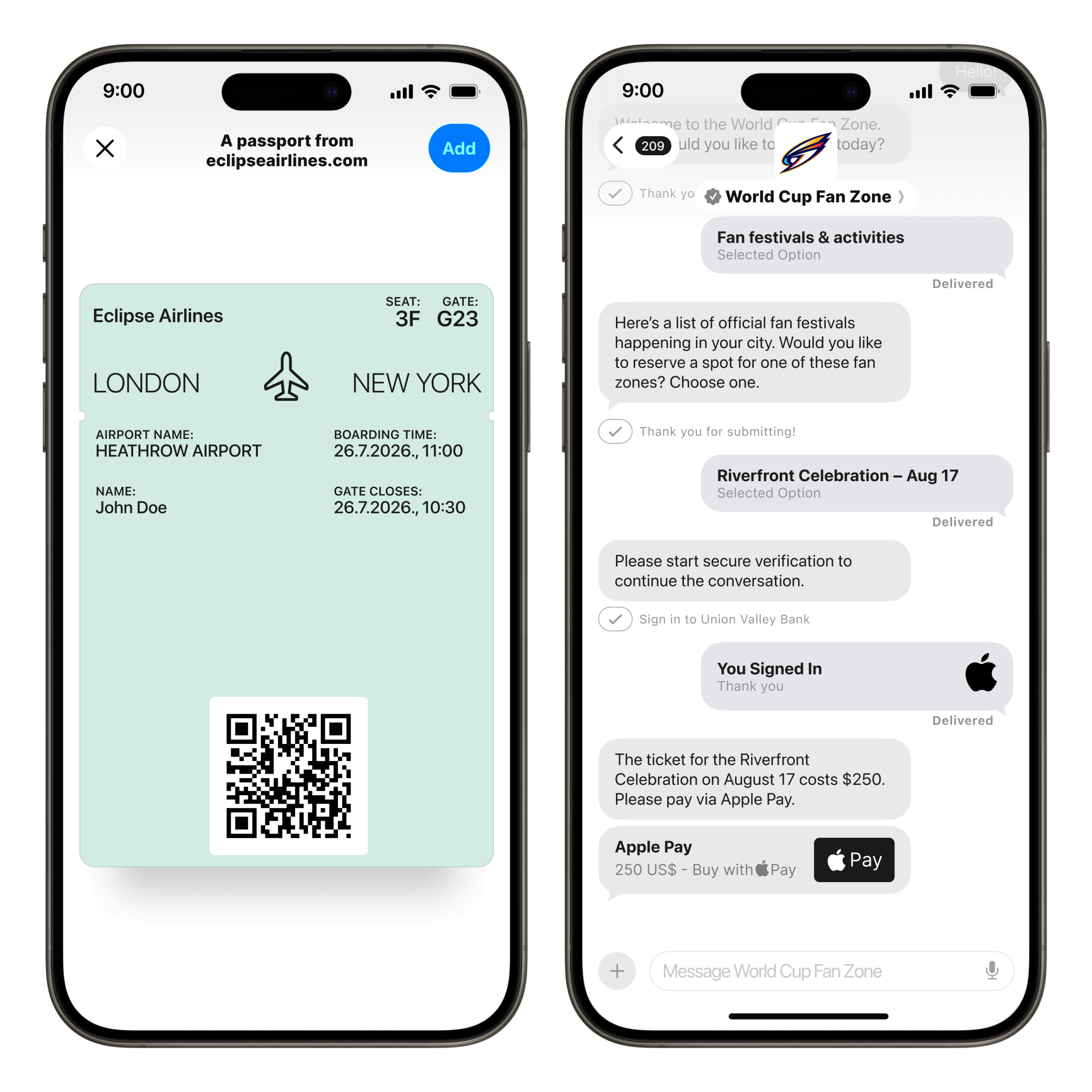
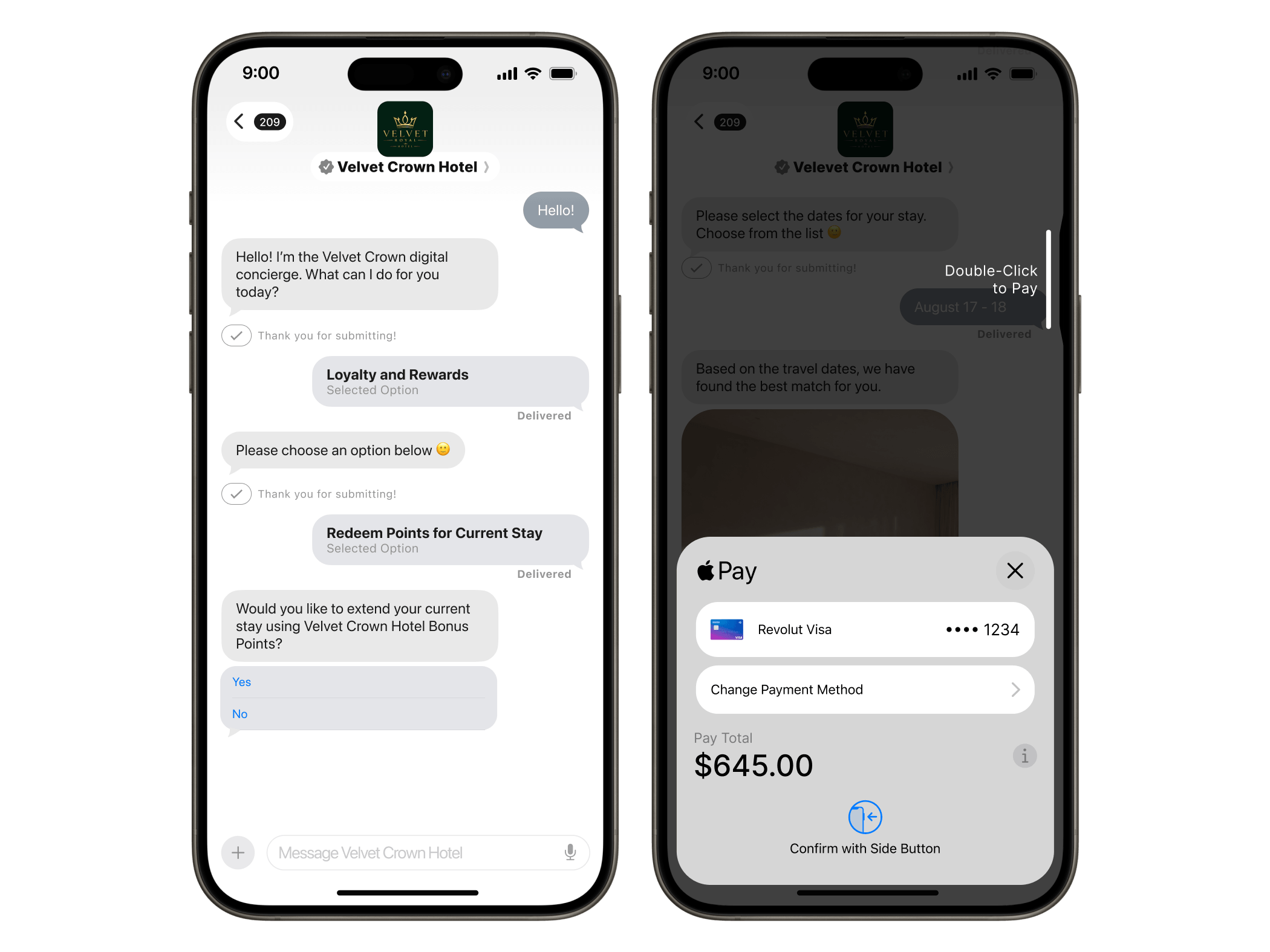
Apple Pay for in-conversation purchases, interactive carousels, list pickers, time pickers, Apple Wallet passes, AR content, and built-in authentication – all natively available inside the conversation. No third-party integrations, no web redirects.
Reduce contact center costs with automation and IVR deflection
Move high-volume voice interactions into conversational flows. Chatbot automation handles routine requests; seamless agent handover manages complexity. With Invitations (2026), brands can now initiate conversations via IVR deflection and web opt-ins – pulling customers off hold and into a channel where resolution happens faster.
Apple Messages for Business features
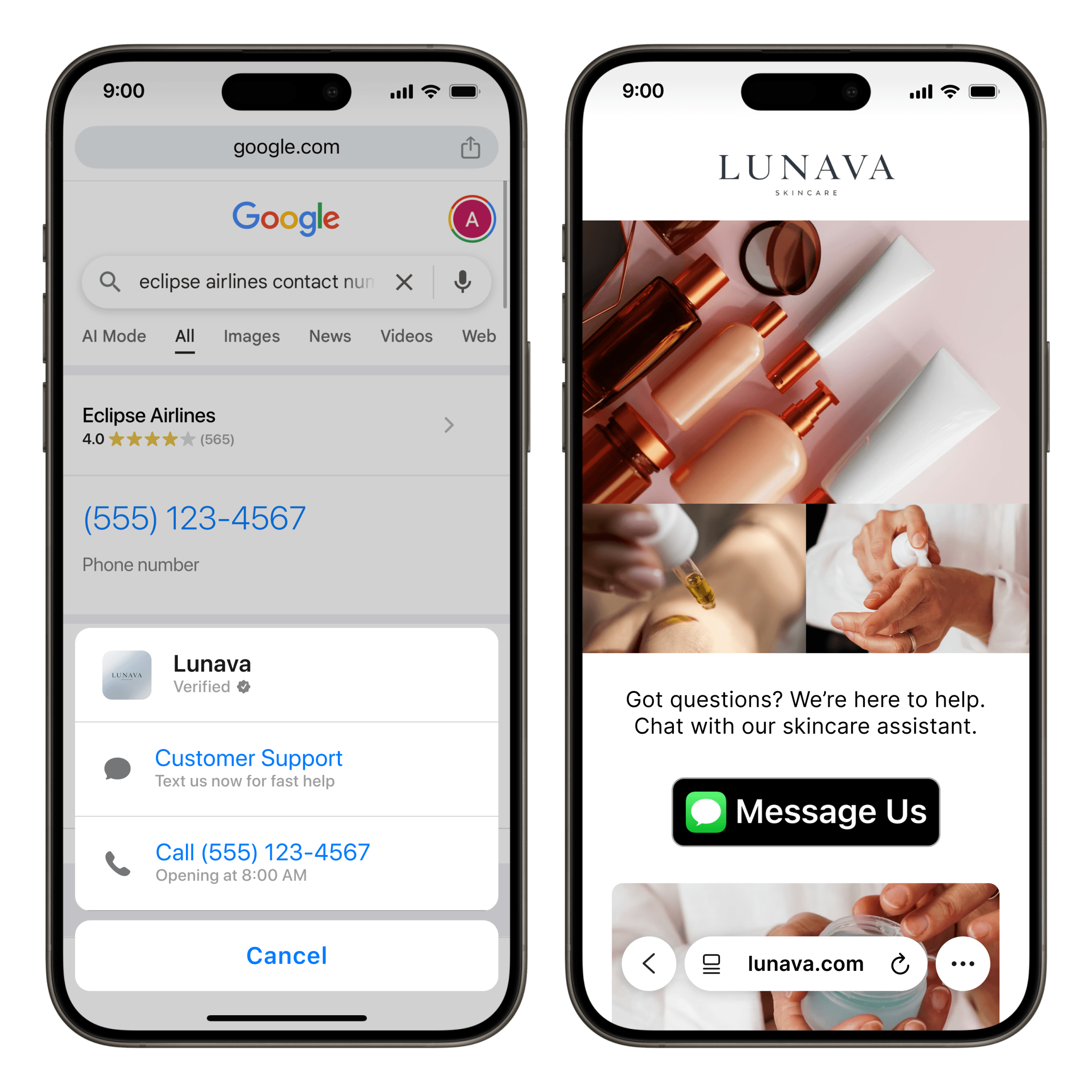
Message Suggest and the Apple Messages for Business button
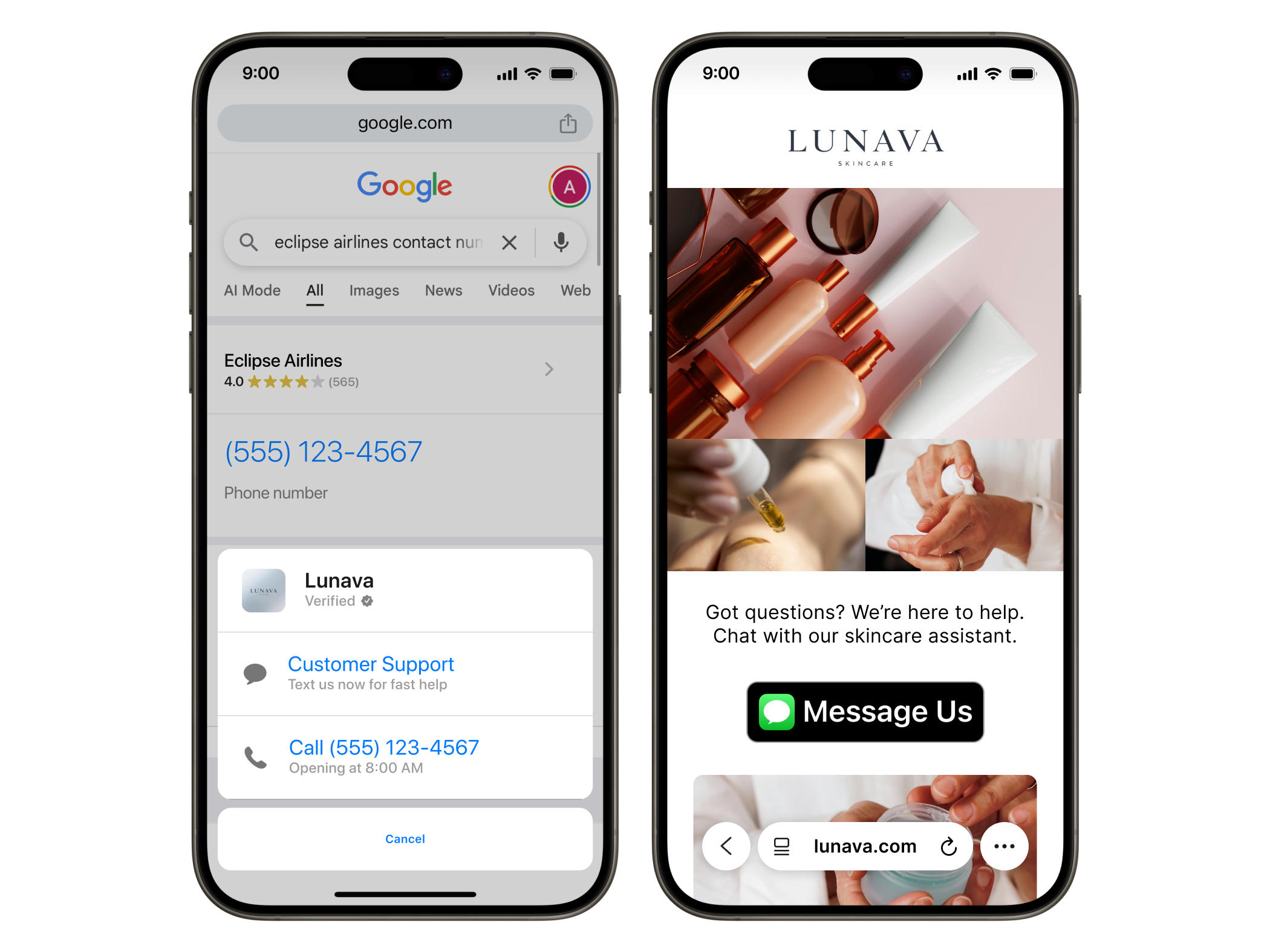
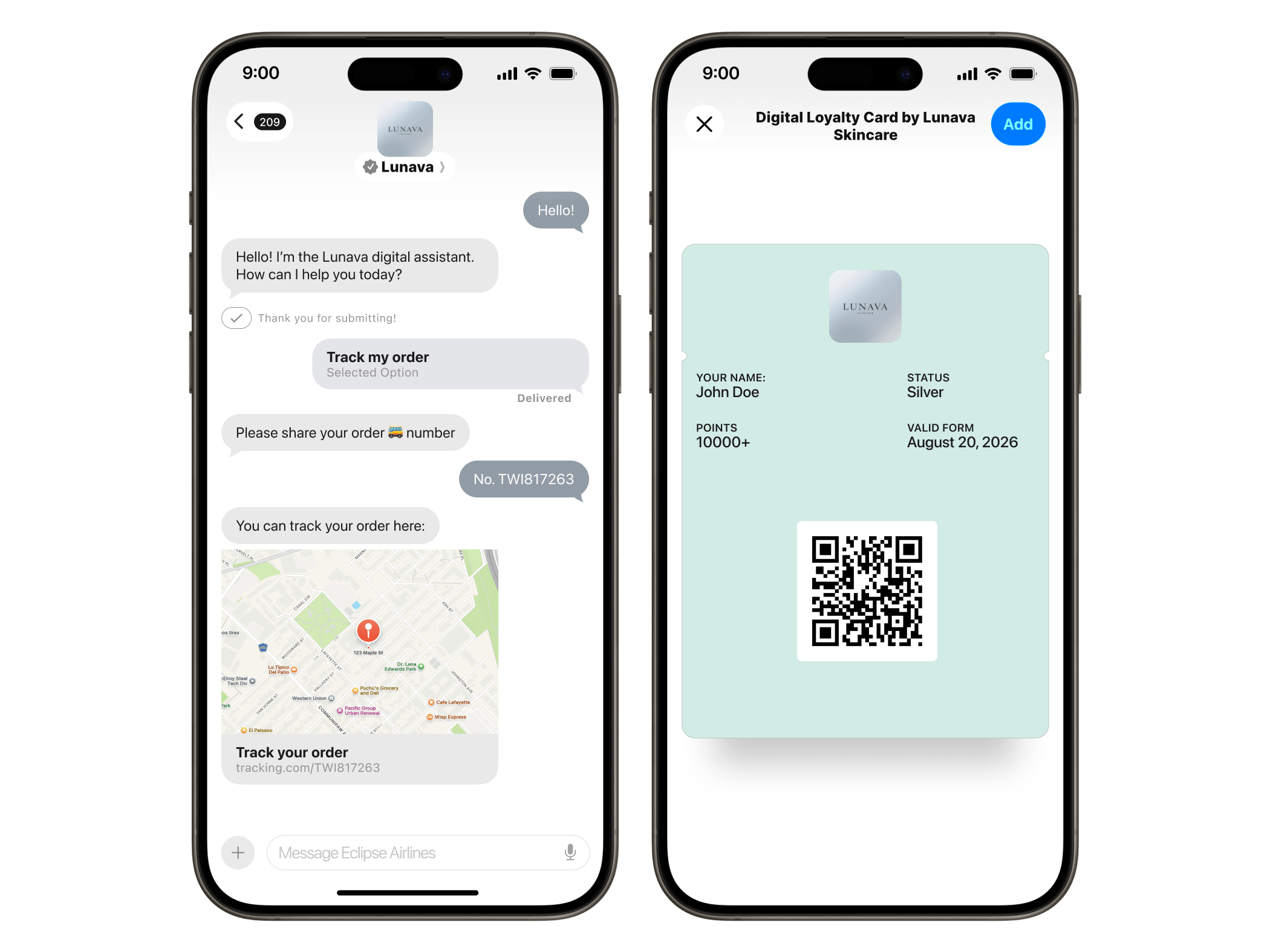
Message Suggest surfaces your business as a messaging option when customers search for your brand in Spotlight, Maps, or Safari. The Apple business chat button can be embedded on your website, in apps, or in emails, giving customers a direct entry point into a conversation without calling or searching.
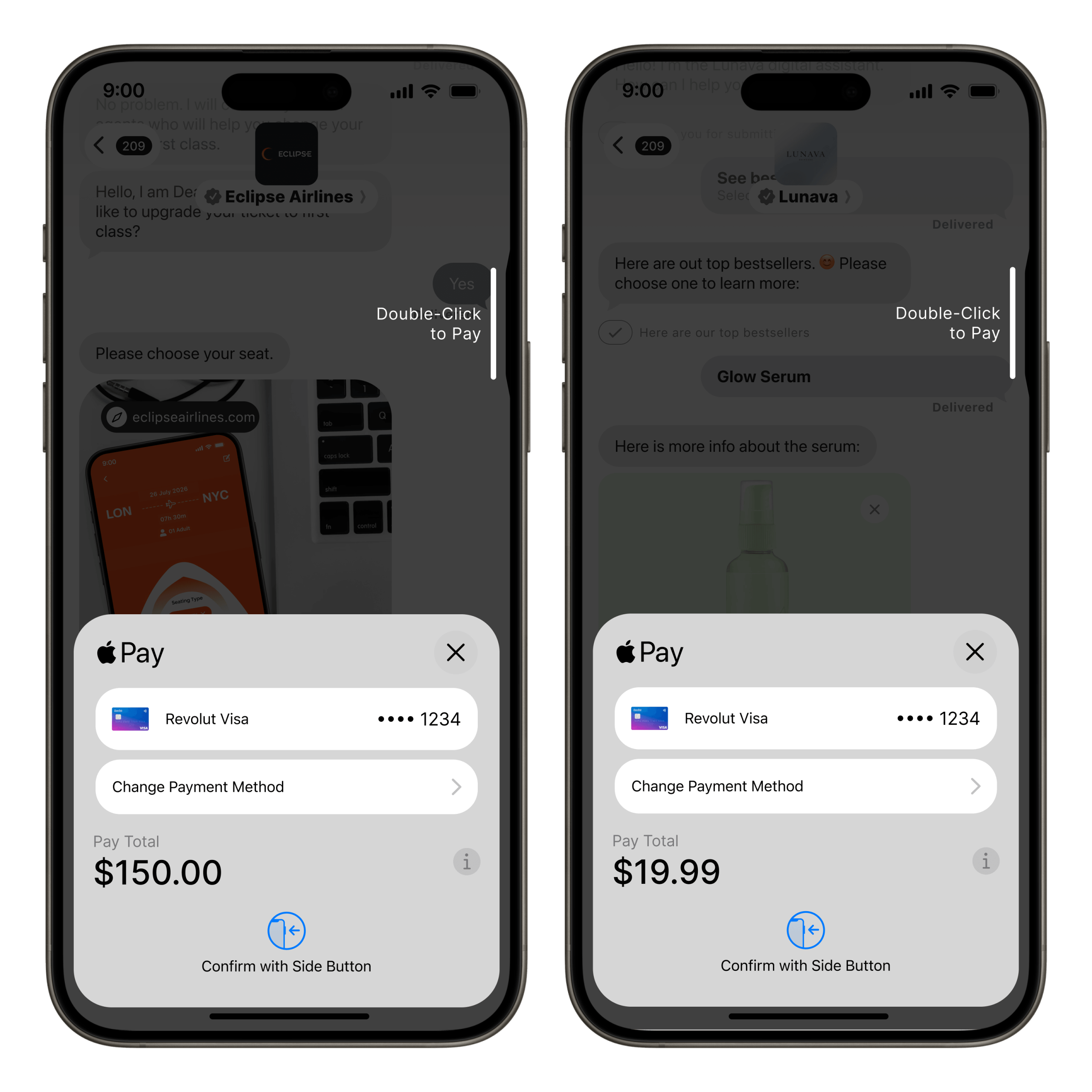
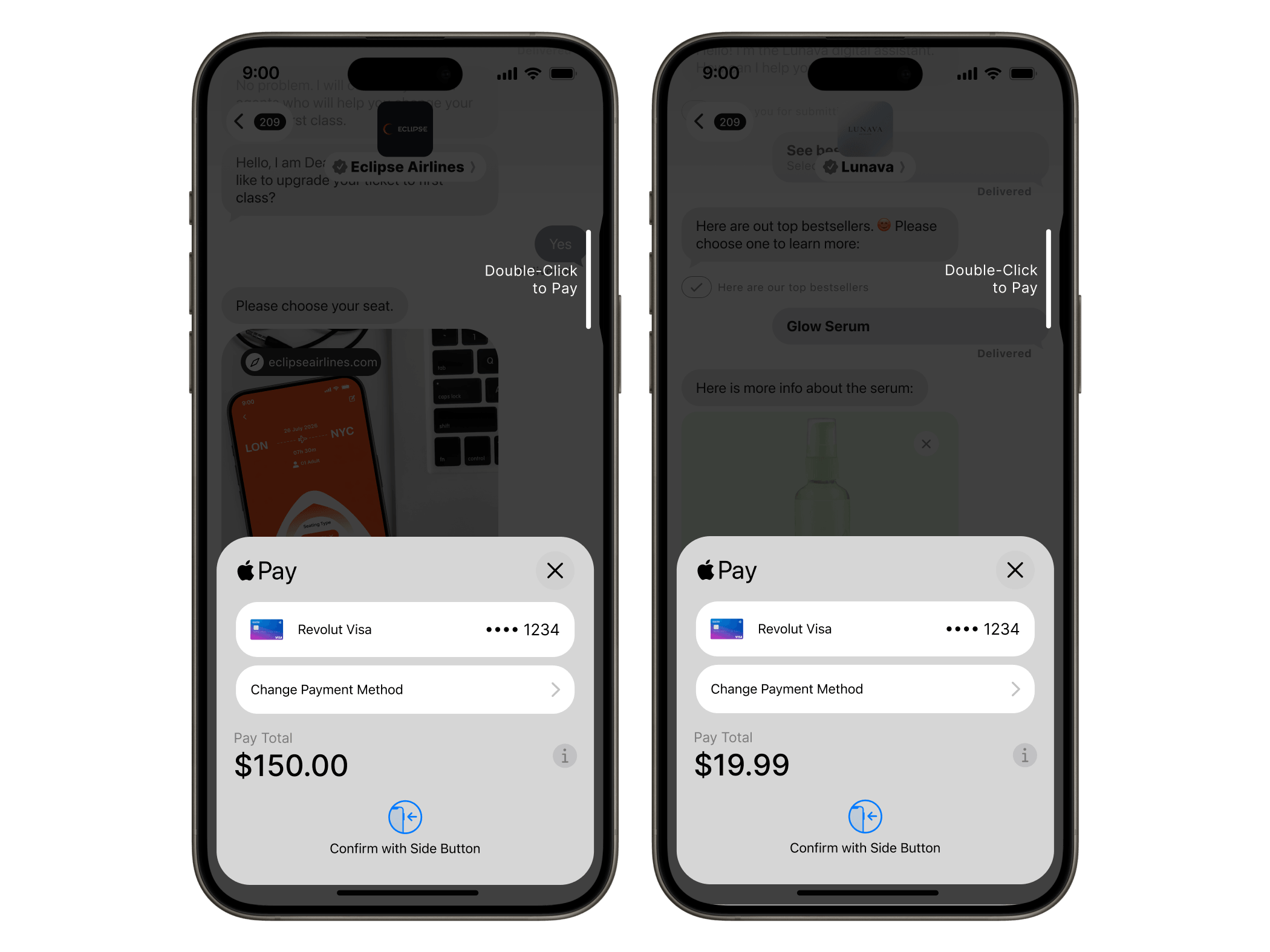
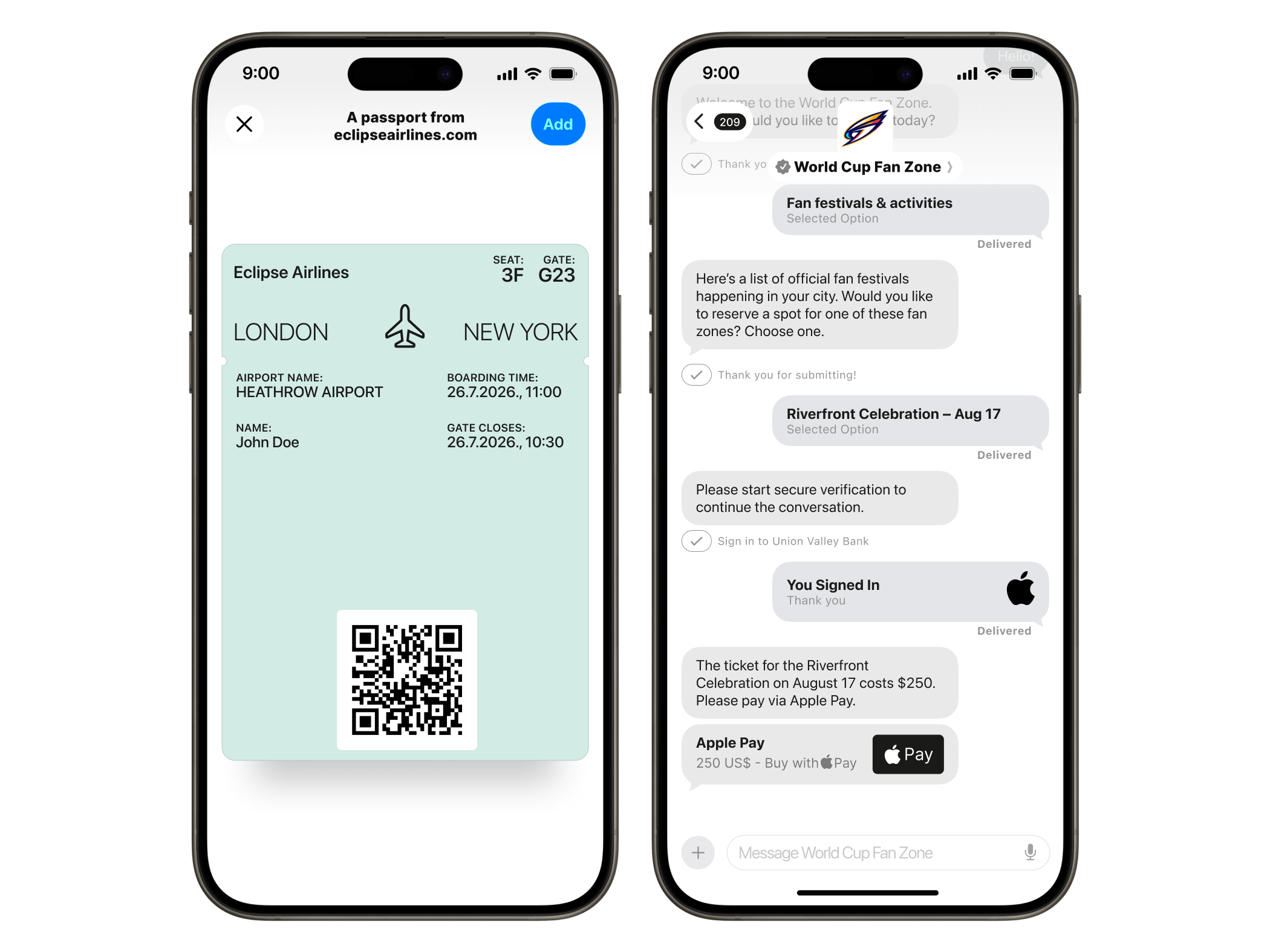
Apple Pay in-conversation
Customers complete purchases without leaving the Messages thread. No checkout redirect, no cart abandonment. Payment is authenticated with Face ID or Touch ID.
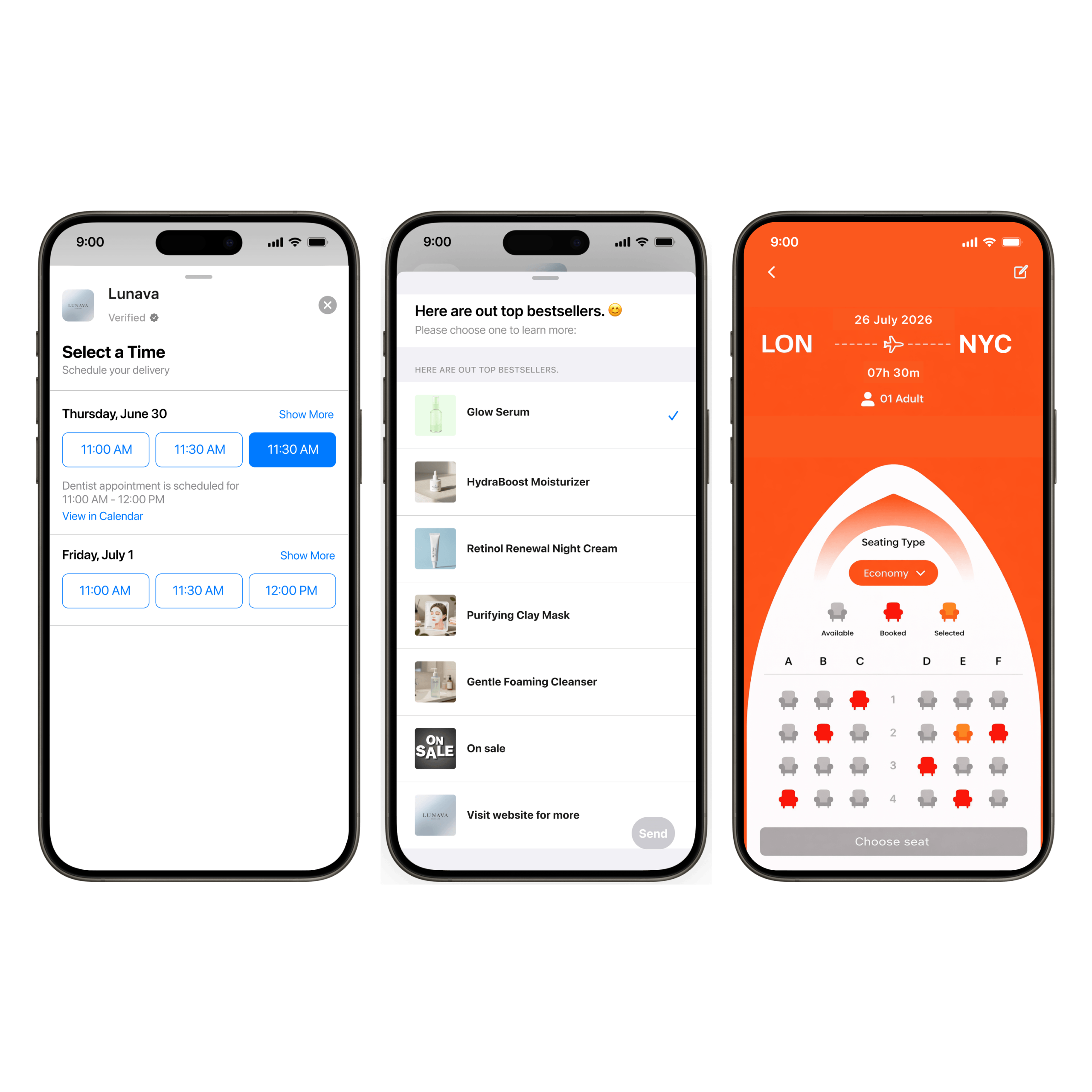
Interactive UI elements
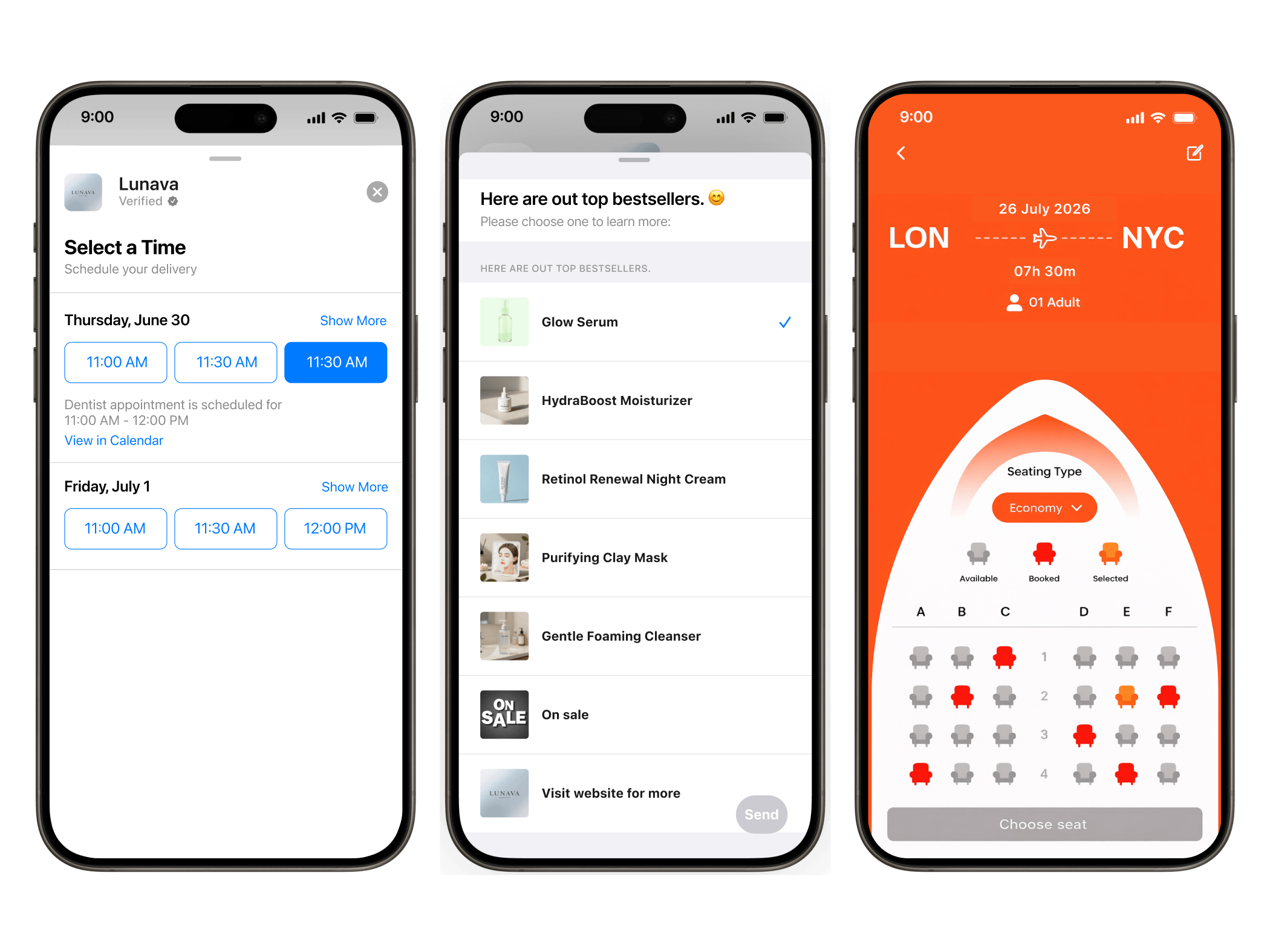
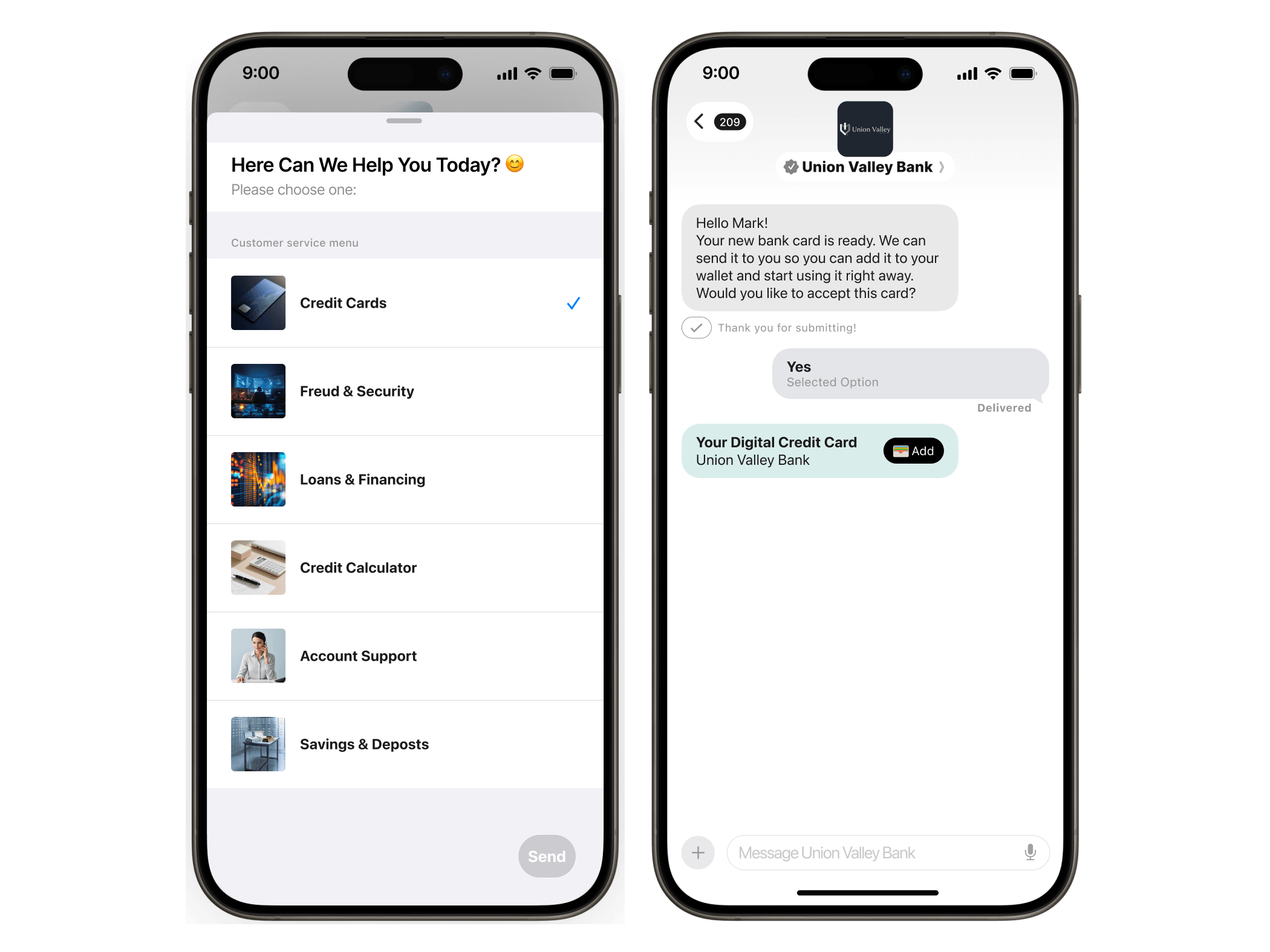
List pickers, time pickers, and quick replies let businesses build structured conversations that guide customers to the right outcome – without relying on free-text input.
Rich media
Send and receive images, video, documents, AR content, and 3D objects. Product visualizations, instructional videos, and documents all work natively in the thread.
Apple Wallet passes
Issue loyalty cards, boarding passes, event tickets, and coupons directly into Apple Wallet from inside the conversation.
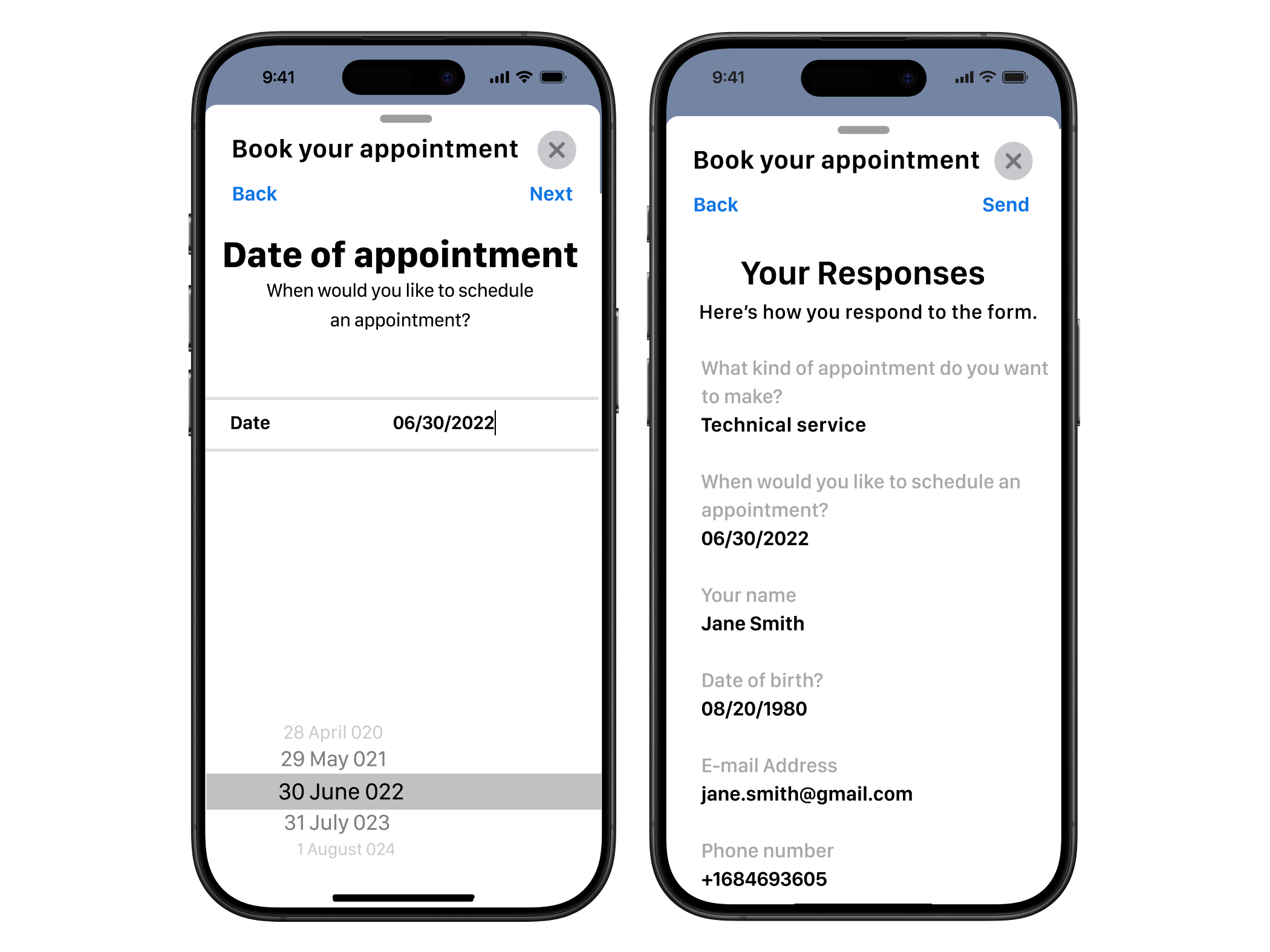
Message forms
Collect structured data – account numbers, preferences, feedback – through guided form inputs, keeping everything in the Messages thread.
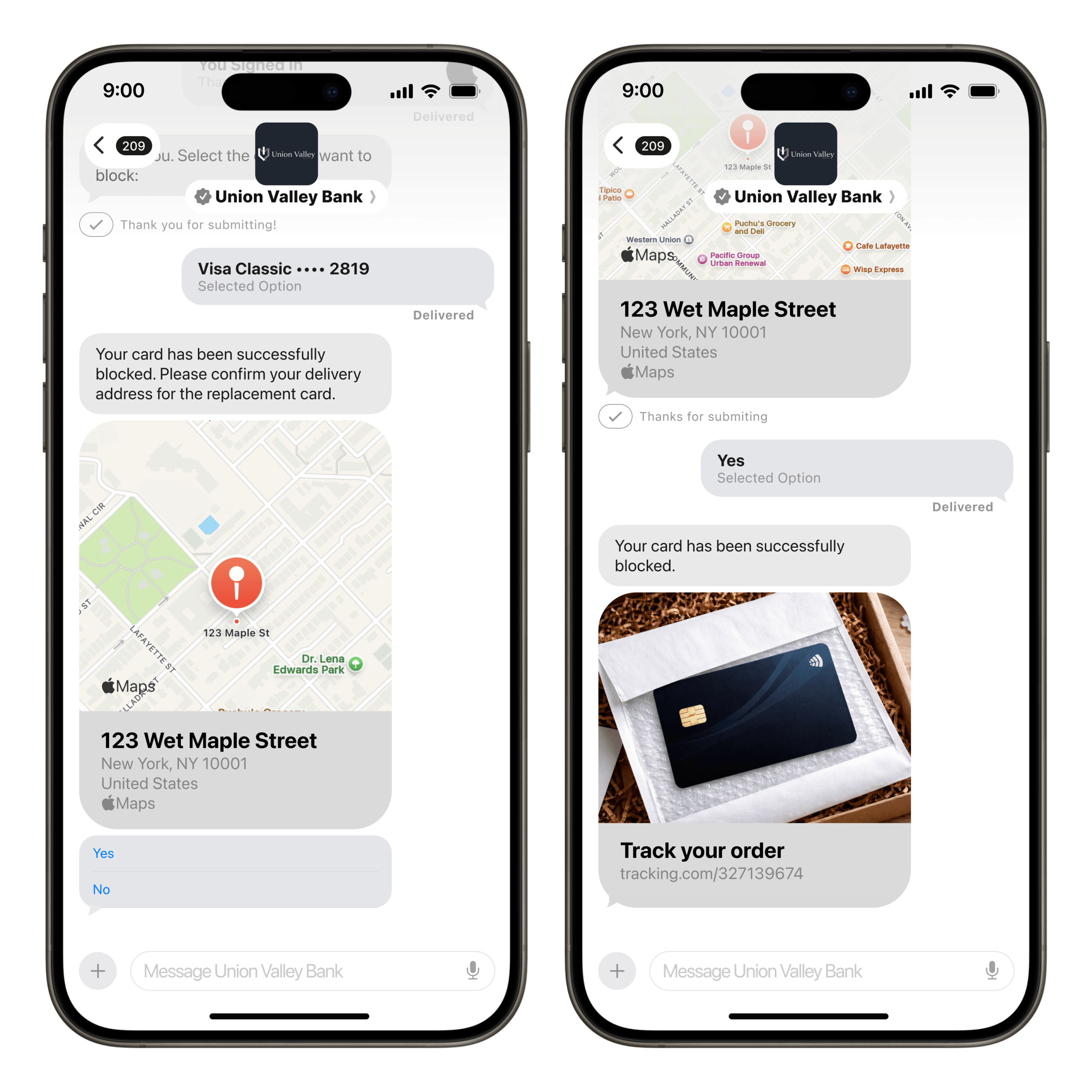
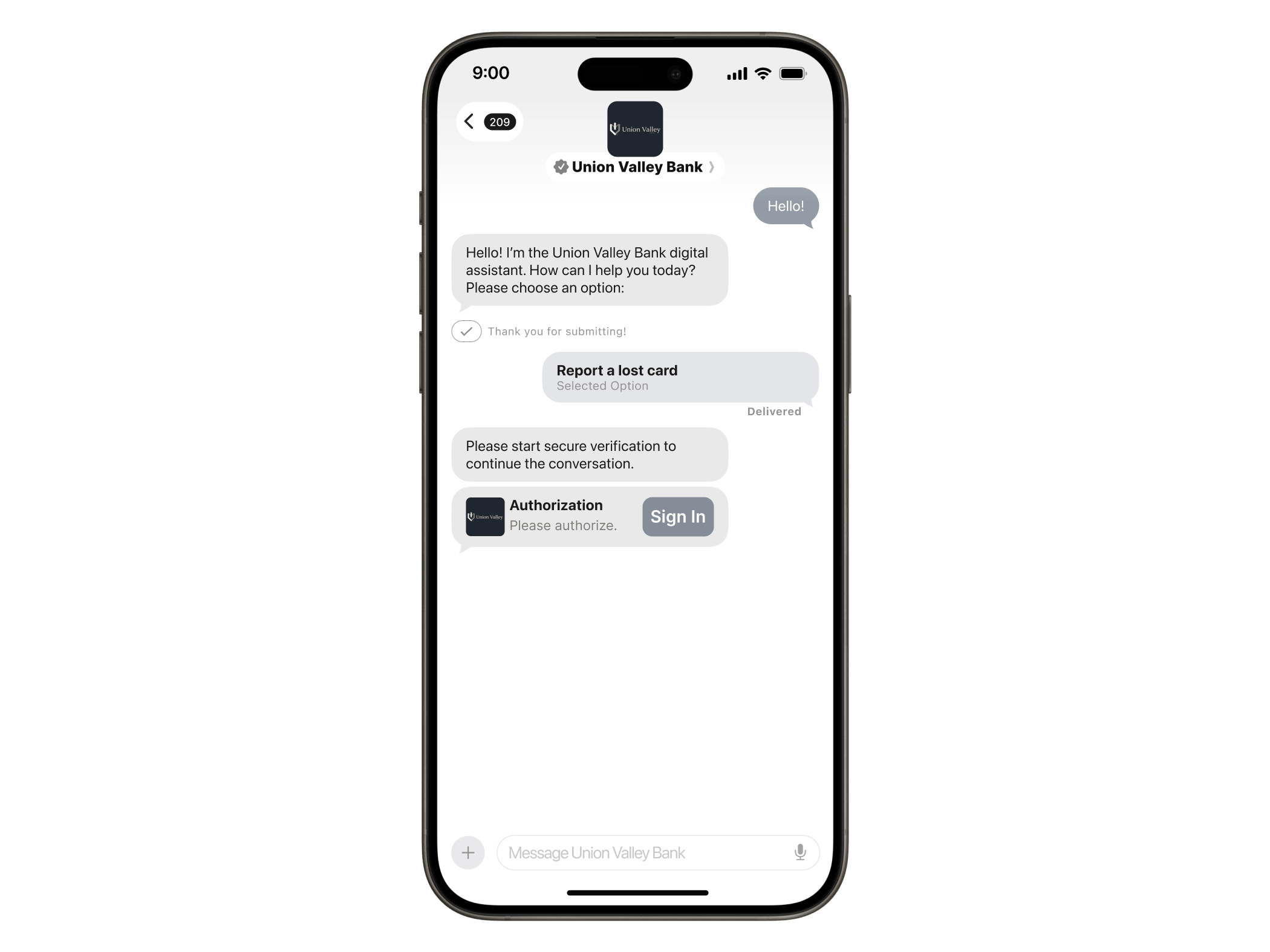
Authentication messages
Verify identity and complete secure transactions in-conversation without redirecting users to a separate login flow.
AI chatbot and live agent integration
Connect Apple Messages for Business to your chatbot or AI agent for automated handling, with seamless escalation to a live agent when the conversation needs it.
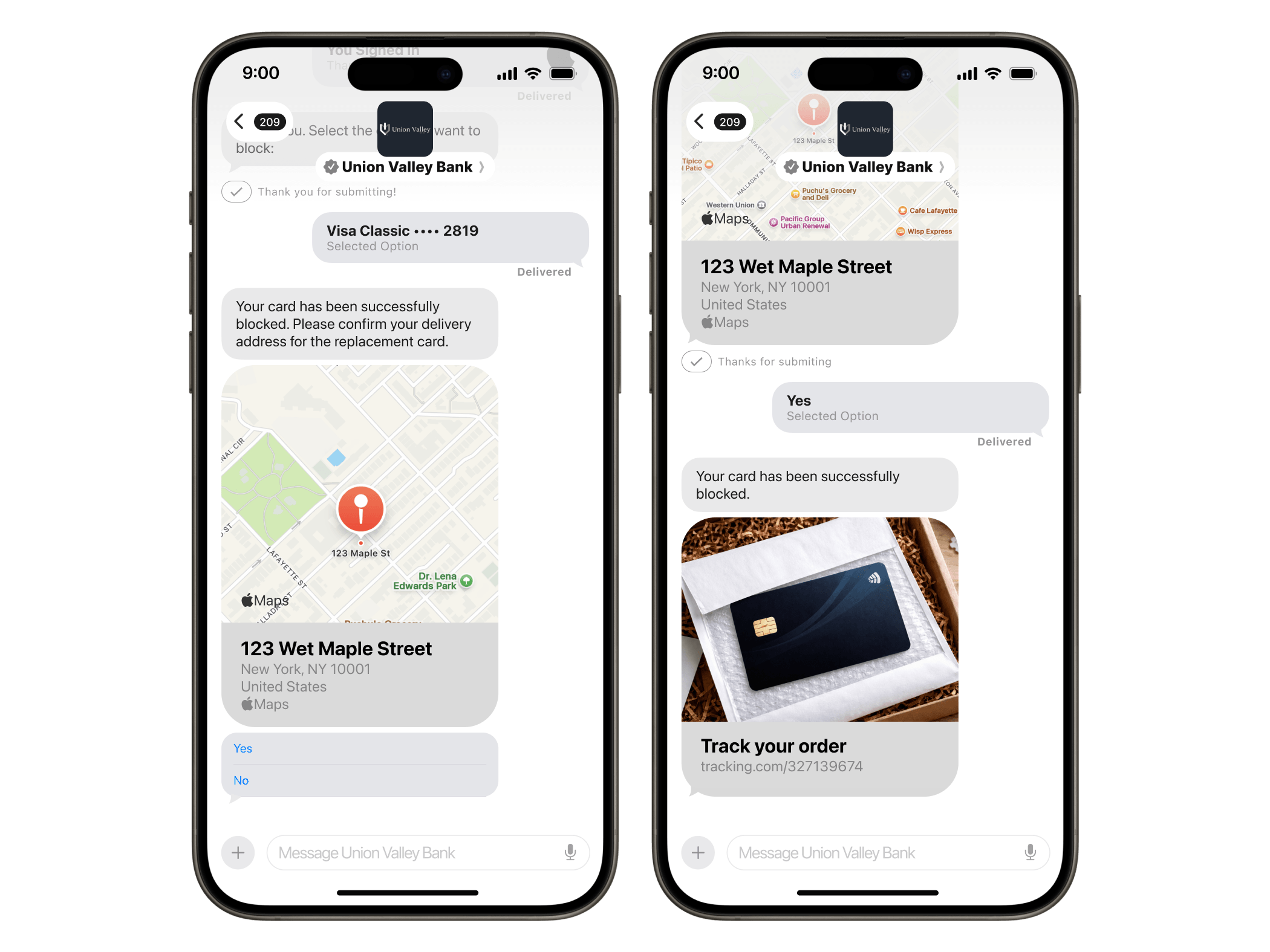
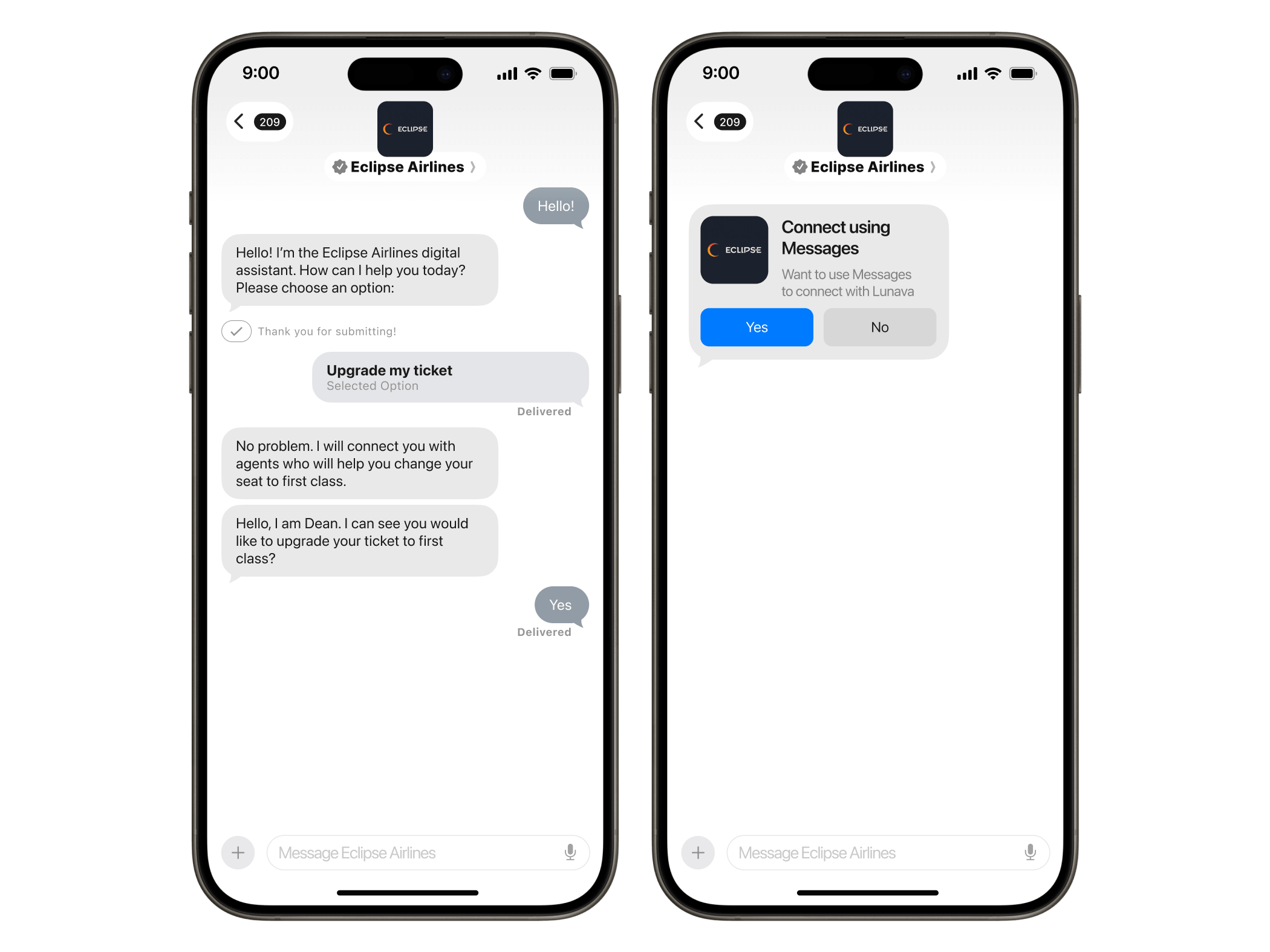

Introducing Apple Messages for Business Invitations
Apple Messages for Business Invitations allows approved brands to initiate conversations with opted-in customers using Apple-controlled templates, by inviting them to start the conversation.
What’s important to know about Invitations:
- Unsolicited marketing is not allowed.
- Apple controls the templates.
- Opt-in is required before any Invitation can be sent.
- Users can opt out at any time, and brands must stop sending until consent is renewed.
Two points available:
IVR deflection
When a customer calls support, they can choose to leave the queue and continue via Apple Messages for Business instead. No hold music, no wait time; just a conversation in the channel they already trust.
WEB opt-in flows
Customers provide their phone number on a brand’s website and explicitly agree to receive an Invitation. That consent gives the brand permission to initiate an AMB conversation.
Apple Messages for Business use cases
Why use Infobip for Apple Messages for Business?
01
ACCESS
Apple has to authorize official Messaging Service Providers, and earning that status takes over a year. We have it so your launch doesn’t have to wait.
02
SPEED
Our platform is already connected to Apple’s infrastructure; the technical build is done. You configure your use case, we get you live.
03
AI PLATFORM
Automation, live agents, and outbound campaigns run in one workspace, with full conversation context. No switching between tools to manage the full customer journey.
04
EXPERT GUIDANCE
We know what Apple approves and what gets sent back for revision, because we’ve taken brands in retail, financial services, and travel through the full review. We’ll take yours through it too.
Frequently asked questions
“Business Chat View Service” is how Apple Messages for Business conversations appear in your iPhone’s Screen Time and data usage. It is not a third-party app or service – it is Apple’s own label for AMB activity. If you see it in your data usage, it means you have had a conversation with a business through the channel.
Yes. Apple renamed Apple Business Chat to Apple Messages for Business. The channel, its capabilities, and its infrastructure are unchanged – the name change reflects the full breadth of business use cases the platform supports. If you have been evaluating Apple business chat, you are looking at the same product.
With the 2026 introduction of Invitations, approved brands can now initiate conversations with opted-in customers for the first time. Invitations use Apple-controlled templates and are limited to two entry points: IVR deflection, where a customer on hold chooses to switch to messaging, and web opt-in flows, where a customer provides explicit consent on a brand’s website. Unsolicited marketing messages are not permitted.
Costs come from your Messaging Service Provider (MSP) and cover platform access, messaging infrastructure, and support. Pricing varies by use case, message volume, and integration complexity. Contact Infobip for pricing tailored to your setup.
Businesses register through Apple Business Register and work with an Apple-approved MSP. Infobip manages the full onboarding process – use-case design, platform configuration, and Apple’s two-stage review – so you can go live without navigating the approval process alone. [Link to getting started guide]
No. AMB is available only on Apple devices: iPhone, iPad, Mac, and Apple Watch. For Android users, Infobip supports RCS, SMS, and WhatsApp as part of a unified omnichannel strategy – so no customer is out of reach regardless of device.