





Verify customers on WhatsApp with Infobip’s OTP verification solution
Enable faster, trusted logins by verifying customers on WhatsApp. Send one-time passcodes in a familiar, encrypted chat from a verified WhatsApp business profile, backed by global compliance and Infobip’s omnichannel failover.
- Faster, secure delivery in a channel customers use daily
- Verified sender and end-to-end encryption build trust
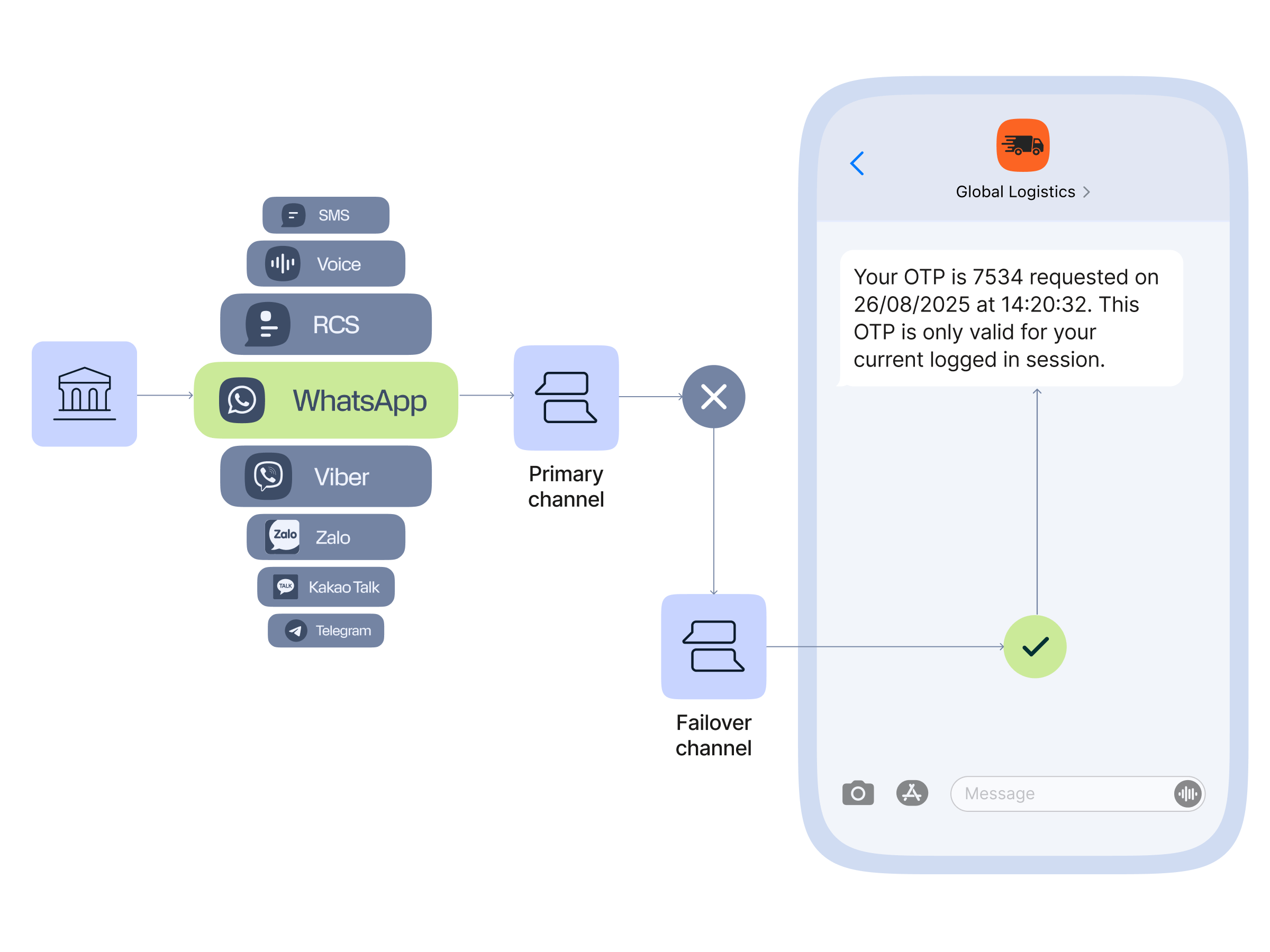
- Automatic SMS or Email fallback keeps verification flowing

What is WhatsApp OTP and when should you use it?
WhatsApp OTP is a unique, temporary code sent to a user in a WhatsApp message, most often to verify identity during sign-up, login, password reset, or sensitive actions.
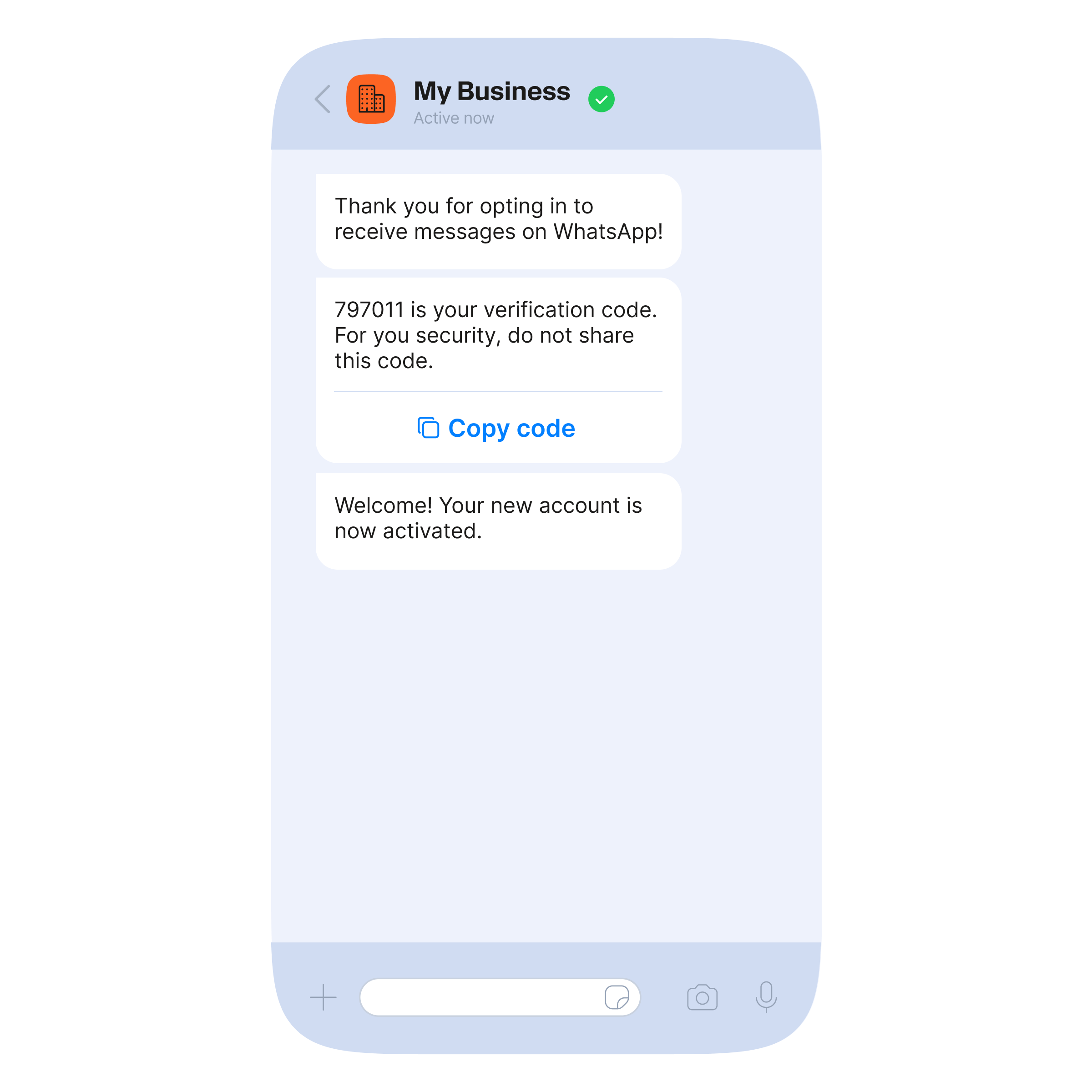
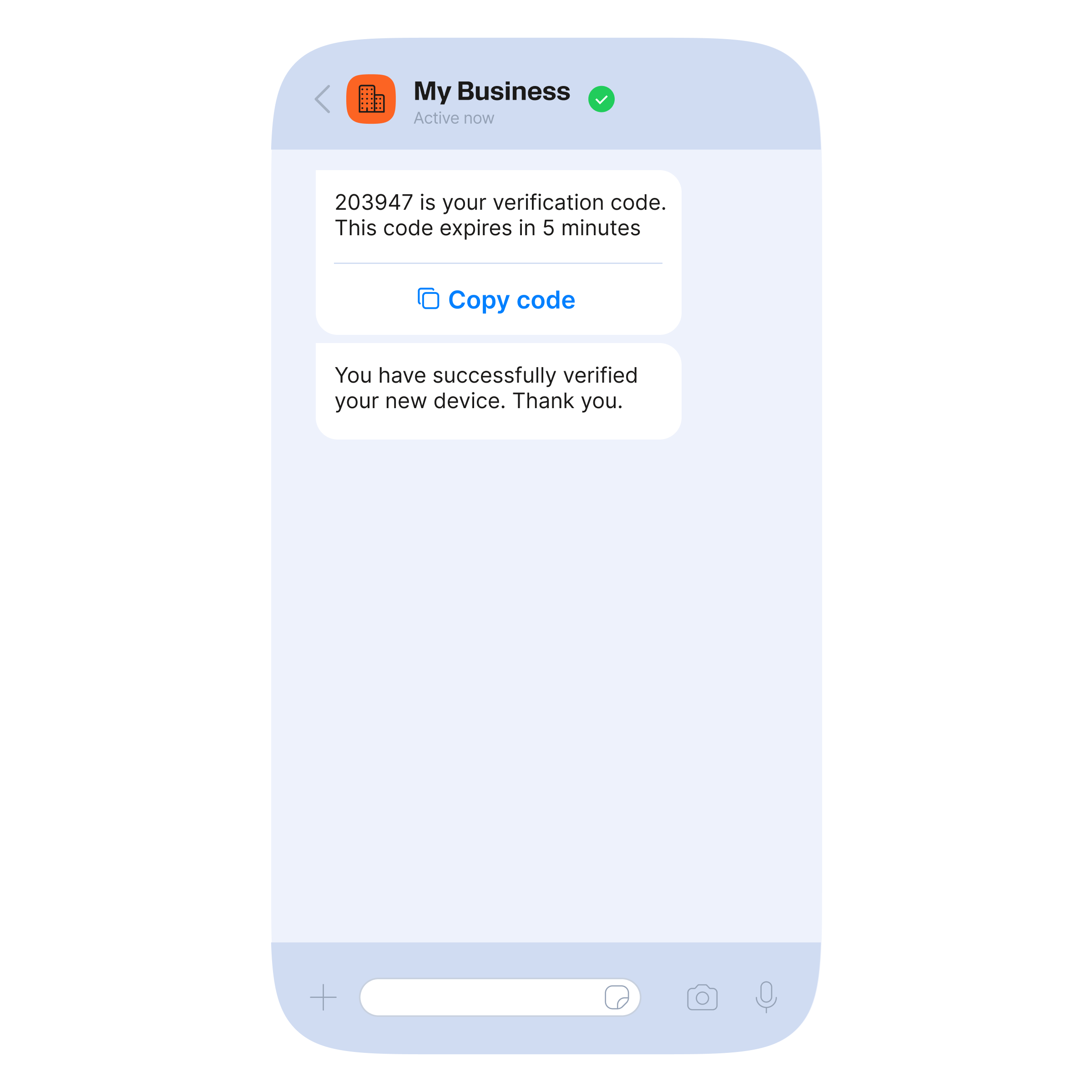
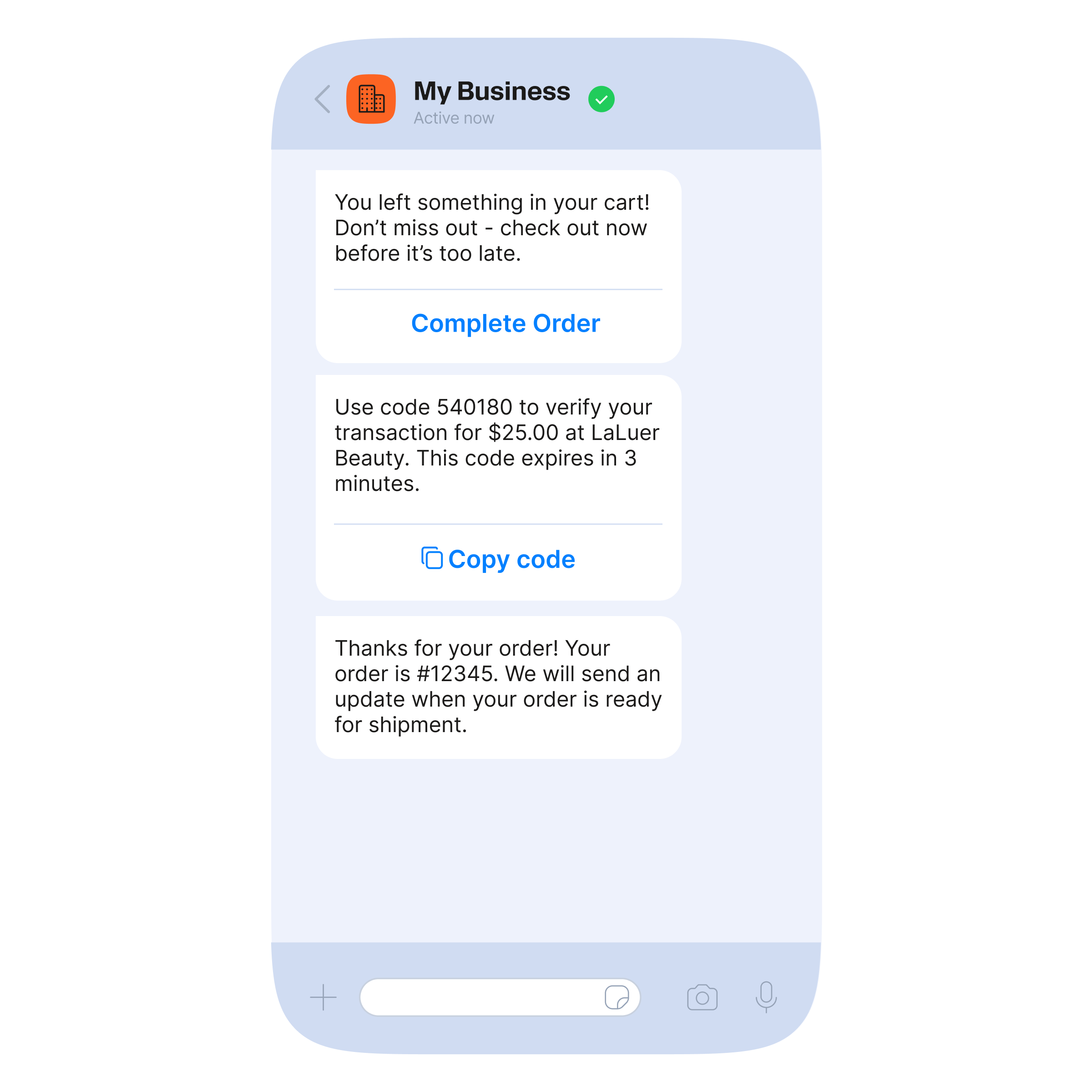

How WhatsApp OTPs work
The benefits of WhatsApp OTPs
Delivering OTPs in WhatsApp speeds up authentication and increases trust because messages arrive on a familiar channel, in an encrypted chat from a verified business profile.
Single thread
Zero-taps
Native buttons
Branding
Performance
Encryption
Time-to-live (TTL)
How our customers use WhatsApp OTPs

Cabify: Combatting artificial inflation of traffic and enhancing CX with innovative fraud and security solutions .
15.7%
financial loss reduction in one quarter .
Jumia: Achieving 54% cost savings in OTPs with Infobip Authenticate .
54%
reduction in costs .{{title}} .
{{meta.stats[0].number}}
{{meta.stats[0].content}} .{{meta.stats[1].number}}
{{meta.stats[1].content}} .{{meta.stats[2].number}}
{{meta.stats[2].content}} .
How to start sending WhatsApp OTPs with Infobip
You will need:
- An Infobip account
- A registered WhatsApp Business Platform sender

Integrate WhatsApp Business Platform API in an instant
Start unlocking opportunities to scale communications and grow engagement with a flexible WhatsApp Business API supported by developers.
- Access detailed API documentation
- Get 24/7 integration support
- Create custom message templates
Expand your tech stack with multiple integration options
Easily implement the WhatsApp Business Platform into your existing tech stack and add on new integrations to build your B2C communication strategy.


Best practices for WhatsApp OTP implementation
Obtain consent
Always collect explicit user consent before sending WhatsApp authentication messages. This ensures users expect and trust the messages they receive.
Check WhatsApp installation
Using our verification APIs, you can automatically check if WhatsApp is installed on a user’s device and suggest it as the preferred OTP channel (available only on Android).
Give users a choice
Let users choose their preferred authentication channel (WhatsApp, SMS, email, etc.) for flexibility and better experience.
Enable zero-taps
Remove friction by enabling zero-tap verification where possible, so users don’t need to leave WhatsApp.
Ensure the highest deliverability rates for verification messages at every touchpoint
Wondering whether to use WhatsApp, SMS or email for sending OTPs? No need – automate sending OTPs on the best channel and only pay for what gets delivered.

Cost and ROI of WhatsApp OTPs
WhatsApp OTPs are sent as Authentication templated messages and are billed on a per‑message basis.
Each delivered template is charged at Infobip’s WhatsApp price, which includes the Meta fee (parent company of WhatsApp). If you deliver multiple OTP templates in a flow or via retries, each one is billed separately.
Frequently asked questions about WhatsApp OTPs
Most WhatsApp templates are reviewed within a few business days. Keep content concise, avoid promotional wording, use the correct category (authentication or utility), and submit localized versions upfront to reduce rework.
You need a verified Facebook Business Manager, consistent brand presence, and strong account history. Infobip guides the application, prerequisites, and regional nuances to improve approval odds. Learn more about WhatsApp blue tick verification here.
Yes, newer mobile devices suggest one-time codes automatically from notifications. Keep codes short, place the OTP near the start of the message, and avoid extra text so systems can detect the code reliably.
Monitor delivery, read receipts, time to code entry, first-try completion rate, retries, failover share, and cost per successful verification by channel and country. Alert on spikes in failures or unusual request velocity. Learn more about WhatsApp reports here.
We suggest running a phased rollout, keeping SMS as backup, and offering users the option to start verifying over WhatsApp. Compare completion and cost by cohort, then expand coverage by market.
We support regional privacy requirements and provide documentation for consent capture, data handling, and security controls. Our teams assist with DPIAs and local regulatory questions. Learn more about WhatsApp compliance here.
No. WhatsApp requires an active WhatsApp number on a supported device. You can detect WhatsApp availability and route to SMS or email when WhatsApp is not supported. See failover API docs here.
It is possible, but keep authentication templates minimal to reduce phishing risk and improve code detection. Use links in post-verification messages if needed.
Start verifying users on WhatsApp
Switch your authentication to WhatsApp for faster, trusted verification. Infobip helps you launch quickly with verified sender setup, approved templates, omnichannel failover, real-time analytics, and 24/7 support.
