

WhatsApp marketing automation: Promotional messages, setup, templates
WhatsApp marketing automation for promotional messages, with setup steps and templates. Comprehensive tools comparison and best practices used in 2026.

Communication that doesn’t move, doesn’t matter.
In 2026, messages that sit unread aren’t just missed, they’re meaningless. Today’s customers expect more than generic blasts. They want relevance, speed, and convenience, and they want it on their terms.
That’s where WhatsApp marketing automation comes in.
With 98% open rates, built-in interactivity, and real-time engagement, WhatsApp is no longer just a messaging app, it’s your most valuable customer touchpoint.
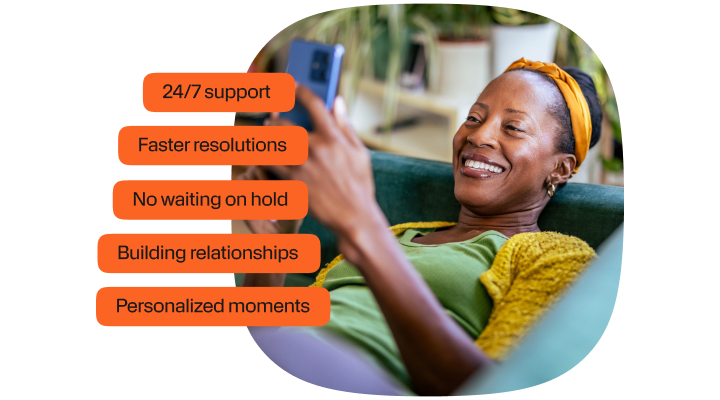
And with Infobip, it’s never been easier to automate, personalize, and scale WhatsApp communications across the entire customer journey. From promo messages and reminders to template creation, journey building, and CRM integration, Infobip gives you a complete ecosystem to turn conversations into conversions.
What is WhatsApp marketing automation?
WhatsApp marketing automation is the process of delivering personalized, timely, and scalable customer messages through automated workflows on WhatsApp, without manual intervention.
It enables businesses to guide customers through the entire journey, from lead nurturing to post-purchase support, using predefined triggers, dynamic templates, and intelligent segmentation.
Powered by the WhatsApp Business API, this approach is ideal for medium to large businesses looking to scale their customer communication across global markets while maintaining context, compliance, and personalization.
Manual app vs. automated API
While the WhatsApp Business App is limited to manual, one-to-one messaging and is best suited for small teams, WhatsApp via API unlocks automation at scale:
| Feature | WhatsApp Business App | WhatsApp Business API with Infobip |
|---|---|---|
| Message volume | Manual, low-volume | Automated, high-volume |
| Personalization | Basic | Dynamic (e.g., behavior-based, segmented) |
| Triggers & workflows | Manual replies | Automated triggers, event-based flows |
| Integration with systems | Not supported | CRM, CDP, eCommerce, support tools |
| Compliance & templates | Limited control | Full compliance support & approved templates |
| Scalability | Small businesses | Mid-size to enterprise |
Infobip: Going beyond basic automation
With Infobip, WhatsApp marketing automation becomes part of a larger, intelligent omnichannel strategy:
- Orchestrate journeys with Customer engagement solution: Use our drag-and-drop journey builder to automate WhatsApp flows triggered by events like sign-ups, purchases, or inactivity
- Segment and personalize with CDP: Leverage real-time behavioral and demographic data to tailor each message, from onboarding to reactivation
- Scale smarter with AI: Use GenAI to auto-generate personalized content and optimize send times based on engagement patterns
- Unify messaging across channels: Coordinate WhatsApp with SMS, email, voice, and more, delivering a consistent experience across every touchpoint
Why WhatsApp marketing automation matters in 2026
In 2026, WhatsApp marketing automation is no longer a nice-to-have, it’s a competitive necessity. As customer behavior continues to shift toward real-time, personalized communication, WhatsApp has emerged as the most powerful channel to meet those expectations.
Trends driving WhatsApp automation adoption
Unmatched engagement rates: WhatsApp delivers a staggering 98% open rate, far outperforming email and even SMS. Messages are read almost instantly, making it ideal for urgent alerts, offers, and time-sensitive updates.
Consumer behavior has shifted: Customers prefer messaging apps over traditional channels. They expect to engage with businesses the same way they talk to friends, through chat, at their convenience, and with context. WhatsApp is now the preferred messaging channel for billions of users globally.
Declining email effectiveness: With inboxes saturated and open rates falling, email is losing ground as a primary engagement channel. WhatsApp cuts through that noise with direct, frictionless delivery.
Mobile-first markets lead the way: In emerging markets, WhatsApp is the dominant communication platform. For brands operating globally, this makes WhatsApp essential for both reach and relevance.
Personalization, AI & automation: The new standard
Modern customers expect more than just message delivery.
They expect messages to be:
- Relevant to their behavior, location, and preferences
- Timely, based on real-time triggers or journey progress
- Conversational, with options to respond or interact
To meet this demand, leading brands are turning to:
- AI-driven personalization to tailor content and offers
- Behavioral triggers to send messages based on customer actions
- Automated workflows that scale without sacrificing human touch
WhatsApp marketing automation use cases
Content that doesn’t connect, doesn’t count.
And in the fast & effective world of WhatsApp, the difference between being seen and being swiped away comes down to timing, context, and relevance.
The type of message you send to users will depend on how they react and here are some common examples.
Promotional messages & exclusive offers
Surprise and delight customers with timely, personalized promotions they’ll actually see.
Use cases:
- Automate new product announcements or seasonal drops
- Send personalized discount codes based on purchase history
- Run segmented broadcasts for VIP or loyalty customers
Example: “Hi Maya 👋 Your VIP discount on our new Spring Collection ends tonight! Tap to unlock 20% off: [link]”
Powered by Infobip’s template approval system, dynamic content, and audience segmentation.
Click-to-WhatsApp lead generation flows
Convert ad clicks into conversations, not cold leads.
Use cases:
- Trigger automated WhatsApp replies from Facebook/Instagram ads
- Prequalify users via chatbot flows
- Auto-route high-intent leads to your CRM or sales team
Example: A prospect clicks a Facebook ad → Instantly receives: “Hi! 👋 I’m Ava from [Company]. Are you interested in residential or commercial AC units?” [Buttons: Residential | Commercial]
Built using Infobip’s WhatsApp API, bot builder, and CRM integrations.
Event invitations, launch announcements & customer polls
Keep your audience informed, engaged, and involved, automatically.
Use cases:
- Send event invites or webinar registration links
- Announce product launches across segmented audiences
- Collect feedback via quick-reply polls or satisfaction surveys
Example: “🚀 Join us for the launch of new product this Friday! Save your seat: [link]”
Abandoned cart & re-engagement automation
Turn hesitation into conversion with behavior-based nudges.
Use cases:
- Recover abandoned carts with tailored reminders
- Reconnect with inactive users through personalized offers
- Trigger loyalty incentives for repeat purchases
Example: “Looks like you left something behind 😢 Your running shoes are still in your cart. Complete your order now and get 10% off: [link]”
WhatsApp marketing automation sales & commerce use cases
If your message moves the customer closer to action, it’s marketing. If it doesn’t, it’s noise.
WhatsApp catalog shopping & product recommendations
Bring your storefront into the chat window.
Use cases:
- Share rich product catalogs directly in WhatsApp
- Suggest complementary or best-selling products using AI
- Personalize product carousels based on browsing or purchase history
Example: “Hi Alex 👋 Here are some picks we think you’ll love: 👜 Urban Satchel, 👟 Trail Runner X2, 👕 Linen Slim-Fit Shirt. Browse more here: [link]”
Order confirmations, tracking & delivery notifications
Reduce support tickets and keep customers informed, automatically.
Use cases:
- Confirm orders instantly with automated messages
- Share real-time tracking links and estimated delivery times
- Notify customers of shipping updates, delays, or failed attempts
Example: “🎉 Order #84572 confirmed! Your new Coffee Maker will arrive by Thursday. Track here: [link]”
Upsell, cross-sell & repeat purchase campaigns
Turn one-time buyers into loyal customers with smart automation.
Use cases:
- Trigger offers based on previous purchases or product categories
- Recommend complementary items post-purchase
- Automate replenishment reminders for consumables or subscriptions
Example: “Hi Jordan 👋 Enjoying your new bike? Upgrade your ride with 20% off all helmets this week only: [link]”
Customer support, engagement & loyalty: Automating the moments that matter
On WhatsApp, where billions already engage daily, automation enables businesses to offer always-on support and personalized loyalty experiences, without scaling up headcount.
24/7 support that doesn’t sleep
Let automation take care of the 80%, so your agents can focus on the 20% that truly need them.
Use cases:
- Auto-resolve FAQs (e.g., “Where’s my order?” or “How do I return?”)
- Route complex issues to the right agent with full context
- Provide support instantly, even outside business hours
Example: “Hi Mia 👋 Your order is on the way and will arrive by Wednesday. Need help with returns? Tap below.” [Quick Reply: Return Item]
Powered by Infobip’s chatbot builder, with AI intent recognition and agent handover.
Rich media + quick replies = Faster resolutions
Support isn’t just about replies: it’s about solving problems, fast.
Use cases:
- Send how-to videos, image guides, or checklists via WhatsApp
- Use Quick Replies to guide users through troubleshooting
- Automate device setup, app support, or service navigation
Example: “Here’s a short video showing how to reset your router. Let us know if it works!” [Video Link + Quick Reply: Yes | No]
Appointments & call deflection done right
Help customers book, reschedule, or get assistance—without waiting on hold.
Use cases:
- Automate appointment scheduling flows and reminders
- Allow users to change times or cancel with one tap
- Divert call center volume to WhatsApp with seamless agent escalation
Example: “Your dental checkup is booked for Thursday at 10 AM. Need to reschedule?” [Quick Reply: Reschedule | Cancel | Confirm]
Feedback, loyalty, and relationship automation
Support might start with solving issues, but loyalty is built by what happens next.
Use the moment after a purchase or service interaction to collect insights.
Use cases:
- Trigger CSAT or NPS surveys via WhatsApp
- Collect feedback after a support chat or product delivery
- Segment based on satisfaction scores
Example: “How was your support experience today? Reply 1 (Poor) to 5 (Excellent) or leave a comment.”
Personalized loyalty & VIP moments
Recognize every customer like they’re your best one.
Use cases:
- Reward loyal customers with points, perks, or exclusive drops
- Recommend products based on purchase history
- Surprise VIPs on birthdays or key milestones
Example: “🎉 Happy Birthday, Tasha! Here’s 500 bonus points and free shipping on your next order. Tap to redeem: [link]”
WhatsApp marketing automation templates & examples
Automation isn’t just about timing, it’s about saying the right thing the right way.
That’s where WhatsApp templates come in.
For businesses using the WhatsApp Business API, all outbound messages (especially those sent more than 24 hours after the last user reply) must follow pre-approved message templates to maintain quality, consistency, and compliance.
Infobip makes this process easy, helping you create, submit, localize, and manage templates at scale, while ensuring you meet WhatsApp’s policies and industry best practices.
What are WhatsApp templates?
Templates are pre-approved message formats used for initiating conversations via the WhatsApp Business API. They’re required when:
- You initiate a conversation (i.e., send a message outside the 24-hour window)
- You’re sending marketing or transactional messages proactively
- You want to personalize messages at scale using variables (e.g., name, product, date)
WhatsApp approval process
Each template must:
- Be submitted for approval via Infobip or Meta’s Business Manager
- Clearly indicate its purpose (e.g., “MARKETING”, “TRANSACTIONAL”)
- Avoid spammy or misleading language
- Include opt-out language for promotional messages
Turnaround time for approval is typically under 24 hours.
Template examples by category
Below are examples that balance compliance, clarity, and conversion, that can be adapted to your use case with Infobip’s platform.
Marketing template examples
Promo / discount offer
Hi {{1}}, don’t miss your {{2}}% off on {{3}} only valid until {{4}}! Shop now: {{5}}. Reply STOP to opt out.
Reactivation message
We haven’t seen you in a while, {{1}}! Come back today and enjoy a surprise gift with your next order: {{2}} 🎁 Tap to view: {{3}}
Product update
New in: {{1}} now available in your region! Be the first to shop the latest: {{2}}. Need help? Chat with us here.
Transactional template examples
Order confirmation
Thanks for your order, {{1}}! Your order #{{2}} has been confirmed and is expected to ship by {{3}}. Track here: {{4}}
Appointment reminder
Hi {{1}}, your appointment at {{2}} is scheduled for {{3}}. Need to reschedule? Tap here: {{4}}
Payment confirmation
We’ve received your payment of {{1}}. Thank you! Invoice #{{2}} is now closed. Need assistance? Reply here.
Engagement template examples
Welcome flow message
Hi {{1}}, welcome to {{2}}! We’re excited to have you. Tap below to explore your benefits: {{3}}. Let us know how we can help anytime.
Survey request
We’d love your feedback, {{1}}! How was your experience with {{2}}? Reply 1 (Poor) to 5 (Excellent) or tap here to leave a comment: {{3}}
Loyalty points update
Hi {{1}}, you’ve earned {{2}} loyalty points! Redeem them for exclusive rewards here: {{3}}. Thanks for being with us.
Maximize WhatsApp marketing automation with Infobip
From signup to scale, Infobip makes WhatsApp automation easy, fast, and compliant.
WhatsApp may be one of the most powerful marketing channels in 2026, but setting it up shouldn’t require a dev team or weeks of effort. With Infobip, you get an end-to-end ecosystem that streamlines everything—from API access and automation to template approval, personalization, and omnichannel orchestration.
Our platform brings together:
- Drag-and-drop builder for omnichannel campaigns
- AI-powered chatbot builder for 24/7 support
- Unified agent workspace for live chat and escalations
Let’s walk through how you can set up and launch WhatsApp marketing automation with Infobip in just a few steps:
Step-by-step setup with Infobip
1. Get WhatsApp Business API access via Infobip
- Skip the complex Meta onboarding process, Infobip handles it for you
- We’ll help verify your business, connect your number, and manage approval with Meta
- Global coverage across 190+ countries, with local compliance support
2. Configure templates & get WhatsApp approval
- Use our template manager to create, localize, and submit message templates
- Get guided help to ensure compliance with WhatsApp’s policies
- Easily organize templates by category (marketing, transactional, engagement)
3. Build automated journeys in Infobip’s customer engagement solution
- Use our no-code drag-and-drop builder to design multi-step flows
- Add triggers like purchases, sign-ups, or time-based events
- Combine WhatsApp with SMS, email, push, and voice for full-funnel automation
4. Integrate CRM, CDP, e-commerce & backend systems
- Connect WhatsApp automation to your existing stack (Salesforce, HubSpot, Shopify, custom APIs)
- Use Infobip’s CDP to segment audiences and personalize messaging in real time
5. Launch campaigns & optimize with real-time analytics
- Track delivery, open, click, and conversion rates in a unified dashboard
- Use A/B testing, send-time optimization, and behavioral insights to refine results
- Adjust campaigns on the fly with performance feedback loops built into Moments
WhatsApp marketing automation: FAQs
WhatsApp marketing automation allows businesses to send personalized, timely, and scalable messages to their customers using the WhatsApp Business API. With tools like Infobip’s customer engagement solution and chatbot builder, you can build automated journeys, trigger messages based on customer behavior, and engage in two-way conversations—all without manual intervention.
Yes. The WhatsApp Business API is required to send proactive, automated, or large-scale messages. The standard WhatsApp Business App is intended for small teams managing individual conversations, not for marketing automation or CRM integration.
You can automate a wide range of messages including promotional campaigns, abandoned cart reminders, product recommendations, transactional updates like order confirmations and shipping notifications, appointment reminders, loyalty updates, feedback surveys, and welcome messages.
Infobip offers a complete suite for WhatsApp automation. Our customer engagement solution allows you to build omnichannel marketing journeys with AI-driven chatbots for automated conversations. Cloud contact center enables seamless agent handover, while CDP gives you real-time segmentation and personalization. Together, they form a unified platform to automate, optimize, and scale.
By reaching customers on a channel they actively use and trust, WhatsApp automation drives faster engagement and higher conversions. You can send targeted offers, follow up instantly after key actions, re-engage inactive users, and nurture loyalty with timely, relevant communication—resulting in better retention and increased lifetime value.
Yes. Infobip integrates with leading CRMs like Salesforce and HubSpot, as well as eCommerce platforms like Shopify and Magento. These integrations allow you to trigger messages based on customer data, personalize content dynamically, and track performance across your entire sales funnel.
Infobip handles the entire process—from WhatsApp Business API onboarding and template approval to automation building, compliance, and delivery optimization. Our global infrastructure supports messaging across 190+ countries, with built-in compliance features and real-time analytics to ensure your campaigns are scalable, effective, and fully aligned with WhatsApp’s policies.