




Cloud customer experience management: What changes when your CX platform runs in the cloud
Infobip explains cloud customer experience management for enterprise CX teams. See how scale, native channels, failover, data, and AI fit together.

Cloud customer experience management should keep the conversation intact as a customer moves from a message to a human agent. Separate tools for messaging, customer data, and support can look fine at average volume, then break down during a product launch or outage. Teams may not know which system owns the interaction, where customer data changes, or who can reroute delivery.
Cloud CX is customer experience software that runs in the cloud rather than on a company’s own servers. For enterprise buyers, the bigger question is what the platform controls across channels, data, AI, and contact center operations. Cloud hosting can add capacity, but delivery, data residency, and recovery depend on the services and connections behind it.
This guide explains what changes when CX runs in the cloud, how to plan a phased move, and how to compare architecture, security, cost, and results.
What customer experience management in the cloud actually means
Cloud customer experience management is how a business runs and measures customer interactions on cloud-hosted software. The platform scales with demand and serves teams across regions, so the business doesn’t have to maintain every server and connection itself.
Cloud-hosted, cloud-native and infrastructure-owned: three very different things
“Cloud” can describe different operating models. Buyers should check where the application runs and how messages reach customers. They should also check who controls routing when delivery changes.
| Model | What it means | What to check |
|---|---|---|
| Cloud-hosted | Existing software runs on a cloud provider’s infrastructure. | How the application scales, updates, and recovers from failure. |
| Cloud-native | Software is designed for cloud infrastructure and can scale across services. | Whether channel connections and customer data are also built in or depend on partners. |
| Cloud-native with direct connectivity | Cloud services use direct operator links for supported messaging routes. | Which routes are direct, how delivery is measured, and what failover is available. |
Direct operator links can give a provider more visibility to routing and delivery signals. They don’t remove the need to check channel coverage or third-party dependencies. Be sure to ask vendors which channels use direct connections and what happens when a route fails.
What a cloud CX platform includes
A cloud CX platform brings together the systems behind every customer interaction. That covers everything from the first campaign message to the final support case. In AgentOS, each of these components is a module within one platform, not a separate product. That means marketing, sales, and support teams work from the same customer data and conversation history.
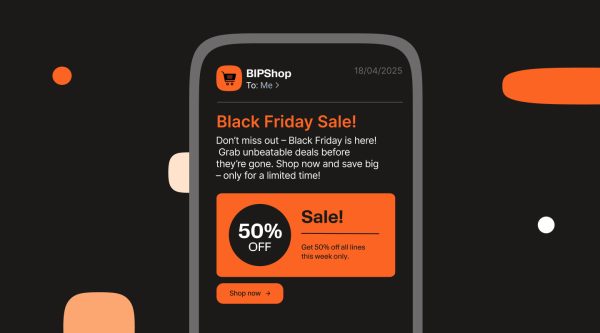
- Engagement runs through the Customer Engagement Platform, which sends messages across channels such as Viber, SMS, RCS, email, and voice. Marketing and service teams use it to reach customers on the channels they already prefer.
- Journeys are built in Journey Orchestration, which responds to customer actions like an abandoned cart or a missed payment. Each journey moves the customer to the next relevant step, across channels, without manual follow-up.
- Unified customer data comes from the Customer Data Platform, which combines profile details, behavior, and interaction history from connected systems into one customer record. A campaign, a chatbot, and a human agent can all start from that same record.
- Autonomous conversations, such as answering questions or completing routine requests, are handled through AI Agents. When a conversation needs a person, the AI agent hands it over with the chat transcript, customer profile, and session data.
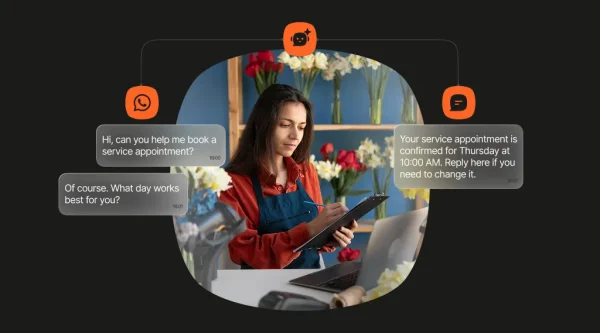
- Chatbots for structured conversations are built in the AI Chatbot Builder. These flows suit predictable tasks where the steps are known in advance, like order tracking or appointment booking.
- AI controls sit in Conversational AI, a separate module that governs every AI interaction across the platform. It detects intent, routes requests across LLM providers, grounds answers in your knowledge base, and keeps guardrails and audit trails in place.
- Human support runs through the Cloud Contact Center, where agents handle voice, chat, and messaging conversations in one workspace. Agents see the customer’s history next to the live conversation, so customers don’t have to repeat themselves.
- Performance measurement tracks delivery, engagement, service, and business outcomes across channels through Insights and Analytics. Teams use these measures to see which journeys and conversations work and where to adjust.
- Developer tools such as APIs, SDKs, and webhooks connect AgentOS to the CRM, commerce, and data systems a business already uses. Developers can also use them to add messaging and automation to existing apps.
Shared context changes how teams handle demand, routing, and support.
Five things that change when CX moves to the cloud
A cloud CX platform changes more than where software runs. It can affect how teams handle demand and route conversations. It also shapes how they use customer context, govern AI, and serve customers across markets.
Capacity scales to the peak, not the average
On-premises systems are often sized for expected demand, then supplemented for seasonal peaks. That leaves teams balancing unused capacity against the risk of slow or failed interactions during a surge. A cloud-native service can add capacity as demand grows. Ask how scaling works across the application, channels, and integrations.
Cloud scaling should cover the platform and its channel connections, not just the servers. Ask how demand, queue limits, and integrations behave at peak volume.
Every channel runs natively, with automatic failover
If messaging, voice, and support run through separate providers, teams may have little view of delivery. They may also need to build their own recovery logic. A platform that manages channel routing can apply failover rules when delivery fails.
The Customer Engagement Platform handles this automatically. When a message can’t be delivered on its first channel, the platform moves it to a backup channel. No one has to step in. For example, a delivery update sent on Viber can fall back to SMS if it isn’t delivered within a set time.
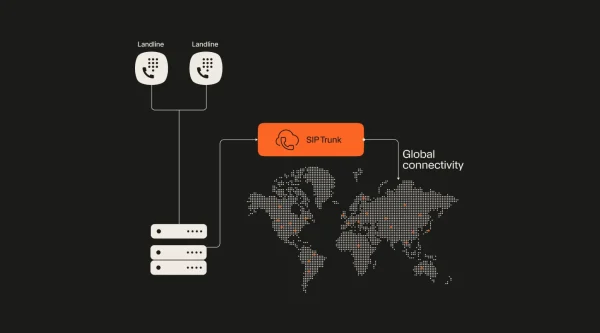
Failover depends on the delivery path underneath it. Infobip’s messaging is carrier-grade, meaning it runs over 800+ direct operator connections rather than routes resold through aggregators. These links feed delivery signals back to the platform, so it can act when a route fails.
Customer context is shared in real time, not synced overnight
Separate profiles, campaign activity, and support histories can give each team a different version of a customer’s story. A cloud platform with shared customer data can pass along interaction history as it arrives. Journeys, AI agents, and human agents can all use it right away.
Infobip’s Customer Data Platform updates profiles in real time. Those updates come from CRM, web, app, transaction, and messaging data. Journeys, AI agents, and human agents all work from that same record, so customers don’t have to repeat themselves.
AI agents deploy in days and improve continuously
AI agents need relevant customer data, approved tools, channel rules, and a clear point for human handoff. A cloud platform can share those services while applying guardrails and tracing agent actions.
Infobip’s AI Agents work within guardrails. Every action they take is traced, so teams can review it. In AgentOS, a human handoff passes the chat transcript, customer profile, and session data to the agent.
Global reach with local compliance
Enterprises in several markets need to manage local channel habits, number types, consent rules, and data policies. A cloud CX platform should help teams manage these differences. They shouldn’t need a separate stack for every country.
Infobip’s direct operator connections reach 190+ countries. Its global messaging infrastructure runs across 40+ data centers with 99.95% uptime.
The connection path below the application shapes delivery, recovery, and visibility.
The architecture behind a cloud CX platform: Why owning the infrastructure matters
Cloud hosting sets the deployment model. The infrastructure and connections under the application shape how a customer interaction reaches its destination. They also decide what happens when something fails.
Direct operator connections versus connectors
A provider can reach messaging channels through an aggregator, a partner API, or a direct operator connection. Each route has different commercial and support terms. Third-party routes can extend reach, but they add another service boundary.
When you compare providers, ask which routes are direct and how traffic is selected. Check whether delivery receipts are available and who investigates route-level incidents. These answers show how much visibility you’ll have into the delivery path and how quickly a failed message can be traced.
Deliverability, latency and uptime as customer experience metrics
A late or missing message can break a journey even when campaign logic works. Track message delivery rate, time to first message, time to first response, and channel failure rates. Look at them alongside CSAT or conversion. These measures help separate an application problem from a channel or routing issue.
Track uptime against the service-level agreement. Then compare it with delivery rates and response times for each channel. Ask vendors to define uptime scope, measurement period, exclusions, and service credits.
Cloud, on-premises and hybrid deployment
Some enterprises run CX workloads in the cloud. Others need on-premises or hybrid options because of data policy, existing systems, or operational needs. In a hybrid design, some data or services may stay in a controlled environment. Other services connect through approved interfaces.
Before choosing a model, ask which modules can run in each environment and where data is stored and processed. Also ask how updates work and whether APIs and channel behavior stay consistent. Confirm the architecture for your use case instead of assuming every module supports the same options.
Deployment choices also shape security and data residency.
Security, compliance and data residency in cloud customer experience management
Security reviews should cover customer data, user access, AI actions, channels, and infrastructure. Certifications are a starting point. Buyers also need to understand their scope and how controls map to a specific program.
Certifications and controls
Ask which services and legal entities each certification covers, what period an audit covers, and how to get the current report. Check encryption in transit and at rest, role-based access, audit trails, and incident response.
Infobip’s certifications cover international standards such as ISO 27001 and SOC 2 Type II, alongside local requirements including Spain’s ENS and registration with the Philippines National Privacy Commission. The Customer Data Platform supports GDPR and CCPA requirements and encrypts data with AES-256.
Consent management and data residency
Consent should travel with the customer profile. If a person opts out of marketing, every campaign, channel, and AI agent should respect that choice. Ask how the platform records the source of consent, applies suppression rules, handles changes, and keeps an audit trail.
Infobip’s Customer Data Platform applies consent rules by profile attribute, channel, and jurisdiction. It also offers regional storage options.
With any provider, map which data types need residency controls, and which systems can access them. The CRM can stay the system of record for accounts, contacts, and pipeline. The CX platform then uses approved data to manage interactions and share real-time context across channels.
Protecting brand traffic from messaging fraud
Spoofed sender IDs, grey routes, and artificial traffic can damage trust or push up messaging costs. Messaging firewalls can help mobile operators detect and block abuse at the network level.
Infobip’s Anam Protect SMS Firewall monitors inbound and outbound messaging traffic. It protects over 120 mobile networks, serving 1.1 billion subscribers.
Teams can now plan a phased move without replacing every system at once.
Moving customer experience management to the cloud: A phased approach
A phased migration lowers the chance that one cutover disrupts every customer-facing team. Sequence the work by use case and measurable outcome while existing systems continue to run where needed.
Assess: Inventory channels, data sources and integrations
List each customer channel and its provider. Include voice, email, messaging apps, web chat, push, and in-app messaging. Map the systems that hold customer data, such as the CRM, data warehouse, ecommerce platform, and ticketing system.
For each integration, record its owner, purpose, data exchanged, failure behavior, and business value. Add regional rules, consent needs, peak volume, and known delivery issues. This shows which connections are essential, and which point-to-point links no longer serve a clear purpose.
Phase: Move by use case, not by department
Choose a first use case with a clear owner and measurable result. Transactional notifications can establish a delivery baseline. A support journey can test customer context and human handoff. Add marketing and contact center workflows after teams understand the operating model.
Define cutover and rollback criteria before launching. A focused first phase helps you find integration and consent issues before they affect every department.
Integrate: Keep the CRM, retire the connectors
Moving CX to the cloud doesn’t require replacing the CRM. The CRM can remain the source of truth for accounts and pipelines. The CX platform manages interactions and shares approved context with agents and journeys.
Keep integrations that provide clear value. Replace redundant links with documented APIs, SDKs, webhooks, or other supported connections. Test identity matching, consent updates, and error handling before moving live traffic.
Measure: Track results against your baseline
Baseline the current operation, then track the same measures after each phase. Useful metrics include message delivery rate, time to first response, AI containment rate, cost per interaction, and CSAT or NPS. Add conversion, repeat purchase, or churn when it fits the journey.
Infobip’s Insights and Analytics module gives teams views of delivery, engagement, and AI quality. It also covers operations and customer outcomes. Compare each measure with its baseline and timeframe, then link it to the journey that changed.
A baseline lets finance and CX compare total cost with the systems the platform replaces.
The total cost of ownership of a cloud CX platform
Cloud CX changes where costs appear. It may cut hardware and maintenance, but it can also add subscription, usage, integration, and AI charges. Compare total cost over the program, not just the monthly platform fee.
What an enterprise stops paying for
On-premises contact centers and messaging gateways need their own hardware, plus regular maintenance and upgrade projects. Fragmented stacks add to this with a separate contract for almost every tool. Engineering teams then spend time maintaining the connectors between those tools and reconciling their reports.
A consolidated platform may reduce some costs through shared integrations and operations. Identify which contracts and tools can actually end, what must stay for compliance or operations, and what migration will cost.
What replaces it
Cloud CX pricing may combine channel usage, contact center seats, AI consumption, platform fees, and support. Ask about volume tiers, minimum commitments, and seasonal peaks. Also ask about implementation, training, data egress, and exit costs.
A single contract simplifies vendor management. Compare total cost over the contract term, including integration and migration work, not just the number of vendors.
Cost outcomes from cloud CX customers
These four companies moved customer engagement to a cloud CX platform. They then cut operational costs by up to 60%, nearly doubled purchase frequency, and grew marketing margin.
| Customer | Industry | Result |
|---|---|---|
| Farm Superstores | Retail | 60% reduction in operational costs |
| KINZ | Financial services | 50% reduction in operational costs and 20% increase in call-center agent efficiency |
| Petpetgo | Ecommerce | Nearly doubled purchase frequency and up to 10% lower advertising spend |
| Juros Baixos | Financial services | 18% increase in marketing margin |
How to evaluate a cloud customer experience management platform
Use the same questions for every vendor. Strong answers include specific architecture, measurable service terms, and named controls. They also explain clearly what happens when a channel or integration fails.
| Criterion | Ask | Strong answer |
|---|---|---|
| Native channels | Which channels are built in, and which use connectors? | A channel-by-channel list with route and module limits. |
| Operator connections | How does messaging reach operators in our markets? | Direct route details, country coverage, and delivery data. |
| Failover | What happens when a channel or route fails? | Defined triggers, supported backups, and event reports. |
| Uptime | What service levels apply to each channel? | An SLA with scope, exclusions, and service credits. |
| Residency | Where is each type of data stored and processed? | Named regions and clear residency controls. |
| Security | Which controls cover our use case? | Current audit reports, encryption, access rules, and consent workflows. |
| Customer data | How do profiles reach journeys and agents? | A clear data flow, update rate, and identity model. |
| AI governance | How are agent actions controlled? | Guardrails, logs, permissions, and human handoff. |
| Developer access | Which APIs and tools are available? | Current API, SDK, webhook, and integration documentation. |
| Portability | How can we export data or leave the service? | Export formats, deletion times, contract terms, and transition support. |
Turn the table into a scorecard for your pilot or RFP. Weight each criterion by what matters most to your operation. For example, failover may matter most for high-volume alerts, and residency for regulated customer data. Then score each vendor on the specifics they provide. A documented answer should always outscore a broad label like “enterprise-ready.”
Cloud customer experience management in practice: Industry examples
The cost results examined earlier show what cloud CX saved. These examples show what teams in four industries built with it, from re-engagement campaigns to AI-led claims handling and in-chat booking.
Retail and eCommerce
Kibon used personalized WhatsApp messages to win back business partners who hadn’t ordered in 30 days, with no discount attached. The three-day campaign reached 94% delivery, 74% campaign views, and ROI above 300x.
Financial services
Ibancar moved eligibility checks and document collection into a WhatsApp chatbot, and 60% of leads now move through its sales funnel without agent intervention. LAQO Insurance built a WhatsApp claims assistant that handles 30% of queries, with 90% resolved in three to five messages.
Telecoms
Virgin Media O2 promoted Valentine’s Day phone upgrades with branded RCS messages that carried image carousels, videos, and shop buttons. The campaign reached a 64% open rate.
Healthcare
Apollo 24|7 lets patients book diagnostic and lab tests without leaving the messaging app. Bookings through WhatsApp Flows rose 49% compared with its standard chatbot route.
Each of these examples combines channels, customer data, and automation. AgentOS brings those pieces into one platform.
Cloud customer experience management with Infobip AgentOS
Infobip’s Customer Engagement Platform is the AgentOS module for reaching customers across channels. It gives marketing and service teams one place to send campaigns, alerts, and service messages on channels such as Viber, SMS, RCS, email, and voice. Because the platform sits inside AgentOS, every message draws on the same customer profiles, journeys, and conversation history as the rest of your CX operation.
Frequently asked questions
It uses cloud-hosted systems to design, deliver, and measure customer interactions. Those systems can include channels, customer data, AI agents, and contact center tools. Hosting software in the cloud doesn’t explain how channels connect, how data is protected, or how the service handles failure.
A cloud CX platform connects engagement, customer data, AI, contact center operations, and analytics. Teams use it to coordinate interactions across channels. It also lets automated and human support share customer context. AgentOS brings these capabilities together as modules in one platform. The Customer Engagement Platform is one of them.
A cloud contact center handles service conversations between customers, human agents, and virtual agents. A cloud CX platform covers a wider journey, including proactive engagement, customer data, and analytics. A contact center can be one part of that platform.
A CRM usually tracks accounts, contacts, opportunities, and sales activity. A CX platform uses approved customer data to run interactions across channels and teams. They typically integrate rather than replace each other. AgentOS integrates with platforms such as Salesforce, Oracle, and Microsoft Dynamics.
Cloud services can add capacity as demand changes and receive provider-managed updates. On-premises systems give a business more control over hosting. They may also need hardware, maintenance, and planned upgrades.
Security depends on the provider’s controls and your deployment. Ask for current audit reports, encryption details, and access controls. Also ask about consent features and data residency options. Check whether each control covers the services, data, and markets in your use case.
There isn’t one timeline for every enterprise. A focused notification or support journey may go live first. The full move across channels, data, and contact center operations can follow. Timing depends on integrations, regions, consent, testing, and internal approvals. A phased plan lets teams test delivery and outcomes before moving the next use case.
Yes, many platforms offer cloud, on-premises, and hybrid deployment. A hybrid model keeps some services or data on premises, such as regulated customer records, while engagement and AI run in the cloud. The right mix depends on residency rules, existing systems, and how much infrastructure your team wants to manage.
Compare native channels, operator connections, failover, uptime, residency, security, customer data, AI governance, developer tools, and exit terms. Ask vendors for architecture diagrams, service documentation, and operating data. A shared scorecard helps you compare pilots and proposals.
Track message delivery rate, time to first response, AI containment, cost per interaction, and CSAT or NPS. Add conversion, repeat purchase, or churn when it fits the journey. Shared interaction data can help teams compare results across channels.
Map your current channels, data sources, and service workflows to the platform, then choose one measurable use case for a pilot.