



Conversational AI integration: B2B implementation guide (2026)
A practical 2026 guide to integrating conversational and agentic AI into your customer service stack. Learn how to connect core systems, deploy across channels, stay compliant, and measure real ROI.

Most companies think they have a chatbot, but the performance gap between a rule-based bot and an agentic AI system is now measured in millions.
In 2026, leaders in customer service are not answering questions. Their artificial intelligence (AI) agents handle full workflows: identifying the customer, checking orders, updating records, and handing off to humans with full context when needed.
This guide shows how to close that gap with the right conversational AI solution.
You will learn how conversational AI integration works in a modern customer service stack, what has changed with agentic AI, how to connect your CRM and knowledge base, how to deploy across channels like web and WhatsApp, how to stay compliant, and how to measure real ROI.
Infobip powers these experiences with AgentOS on top of our global communications platform, but the principles in this guide apply to any serious B2B deployment.
From chatbot to conversational AI to AI agent: What has actually changed
Rule-based chatbots: The first generation
Rule-based chatbots were built on decision trees and keyword triggers. They worked like interactive FAQs: if the customer selects option 1, show message A; if they type shipping, route them to the shipping flow.
Integration was simple and shallow:
- Web widget or in-app chat connected to a basic bot engine
- Limited or no connection to CRM or ticketing
- No real understanding of free-form language
These bots could deflect some calls, but they came with clear limits:
- Customers struggle when they don’t follow the expected path, leading to conversations in circles and creating a poor user experience
- Any change in products or policies meant manual flow updates
- Containment rate was low, so many conversations still ended with: please contact support
They were better than no automation at all, but they did not transform customer service or resolve actual issues.
Generative AI chatbots: Natural language, limited action
Generative AI chatbots changed one big thing: they could understand and generate human language, powered by large language models (LLMs) and natural language processing (NLP). NLP interprets what the customer means; natural language generation (NLG) produces the response.
That meant:
- Customers could type questions in their own words
- The bot could summarize, rephrase, and give more human-like answers
- You no longer had to script every sentence
Most deployments used generative AI as a smart FAQ layer:
- Connected to a knowledge base or help center
- Answered questions, but rarely took action in backend systems
- Limited control over how it reasoned or which tools it used
This was a big step forward for user experience, especially for informational queries, but it did not fully replace repetitive agent work. The bot talked well, yet it still relied on humans to complete tasks like updating an address or cancelling an order.
Agentic AI systems: From response to task completion
Agentic AI changes the core role of the system. It is no longer just answering questions. It is completing tasks across systems.
In a customer service context, an agentic AI system can:
- Identify the customer based on login, phone number, or conversation context
- Use tools and APIs to call your CRM, ticketing tool, or order system
- Follow multi-step workflows, such as: Check order status, confirm identity, update delivery options and log a ticket if something fails, in addition to lead qualification by identify high-value leads and low-value leads, routing accordingly
- Decide when to hand off to a human agent and transfer all context
Technically, an agentic conversational AI system:
- Uses a machine learning (ML)-powered LLM to understand intent and decide the next action
- Has access to tools or functions, which are your APIs (CRM, ERP, ticketing, payments)
- Orchestrates multi-step flows based on goals, not just a predefined tree
This shift has direct implications for integration:
- You must expose the right APIs for the AI to call
- You need consistent identity across channels (so the same AI agent knows the customer)
- Governance, logging, and security become critical
With agentic AI, conversational AI integration is no longer just embedding a web widget or plugging into a FAQ. It is about wiring the AI into your operational systems so it can actually do things.
Why this evolution matters for your integration plan
Your integration strategy depends on where you want to sit on this spectrum:
- Rule-based chatbot: Light integration, low cost, low impact, and suitable for very narrow menus or single-task flows
- Generative AI chatbot: Integrates with your knowledge base, great for informational queries and support deflection and, limited automation of actual workflows
- Agentic AI agent: Deep integration with CRM, ticketing, and order systems, automates full customer service journeys end-to-end, and can make decisions, and requires careful design of APIs, security, and governance
If your goal is to offer modern, AI-powered customer service in 2026, your integration plan should assume agentic behavior from day one, even if you start small. That means planning for:
- Tooling and APIs the AI can call
- Shared context across channels
- Clear rules for when to automate and when to escalate
Infobip’s AgentOS is built specifically for this agentic model, running on top of our omnichannel platform so the same AI brain can operate on WhatsApp, RCS, voice, and more.
Why businesses are integrating conversational AI in 2026
The benefits of conversational AI are no longer theoretical – they show up directly in cost, capacity, and customer satisfaction.
- Cost per interaction is the clearest signal. Automated resolution costs roughly $0.25. A human-handled interaction costs $8-12, depending on complexity and channel. At any meaningful volume of customer interactions, the math justifies the investment quickly.
- Containment rate: The share of conversations resolved without human escalation, typically reaches 60-80% in well-implemented deployments. Industry benchmarks for good sit above 70% within 90 days of go-live for standard service use cases.
- CSAT impact tends to be positive when AI handles the right interactions. Customers don’t object to automation, they object to slow, unhelpful, or context-free automation. Agentic AI that resolves issues on first contact consistently scores higher than chatbots that simply deflect.
- Agent capacity is the often-overlooked benefit of conversational AI for service teams. When AI handles routine queries, human agents shift to complex, high-value interactions, the ones that require judgment, empathy, and relationship management. This improves agent satisfaction alongside customer satisfaction.
How conversational AI integration works: The technical layer
Understanding how conversational AI works starts with the integration layer, not the code. You do need to understand the key connection points.
APIs are the pipes that connect your AI system to the tools your business already runs on. When a customer asks about their order status, the AI queries your CRM via API, retrieves the data, and responds, all in real time. The API layer is what separates a conversational interface from a genuinely useful one.
Key integration points for enterprise deployments:
- CRM (Salesforce, HubSpot, ServiceNow): customer history, account data, case status
- Knowledge base / RAG pipeline: Retrieval augmented generation connects the AI to your documentation, so responses draw from accurate, up-to-date content rather than general model training
- Ticketing systems: Automated case creation, routing, and status updates
- Channel APIs: WhatsApp, RCS, voice, web chat, each with their own connection requirements
Build vs. buy comes down to one question: Is your use case standard or genuinely unique? Most enterprise customer service requirements, omnichannel deployment, CRM integration, escalation routing, compliance controls are well-covered by mature conversational AI tools. Custom development makes sense when your workflows are highly proprietary or your integration environment is unusually complex.
A platform like AgentOS handles the integration layer, the channel connections, and the orchestration logic, so your team configures rather than builds.
How to integrate conversational AI for customer service stack step by step
Step 1: Define scope and success metrics
Before selecting a platform or building a single flow, establish what success looks like. The KPIs you baseline before go-live are the ones you’ll use to prove ROI later.
Core metrics to capture in the 30 days before deployment:
- Containment rate: Target above 70% within 90 days for standard service use cases
- First contact resolution (FCR): Share of issues resolved without follow-up contact
- CSAT delta: Your current satisfaction score, so you can measure the change post-deployment
- Cost per interaction: Your human-handled average, which becomes the ROI denominator
No baseline means no proof. This step is non-negotiable.
Step 2: Choose your conversational AI platform
Evaluate platforms against five criteria:
- Channel coverage: Does it support WhatsApp, RCS, voice, and web natively?
- CRM and helpdesk connectors: Pre-built integrations or custom API work?
- Compliance certifications: SOC 2, ISO 27001, GDPR data residency controls
- No-code flow builder: Can CX teams iterate without engineering support?
- Escalation controls: Can you define precisely when and how AI passes to a human?
AgentOS covers all five, native channel integrations, pre-built CRM connectors, and a no-code builder built for CX teams rather than developers.
Step 3: Design flows and human handoff logic
Start with your highest-volume intents: order status, returns, billing, account access. These typically cover 60-70% of contact volume and are your fastest path to containment rate gains.
Human handoff is where most deployments cut corners – and where customers feel the difference most. Build handoff so that:
- Full conversation history transfers to the agent automatically
- The AI flags sentiment and urgency before escalating
- The customer is told they’re being transferred, not just dropped into a queue
Define your escalation triggers upfront: customer requests a human, sentiment drops below threshold, AI confidence falls below threshold, or issue type matches a pre-set escalation category.
Step 4: Connect your systems
Integrate in this sequence:
- CRM: Customer identity and history are foundational; everything else builds on this
- Knowledge base via RAG: Connects the AI to your documentation so responses draw from accurate, current content
- Ticketing system: Define which issue types trigger a ticket vs. resolve in-conversation
- Channel APIs: Start with your highest-volume channel, then expand
Test each integration point independently before end-to-end testing begins.
Step 5: Test, deploy, and iterate
Treat deployment as a product launch, not a one-off IT project.
Use a staged rollout:
- Internal quality assurance: Test every flow with your team; break it intentionally
- Limited live traffic: Limited traffic on one channel; monitor containment rate and escalation patterns daily
- Gradual expansion: Add more use cases once performance is stable.
- Full deployment: Once containment stabilizes and no critical failure modes remain
With this in place, you have a robust, measurable approach to conversational AI integration instead of a one-off bot project.
Deploying across channels: Web, WhatsApp, RCS, and voice
Why channel choice changes architecture and UX
Each channel has different session models, message format constraints, and API requirements. These aren’t just design decisions; they determine how your AI system stores context, handles re-engagement, and routes escalations. Choosing channels upfront shapes the technical build, so this decision belongs in the planning stage, not after deployment.
WhatsApp is the highest-priority channel for most enterprise deployments outside North America, and the one with the most specific technical requirements. Before going live, you need:
- A verified WhatsApp Business Account
- Approved message templates for outbound and session re-entry
- An understanding of the 24-hour session window and how it affects re-engagement flows
Infobip is a WhatsApp Business Solution Provider, which means WhatsApp Business API access, template approval support, and direct carrier connections are built in, not bolted on.
RCS and voice
RCS delivers WhatsApp-style rich messaging through the native SMS app – no download required. It’s the channel to plan for now even if you’re not deploying immediately. Carrier adoption has reached a threshold where enterprise deployments are viable in most major markets.
Voice AI replaces traditional IVR with natural language understanding (NLU). Latency and speech recognition accuracy are the critical variables, test these thoroughly before going live, particularly for complex queries or accented speech.
Multi-channel vs. omnichannel
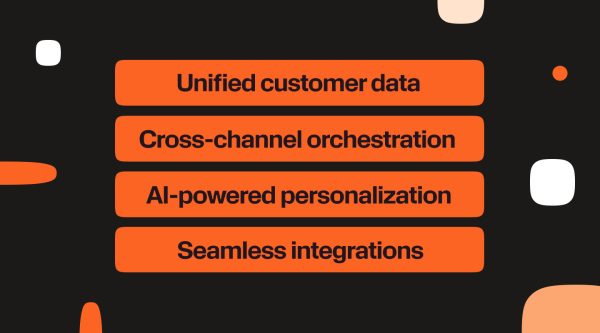
Multi-channel means being present on several channels. Omnichannel means the AI carries context across all of them. The difference is architectural: omnichannel requires a unified customer data layer so a conversation that starts on WhatsApp can continue by voice or web chat without the customer repeating themselves. If omnichannel is the goal, design the data layer before the channel layer.
Compliance and data governance: what enterprise procurement needs to see
Enterprise procurement stalls most often on two questions: where does our data go, and who is responsible when something goes wrong. This section is designed to help you answer both – and to give your legal and security teams what they need to approve the project.
Data handling requirements
Before signing any vendor contract, confirm:
- Storage location: Where conversation data is stored and whether it can be restricted to a specific region or jurisdiction
- Retention policy: How long data is held, and whether you control the retention window
- Encryption: At rest and in transit, with the specific standards used (AES-256, TLS 1.2+ as minimums)
Regulatory obligations
- GDPR: Requires lawful basis for processing, data subject rights (access, erasure, portability), and a Data Processing Agreement with any vendor handling EU personal data
- CCPA: Applies if you serve California residents; requires opt-out mechanisms and data deletion on request
- EU AI Act: Most customer service AI systems fall into the limited-risk category, requiring transparency obligations: users must know they’re interacting with an AI
Questions to ask any vendor
- Where is data stored, and can we restrict it to a specific region?
- Do you offer a signed DPA and BAA where applicable?
- What certifications do you hold? (SOC 2 Type II, ISO 27001, ISO 27018 are the baseline)
- How are model training and fine-tuning handled – is our data used?
- What is your breach notification process and SLA?
Certifications to look for
Certifications tell you what a vendor has been independently verified to do – not just what they claim. These are the ones that matter for enterprise conversational AI:
- SOC 2 Type II: Confirms security, availability, and confidentiality controls have been audited over a sustained period (not just a point-in-time snapshot)
- ISO 27001: International standard for information security management; baseline expectation for enterprise vendors
- ISO 27018: Specifically covers protection of personally identifiable information in cloud environments
- PCI DSS: Required if your AI handles payment data or operates in commerce flows
- HIPAA compliance: Required for any healthcare deployment involving protected health information
One distinction worth making: a vendor can claim GDPR compliance without holding a formal certification (since GDPR doesn’t issue one). What matters is whether they offer a signed Data Processing Agreement, can demonstrate data residency controls, and have a documented breach response process. Those are the practical indicators, not the badge.
Infobip operates 40+ data centers across six continents with regional data residency options and maintains SOC 2 Type II and ISO 27001 certification. Full compliance documentation is available via the certificates and security trust center pages.
Measuring success: KPIs and ROI for conversational AI in customer service
Primary KPIs
Containment rate
Share of conversations resolved by AI without human escalation. Above 70% within 90 days is the benchmark for standard service use cases. Track this weekly in the first three months, a plateau below 60% signals flow gaps or knowledge base issues that need attention.
First contact resolution (FCR)
Share of issues resolved without the customer needing to follow up. Human agent FCR averages around 70-75% across industries. A well-implemented AI deployment should match this within 90 days and exceed it at six months, as the system learns from unrecognized intents.
Cost per interaction
Calculate your blended cost post-deployment: multiply your containment rate by your automated cost, add the escalated share multiplied by your human-handled cost. At 70% containment, a contact center paying $10 per human interaction drops its blended cost to around $3.18. At 80% containment, that falls to $2.20.
CSAT delta
The change in satisfaction score versus your pre-deployment baseline. Expect a positive delta when AI handles the right interactions – high-volume, low-complexity queries where speed matters more than nuance.
Time-to-resolution
Average time from first message to resolved case. AI-handled interactions should resolve in seconds for transactional queries. Track separately for automated vs. escalated flows to avoid the averages masking performance gaps.
Secondary KPIs
- Agent handle time: Time agents spend per escalated interaction; should decrease as AI pre-qualifies and contextualizes before handoff
- Escalation rate: Inverse of containment; useful for identifying which intent categories the AI is underperforming on
- Session completion rate: Share of conversations that reach a defined endpoint rather than dropping off; abandonment spikes signal friction in the flow
How to report ROI at 90 days, six months, and 12 months
Use this framework:
- 90 days: Containment rate vs. target, cost per interaction delta, session completion rate
- Six months: FCR comparison, CSAT delta, agent handle time reduction, escalation rate trend
- 12 months: Total cost saved (volume x cost delta), CSAT trend, capacity freed (hours reclaimed by agents)
The 12-month number is what justifies the next investment cycle, and what finance needs to see before approving an expansion to additional channels or use cases.
Real-world results
LAQO: 24/7 bilingual insurance support
LAQO, a Croatian digital insurance provider, needed round-the-clock customer support without scaling headcount. They deployed a generative AI chatbot via Infobip handling queries in both Croatian and English across web and messaging channels.
The result: customers get instant responses at any hour, and the support team focuses on complex claims requiring human judgment. The bilingual capability removed a barrier that had previously pushed non-Croatian-speaking customers toward higher-cost channels.
LAQO also deployed an AI agent for travel insurance purchase that collects customer data, prepares the insurance policy, and generates a payment link handling the full transaction autonomously.
Nissan: 138% more leads from AI conversations
Nissan’s challenge was sales, not support. Prospective buyers browsing outside business hours had no way to get answers, and leads were going cold.
An AI chatbot handling initial prospect conversations, answering product questions, qualifying interest, routing hot leads to the sales team, and delivered a 138% increase in qualified leads. The chatbot extended the sales team’s effective hours to 24/7 without additional headcount.
Coolinarika by Podravka: 18% higher conversion rate to engaged user
Coolinarika, one of the largest food and recipe platforms in the region, used a chatbot to manage high-volume repetitive queries improving response times and reducing pressure on agents during traffic peaks.
BloomsyBox: 38% participation in Mother’s Day AI campaign
BloomsyBox, wanted to launch a Mother’s Day campaign that created a personalized experience for their customers. They created a generative AI eCommerce chatbot that asked users questions each day, where the first 150 users answering correctly would win a free bouquet. From there, BloomsyBox used generative AI to help their winners generate a heartfelt message for their moms, with 38% participating to create a personalized greeting card.
The gap between companies running agentic AI and those still on rule-based chatbots is measurable in cost per interaction, containment rate, and customer satisfaction. The architecture is mature, the tooling exists, and the implementation path is clear.
FAQs
Connecting a conversational AI system to your existing platforms like CRM, knowledge base, ticketing, and communication channels, so it can resolve customer queries autonomously and escalate with full context when needed.
A chatbot answers questions. An agentic AI completes tasks: pulling data, creating records, processing requests, autonomously across multiple systems without human intervention at each step.
CRM platforms (Salesforce, HubSpot, ServiceNow), knowledge bases via RAG pipelines, ticketing systems, and channel APIs including WhatsApp, RCS, voice, and web chat.
A basic single-channel deployment typically takes 4-8 weeks. Multi-channel enterprise deployments with deep CRM integration run 3-6 months depending on system complexity and internal approvals.