




No-code chatbot builder: How to build AI chatbots without coding
Build AI chatbots without writing a single line of code. Learn what no-code chatbot builders can do, which features matter for enterprise teams, and how platforms like AgentOS let you deploy across 15+ channels from a single visual builder.

Your marketing team has a great chatbot idea. A conversational flow that could handle 60% of inbound support queries (as one retailer actually did), qualify leads while your sales team sleeps, and greet new customers in their preferred language. There’s just one problem: the dev team is booked for the next quarter.
That gap between idea and execution is exactly where no-code chatbot builders live. They put bot creation into the hands of the people closest to the customer, without requiring a single line of code to get there.
But not all builders are created equal. Some are great for a quick FAQ widget on your website. Others can power production-grade automation across 15+ channels with AI, customer data, and enterprise-level compliance built in. Knowing the difference matters, especially if you’re choosing a platform your team will rely on at scale.
This guide covers what no-code chatbot builders actually do, who they’re built for, which features separate lightweight tools from enterprise platforms, and how to go from zero to a live chatbot without writing code.
What is a no-code chatbot builder?
A no-code chatbot builder is a platform that lets non-technical teams create, configure, and deploy chatbots using a visual drag-and-drop interface, without writing any code. These platforms support both rule-based conversation flows and AI-powered chatbots with intent recognition, GenAI responses with built-in guardrails, and answers grounded in your company’s own knowledge base.
That definition would have looked different two years ago. Back then, no-code chatbot mostly meant scripted FAQ flows with decision trees. Today, modern no-code builders let you configure LLM-powered responses, set up retrieval-augmented generation (RAG) so answers pull directly from your documentation, and add hallucination guardrails, all through a visual interface.
The key distinction from general chatbot platforms: no-code specifically means non-developer access is the primary mode of building. You’re not bolting on a GUI to a developer tool. The visual builder is the product.
So who actually benefits most from this approach? That depends on the team and what they’re trying to accomplish.
Who uses no-code chatbot builders?
If you’re in marketing, CX, or support operations, you’ve probably felt this tension: you know exactly what conversation your customers need to have, but shipping it means getting in line behind the engineering backlog.
No-code chatbot builders exist for that scenario. They’re designed for:
- CX and support teams who want to automate routine queries without waiting on developer resources
- Marketing teams building campaign-specific bots (product launches, seasonal promotions, event registration)
- Citizen developers and CX designers who understand conversation design but don’t write code
- Support operations leads running production-grade automation at scale
The use cases split into two camps. Some teams need to deploy fast: a campaign bot that goes live this week and comes down next month. Others need longer-lasting production infrastructure: a support chatbot that handles thousands of conversations daily with AI escalation, compliance, and analytics. The best platforms serve both without forcing you to choose.
Once you’ve confirmed that a no-code builder fits your team, the next question is what you can actually create with one.
What can you build with a no-code chatbot builder?
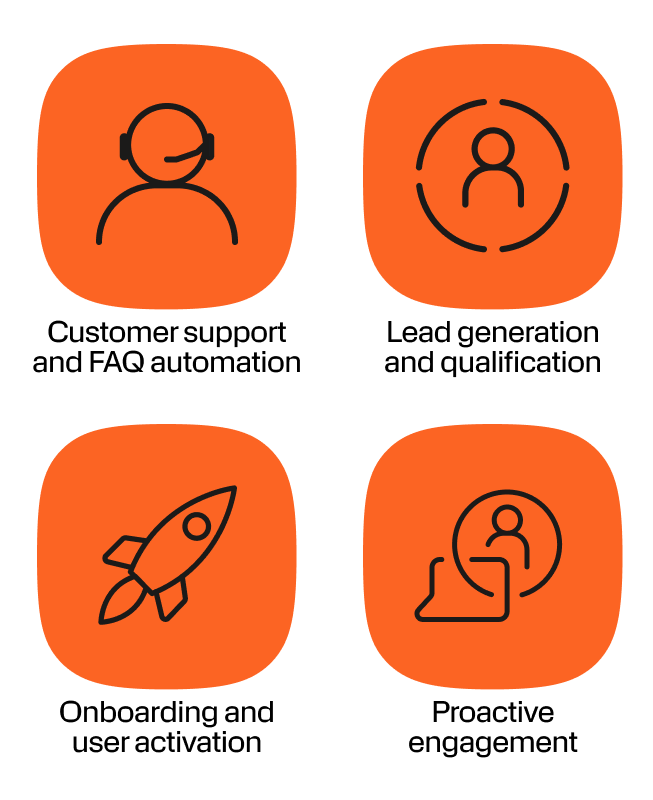
Customer support and FAQ automation
This is the most common starting point. Chatbots handle routine questions (order status, account inquiries, return policies, store hours) so your human agents focus on complex issues that actually need them. The bot is available 24/7 without adding headcount.
Result: Farm Superstores deployed a WhatsApp chatbot built on AgentOS and achieved a 60% reduction in operational costs by automating customer support at scale.
Lead generation and qualification
Static forms lose people. Conversational lead capture keeps them engaged. A no-code chatbot can qualify prospects through natural dialogue, book appointments, and route hot leads to sales, all without anyone filling out a form that feels like a tax return.
Result: Bolt built a WhatsApp sign-up journey through Infobip and saw a 40% increase in conversion rate.
Onboarding and user activation
First impressions compound. Welcome sequences, product walkthroughs, guided setup flows, and document collection all work better as conversations than as email sequences people ignore. A chatbot walks new users through exactly what they need, when they need it.
Result: BankBazaar achieved a 130% increase in digital onboarding users month-on-month by deploying conversational onboarding flows.
Proactive engagement
Most chatbots are reactive. A customer starts a conversation and the bot responds. Proactive engagement changes that by letting your bot reach out first. Outbound notifications, re-engagement flows, cross-sell recommendations, and upsell prompts triggered by customer behavior data.
Here’s the catch: proactive engagement only works when the chatbot has access to your customer data platform. If the builder operates in isolation (no CRM data, no purchase history, no behavioral signals), it can’t know when to reach out or what to say. This is where most lightweight tools fall short, and it’s a key differentiator when evaluating platforms.
With use cases mapped out, let’s look at the features that actually enable them.
Key features to look for in a no-code chatbot builder
Evaluating no-code chatbot platforms can feel overwhelming. Every vendor claims ease of use and AI capabilities. The differences show up when you look at what happens after the demo, at scale, across channels, and when things get complex.
Here are the features that separate tools built for small-scale use from platforms built for enterprise teams.
Visual flow editor and templates
Every no-code builder has a drag-and-drop interface. The quality gap shows up in template design, branching logic depth, and how quickly you can go from template to live bot.
Look for pre-built templates for common use cases (FAQ, support, lead generation, onboarding) that aren’t just skeleton flows. Good templates should include conversation design best practices built into their structure, so your team starts from a strong foundation rather than a blank canvas.
AgentOS includes a visual flow editor with pre-built templates across use cases, designed to get teams from idea to deployment in minutes.
AI and GenAI capabilities
In 2026, the gap between no-code chatbot builders comes down to how they handle generative AI. Intent recognition and training phrases are the baseline now. What separates platforms is whether they’ve integrated GenAI as a core capability or bolted it on as an afterthought.
Look for:
- GenAI responses powered by LLMs for natural, contextual answers
- RAG (retrieval-augmented generation) so answers pull directly from your actual documentation
- Hallucination guardrails so the AI doesn’t confidently make things up
- All configurable visually, not buried in code or API configurations
Most lightweight tools offer OpenAI integration as a bolt-on. AgentOS takes a different approach: a native LLM library with configurable GenAI intent detection, RAG, and guardrails, all set up through the visual interface without touching code.
Channel deployment
How many channels does the builder actually support? Most no-code tools cover 2 to 5: typically website chat, WhatsApp, and Facebook Messenger. That’s fine if your customers all live in one place, but for a lot of businesses they don’t.
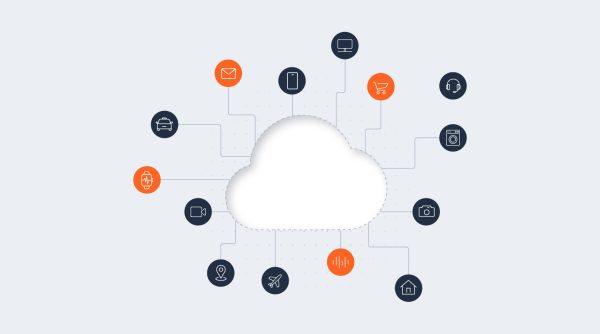
Enterprise teams need deployment across WhatsApp, SMS, RCS, Apple Messages for Business, Viber, LINE, Zalo, KakaoTalk, email, voice, and more. The key question isn’t just channel count. It’s whether the same bot logic deploys everywhere, or whether each channel requires a separate build.
AgentOS lets you configure once and deploy across 15+ channels in 130+ languages with automatic detection. Same intent engine, conversation logic, and channel-adapted delivery.
Human handoff and escalation
Every chatbot hits its limits. What happens next defines the customer experience.
Basic tools offer a handoff to a live chat widget. The customer starts over, re-explains their problem, and waits. Better platforms preserve full context: the transcript, customer profile, and session data all transfer to the human agent seamlessly.
AgentOS adds a three-tier escalation path that moves conversations from chatbot to AI agent for complex reasoning, then to a human agent in the cloud contact center when needed. Each handoff carries full context, and the escalation rules are entirely configurable without code.
Customer data integration
Does the builder know who it’s talking to? Most no-code chatbot tools operate in isolation. They don’t have access to CRM data, purchase history, or behavioral signals. Every conversation starts without context.
That’s a problem for personalization and proactive engagement. If your chatbot can’t reference what the customer bought last week or which product page they spent 10 minutes on, it can’t deliver relevant recommendations.
AgentOS includes native CDP (Customer Data Platform) integration. Every chatbot conversation is enriched with unified customer profiles, transaction history, product holdings, and real-time behavioral signals, automatically, without integration work.
Analytics and optimization
Building a chatbot is not the end of a one-time project. You need to know what’s working: containment rate, fallback rate, top intents, customer satisfaction scores, and where conversations drop off.
More importantly, can non-technical users act on those insights? The best platforms allow you to go from analytics dashboard to updated bot flow in the same interface, no dev cycle required. AgentOS provides this through its Insights and Analytics module, connected directly to the no-code builder.
Security and compliance
This is where most SMB-focused no-code chatbot tools expose their biggest blind spot. They barely mention compliance. If you’re in banking, healthcare, insurance, or any regulated industry, that disqualifies them from the running immediately.
Enterprise buyers need GDPR compliance, SOC 2 Type II certification, ISO 27001, PCI-DSS (especially in fintech), AES-256 encryption, and data residency options. AgentOS delivers the full enterprise compliance stack with a 99.95% uptime SLA, 800+ carrier connections, 43 data centers, and coverage across 190+ countries. Infobip is also recognized as a Gartner CPaaS Leader.
Features tell you what a platform can do, but understanding where no-code sits relative to other building approaches helps you decide if it’s the right starting point for your team.
No-code vs. low-code vs. pro-code chatbot builders
This is a question that comes up early in the evaluation process, and the answer depends on your team’s technical capacity and where your needs might grow.
| Approach | How it works | Best for |
|---|---|---|
| No-code | Visual drag-and-drop only. Zero programming. | Marketing and CX teams, fast deployment, standard use cases |
| Low-code | Visual builder + custom code elements (typically JavaScript) | Custom business logic, API calls, conditional workflows beyond templates |
| Pro-code | Full programming environment (Python, Node.js) | Complex integrations, bespoke workflows, developer-owned chatbots |
The problem with most platforms is that they force you to choose one mode. If your needs grow beyond no-code, you’re migrating to a new tool. That means rebuilding, retraining, and losing momentum.
AgentOS is built differently. All three modes (no-code, low-code, and pro-code) produce the same production-grade chatbot on the same infrastructure. Start with drag-and-drop, add JavaScript logic when a specific flow needs it, and hand complex integrations to your dev team. No migration required.
Now that you know what to look for and how the approaches compare, here’s what the actual building process looks like.
How to build a chatbot without coding (step-by-step)
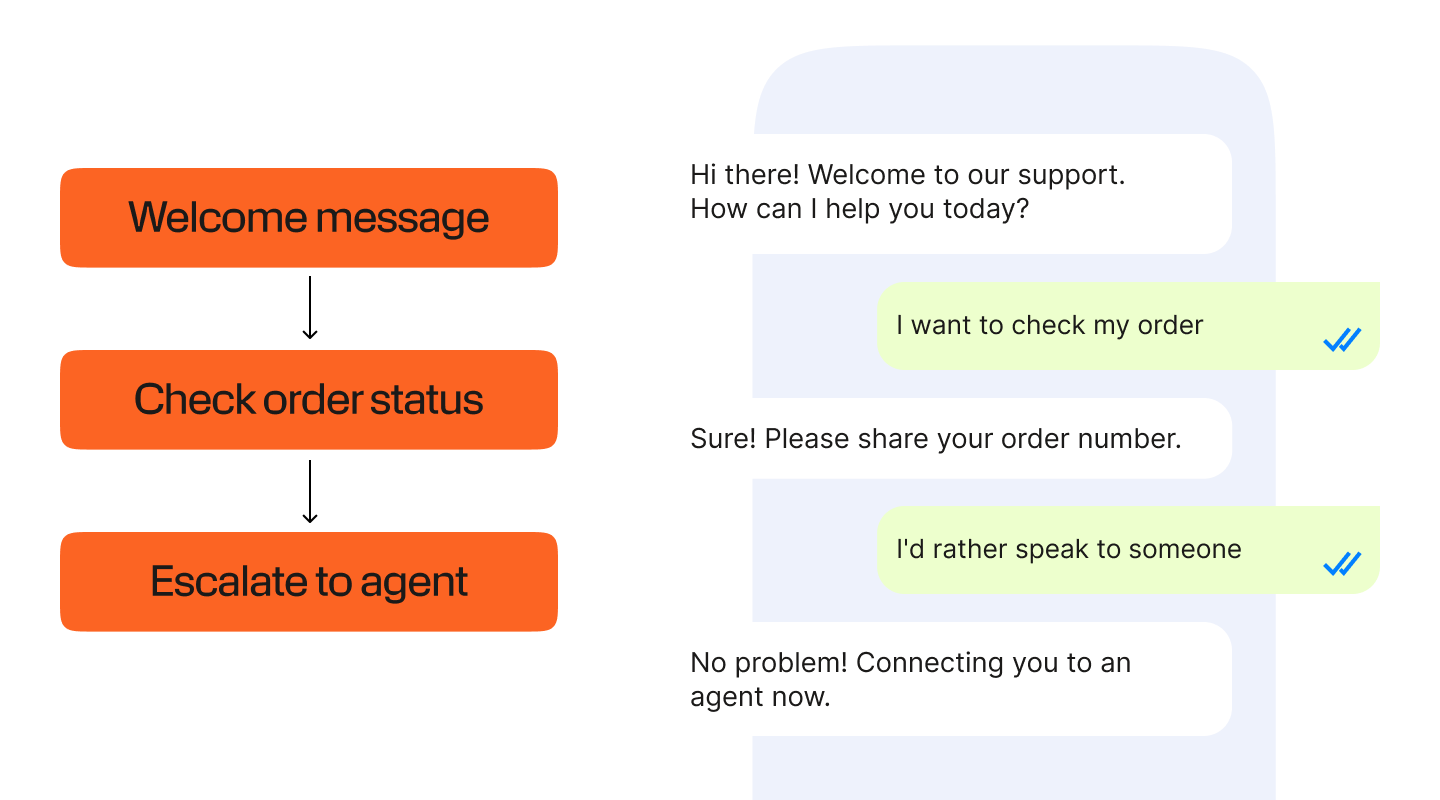
Whether you’re building your first bot or your fiftieth, the process follows a predictable pattern. These steps reflect the general workflow of modern no-code chatbot builders.
- 1. Define your use case and target channels. What problem is the bot solving? Support deflection, lead qualification, onboarding? And where do your customers expect to find it: WhatsApp, your website, SMS, or all of the above?
- 2. Choose a template or start from a blank flow. Most builders offer pre-built templates for common scenarios. If your use case is standard, a template saves hours. If it’s unique, start from scratch and design your own paths.
- 3. Map your conversation paths in the visual editor. Drag and drop message nodes, decision branches, and action triggers. Think about the ideal path first, then handle edge cases: what if the user says something unexpected? What if they want to go back?
- 4. Add AI intent recognition and training phrases. This is where your bot goes from scripted to smart. Define intents (what users are trying to do), add training phrases (how they might say it), and configure GenAI responses for open-ended questions. No coding required.
- 5. Connect to your CRM or knowledge base. If the platform supports it, link your chatbot to customer data and documentation sources. This enables personalized responses and RAG-powered answers pulled directly from your actual content.
- 6. Test in the real-time simulator. Every decent builder includes a testing environment where you can run conversations and verify the bot behaves as expected before going live.
- 7. Deploy and monitor. Publish to your target channels and track containment rate, drop-off points, and top intents. Iterate based on real data, not assumptions.
Those are the mechanics, but what does success look like when enterprise teams put these builders to work?
No-code chatbot builder: enterprise use cases and results
Theory is useful, but numbers are better. Here’s what enterprise teams have achieved with chatbots built on Infobip’s platform.
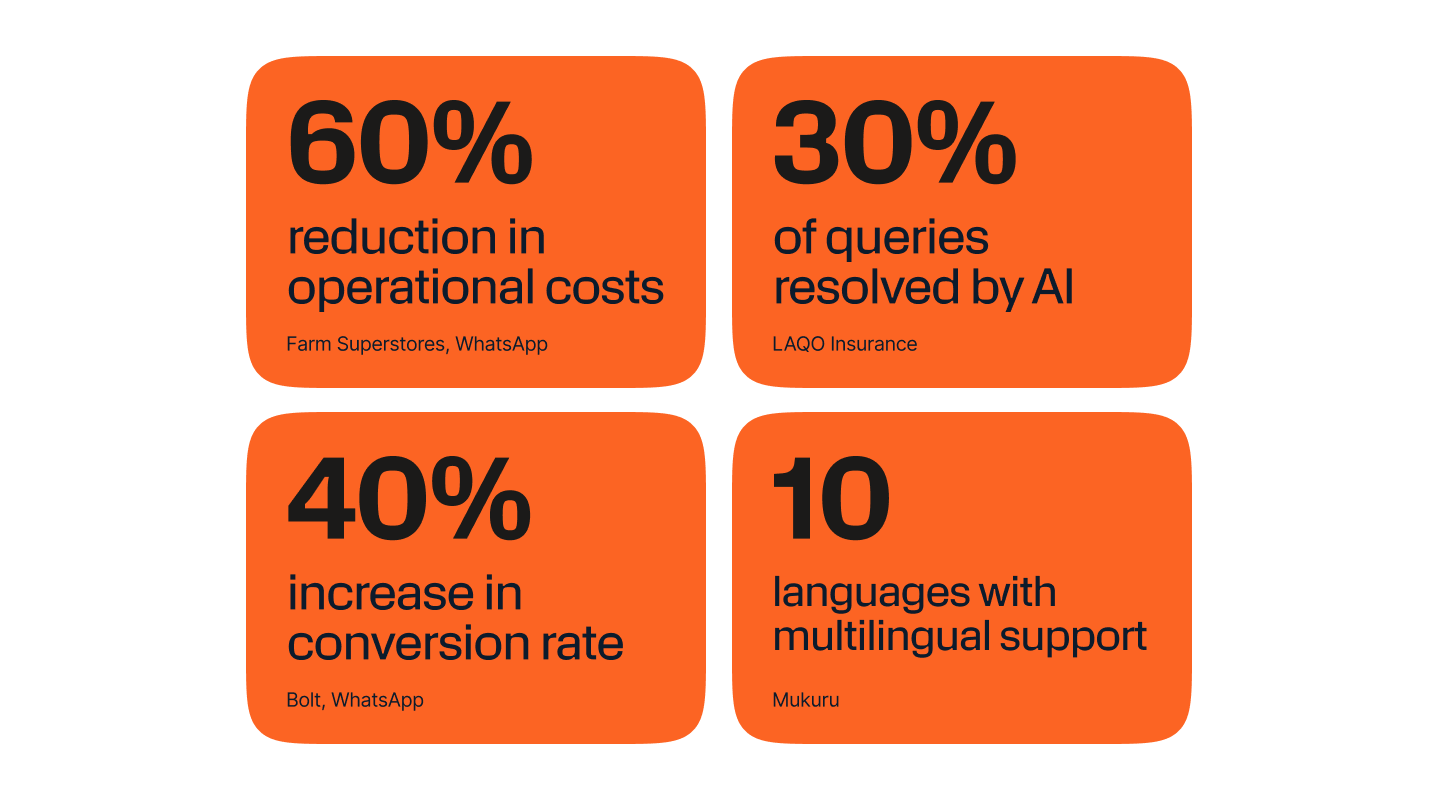
60% reduction in operational costs
Farm Superstores, a major retailer, deployed a WhatsApp chatbot to handle customer support at scale. The result: operational costs dropped by 60% as the bot absorbed the majority of routine inquiries.
40% increase in conversion rate
Bolt replaced traditional sign-up forms with a conversational WhatsApp journey built on Infobip. Conversions jumped 40% because the process felt like a chat, not an application.
30% of queries resolved by AI, 90% within 3 to 5 interactions
LAQO Insurance deployed an AI chatbot that handles 30% of all customer queries autonomously. Of those, 90% reach resolution within just 3 to 5 interactions.
Multilingual support across 10 languages
Mukuru, a financial services company serving customers across Africa, deployed a multilingual WhatsApp chatbot in 10 languages, making financial services accessible regardless of language barriers.
Frequently asked questions
A no-code chatbot builder is a platform that lets non-technical teams create and deploy chatbots using a visual drag-and-drop interface, without writing code. Modern no-code builders support both rule-based flows and AI-powered conversations, including GenAI responses, intent detection, and answers grounded in your knowledge base. Infobip’s AgentOS includes a no-code chatbot builder that deploys across 15+ channels with native CDP integration and enterprise-grade compliance.
Yes. Modern no-code chatbot builders let teams configure AI intent detection, GenAI responses, RAG knowledge grounding, and hallucination guardrails entirely through a visual interface. Infobip AgentOS lets non-technical teams build both rule-based and AI-powered chatbots without code, with the option to add low-code JavaScript or full Python pro-code when more complex logic is needed.
The best no-code chatbot builder for enterprises combines visual simplicity with enterprise-grade output: omnichannel deployment across 15+ channels, compliance-ready security (SOC 2, ISO 27001, PCI-DSS, GDPR), native CDP integration for personalized conversations, and a path from no-code to pro-code on the same infrastructure. Infobip AgentOS delivers all of these within a single agentic AI platform.
No-code builders use purely visual interfaces requiring zero programming. Low-code builders add optional custom code (typically JavaScript) for advanced logic within visual flows. Infobip AgentOS offers both, plus full Python pro-code, all producing the same production-grade chatbot on the same infrastructure.
It depends on the platform. Most SMB no-code builders support 2 to 5 channels. Infobip AgentOS supports 15+ channels including WhatsApp, SMS, RCS, Apple Messages for Business, Facebook Messenger, Instagram, Viber, Telegram, LINE, Live Chat, Zalo, KakaoTalk, email, voice, and in-app messaging, all from one builder with one set of bot logic.
When a chatbot can’t resolve a query, the best platforms trigger a seamless handoff. Infobip AgentOS uses a three-tier approach: first to an AI agent for complex reasoning, then to a human agent in the cloud contact center. The human agent receives the full transcript, customer CDP profile, and session context. Escalation rules are fully configurable through the no-code interface.
When built on the right platform, yes. Infobip AgentOS operates with SOC 2 Type II, ISO 27001, PCI-DSS, and GDPR compliance, AES-256 encryption, and data residency options, with 99.95% uptime SLA across 43 data centers globally.
No-code chatbot builders have moved well beyond simple FAQ scripts. In 2026, they’re how non-technical teams ship AI-powered, multi-channel customer experiences without waiting on developer resources. The platforms that deliver real enterprise value combine visual simplicity with production-grade infrastructure: omnichannel deployment, native customer data, AI escalation paths, and compliance that regulated industries demand.