




What’s the difference between WhatsApp Business App and WhatsApp Business Platform?
Both the WhatsApp Business App and the WhatsApp Business Platform let your business communicate with customers on WhatsApp. That’s where the similarity ends.

The difference between WhatsApp Business App and WhatsApp Business Platform comes down to three things: how many agents can use it, whether you can automate conversations, and how it’s priced. Get those three right, and you’ll know which one your business actually needs. If you’re asking the broader question of the difference between WhatsApp and WhatsApp Business, that’s a separate guide.
What is the WhatsApp Business App?
The WhatsApp Business App is a free mobile application available on iOS and Android. Meta built it for small businesses and sole traders who want a professional presence on WhatsApp, a business profile, basic automation, and organized customer conversations, without technical setup or ongoing cost.
What you get with the App:
- A business profile with address, hours, website, and description
- Quick replies for frequently used messages
- Automated greeting and away messages
- A product catalog with up to 500 items
- Conversation labels for organizing customer threads
Those features cover a lot of ground for a business handling a manageable volume of customer conversations. If you’re a small team and you’re responding to customers personally, and that’s working, the App does the job well.
But it has hard limits you can’t work around. The App supports a maximum of four linked devices: one primary phone plus three companion devices. Broadcast messages are capped at 256 contacts per list. There’s no API access, no chatbot integration, and no way to connect conversations to your CRM or support system.
These limits aren’t accidental. They’re built into how the app was designed. And once your operation grows beyond them, the app simply can’t grow with you.
What is the WhatsApp Business Platform?
The WhatsApp Business Platform, previously called the WhatsApp Business API before Meta rebranded it in 2022, is the enterprise-grade offering. You don’t access it by downloading an app. You access it through a Meta-approved Business Solution Provider (BSP) like Infobip, either directly via API or through a BSP’s no-code interface.
The Platform is built for businesses that have outgrown manual conversation management. Key capabilities:
- Unlimited agents handling customer conversations simultaneously.
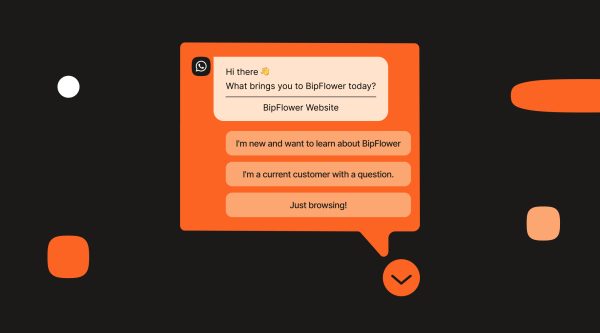
- Chatbot automation and intelligent conversation flow builders.
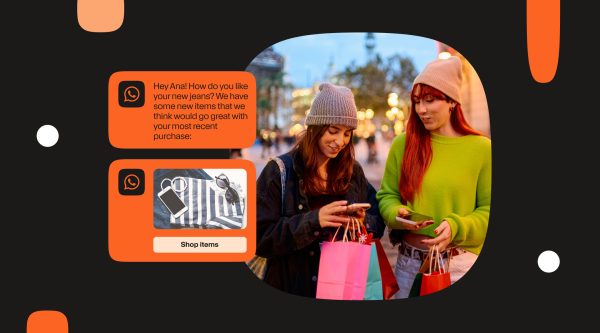
- Rich message templates across four categories: Marketing, Utility, Authentication, and Service.
- Full API integration with CRM, helpdesk, e-commerce, and other business systems.
- Official green tick verification (for businesses that meet Meta’s eligibility criteria).
- Detailed analytics and reporting through your BSP dashboard.
The pricing model is different, too. The Platform charges per conversation, measured in 24-hour windows, with rates that vary by conversation category and country. Unlike the App, it’s not free. But for businesses with real volume, the cost of manual conversation management typically outpaces Platform pricing quickly.
For medium and large-sized businesses, the Platform is part of the customer engagement infrastructure. Learn more about what’s included in the WhatsApp Business Platform: WhatsApp Business Platform Solution & Provider.
WhatsApp Business App vs WhatsApp Business Platform: Key differences
The table below captures the 12 dimensions where the App and Platform diverge most. For most businesses, three of these rows drive the decision.
| Feature | WhatsApp Business App | WhatsApp Business Platform |
|---|---|---|
| Who it’s for | Small businesses, sole traders | Medium and large businesses |
| Access | Free app (iOS/Android) | API via a BSP (e.g., Infobip) |
| Agents/users | Up to 4 linked devices | Unlimited agents |
| Automation & chatbots | None (manual only) | Full chatbot and flow automation |
| Broadcast limit | 256 contacts per list | Unlimited (subject to quality rating) |
| CRM/system integration | None | Full API integration |
| Message templates | Basic text | Rich templates (text, media, buttons, lists) |
| Green tick verification | Not available | Available via Meta business verification |
| Analytics | Basic in-app stats | Full reporting via BSP dashboard |
| Pricing | Free | Per-conversation (varies by category and country) |
| API access | None | Full WhatsApp Business API |
| Number portability | Can migrate the number to the Platform | N/A |
Three differences stand out in practice
The agent limit is the first wall most businesses hit.
The App allows up to 4 linked devices. For a solo founder or a two-person team rotating through a shared phone, that’s workable. The moment customer support becomes its own function, with routing, coverage shifts, and manager oversight, 4 devices stops being a technical limit and starts being a business problem. The Platform removes that ceiling entirely. Teams of any size can manage conversations simultaneously through a WhatsApp team inbox, with assignment, routing, and supervision built in. with assignment, routing, and supervision built in.
Automation is where the capability gap is widest.
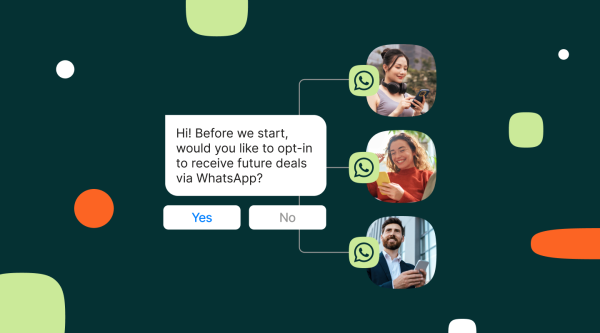
The App’s automation starts and ends with greeting and away messages. The Platform supports full WhatsApp chatbot flows, FAQ handling, lead qualification, appointment booking, transactional notifications, without agent involvement on every interaction. That same automation layer is what makes it possible to send bulk WhatsApp messages to opted-in customers at scale. The App’s 256-contact broadcast cap makes that non-viable at any real volume.
Integration defines the operational difference at scale.
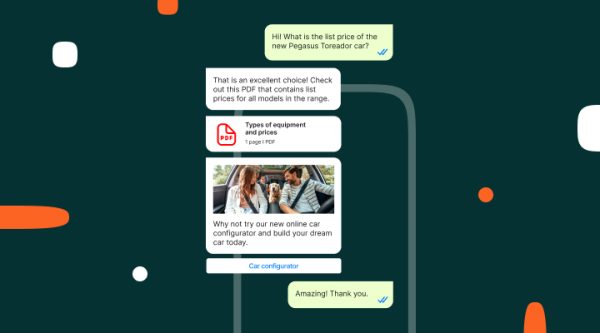
What happens in the App stays in the App. Conversations don’t sync to your CRM. You can’t trigger a WhatsApp message from an order event in your e-commerce system. There’s no way to pull conversation data into a BI tool or connect customer history to a support ticket. The Platform is built as an integration layer. Your CRM updates when a customer replies. Your order management system can trigger a delivery notification automatically. Your support platform gets the full conversation thread. The Platform doesn’t add a messaging channel to your stack. It makes your stack communicate.
Which is right for your business?
This decision doesn’t require much deliberation if you look at the right signals. The question isn’t which product is better, it’s which one fits where your business actually operates right now.
Stay with the WhatsApp Business App if:
- You’re a small business or sole trader handling conversations personally or with a small team.
- You have a manageable inbound volume that four agents can cover without queuing.
- You don’t need CRM integration, automated workflows, or campaign messaging.
- Cost is a genuine constraint and the App’s capabilities cover your actual needs.
No shame in that conclusion. The App is a well-designed product for the scale it’s built for. Paying for Platform infrastructure when you don’t need it is overhead that doesn’t help your customers or your business.
Switch to the WhatsApp Business Platform if:
- You’re a small business or sole trader handling conversations personally or with a small team.
- You have a manageable inbound volume that four agents can cover without queuing.
- You don’t need CRM integration, automated workflows, or campaign messaging.
- WhatsApp needs to integrate with your CRM, helpdesk, or e-commerce platform.
- You’re running Marketing, Utility, or Authentication messaging campaigns at scale.
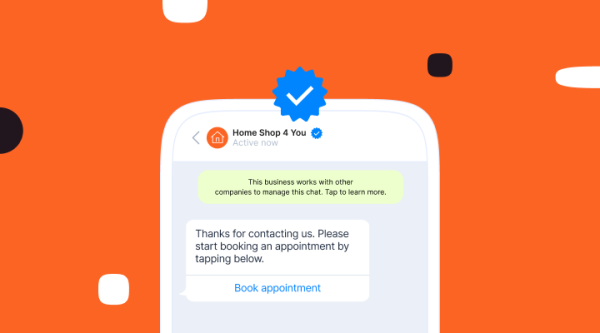
- Blue tick business verification matters for your brand’s credibility.
For businesses ready to make the move, Infobip provides access to the WhatsApp Business Platform with guided onboarding, a no-code interface for non-technical teams, and direct API access for developers.
How to get started with WhatsApp Business Platform
Getting onto the Platform is a five-step process. A developer is optional if you work with a Business Solution Provider (BSP) that provides a no-code setup experience.
- Choose a WhatsApp Business Solution Provider
You need a Meta-approved BSP to access the Platform. The BSP handles your API access, infrastructure, and compliance with Meta’s quality and policy requirements. Infobip is one of Meta’s longest-established BSP partners.
- Register or migrate your business number
You can start with a new phone number or migrate your existing WhatsApp Business App number to the Platform. The migration keeps your number intact, customers reach you at the same contact. You lose the app interface and gain the Platform’s tools and integrations. Importantly, you don’t need a new number; your existing number transfers.
- Complete Meta Business Manager verification
Meta requires business verification before you can send template messages or access full Platform features. The process typically takes a few business days and requires standard business documentation.
- Get your message templates approved
Template messages, used for outbound Marketing, Utility, and Authentication conversations, require Meta approval before they can be sent. Service conversations (responses to customer-initiated messages within 24 hours) don’t require templates.
- Integrate with your existing systems
Connect your CRM, helpdesk, or platform via the WhatsApp Business API or your BSP’s native integrations. This is where the Platform’s value becomes concrete, conversations flowing into existing workflows rather than sitting in a separate app.
The right tool for the right scale
The WhatsApp Business App and the WhatsApp Business Platform aren’t competing products. They’re sequential stages of the same journey. The App is the right starting point for small businesses that want a professional WhatsApp presence without infrastructure overhead. The Platform is the right move when conversations become a business function that needs to scale, automate, and connect to the rest of your stack.
At Infobip, you can connect the WhatsApp Business App and Cloud API on the same number. This coexistence setup gives teams a practical middle ground. Keep the App for day-to-day conversations, and add automation, broadcasts, and integrations through the API when you’re ready.
The signals are specific: a 256-contact broadcast ceiling, a four-device agent limit, and conversations that can’t reach your CRM are the three indicators that the App has reached its limit for your operation. When those are hit, the Platform opens a fundamentally different operating model.
For businesses ready to make the move, Infobip provides access to the WhatsApp Business Platform with guided onboarding, a no-code interface for non-technical teams, and direct API access for developers.
FAQs
Yes. The WhatsApp Business App is free to download and use on iOS and Android. There are no subscription fees or per-message costs. The WhatsApp Business Platform charges per conversation, with rates varying by conversation category (Marketing, Utility, Authentication, Service) and country.
You can migrate your existing WhatsApp Business App number to the Platform, but you can’t run both simultaneously on the same number. Once migrated, the number operates through the Platform. Your customers can still reach you at the same number, but your interface and toolset change entirely.
They’re the same product. Meta rebranded the WhatsApp Business API as the WhatsApp Business Platform in 2022. Both terms are still widely used, including in BSP documentation and developer guides, so you’ll see them interchangeably.
Up to 4 linked devices: one primary phone plus 3 companion devices. The WhatsApp Business Platform supports unlimited agents, all accessing conversations through a shared inbox or integrated support tool with no device ceiling.
No, not for basic setup and messaging workflows. BSPs like Infobip provide no-code interfaces that let non-technical teams configure the Platform, create message templates, and build conversation flows without writing code. Developer resources become relevant when you’re building custom integrations with proprietary internal systems.
Pricing is per conversation, charged in 24-hour windows from the first message in an exchange. There are four conversation categories: Marketing, Utility, Authentication, and Service, each with different rates that vary by country. Meta provides a limited number of free service conversations per month for all accounts. See Infobip’s WhatsApp pricing page for current rates by category and country.