




RCS chat not working? Here’s how to fix it and keep messages flowing
If your RCS chat is not working and you are already blaming your phone, your carrier, and possibly the universe, take a breath. In most cases, the fix is simpler than you think.

Everything was working yesterday. Now your message will not send, your group chats look different and you’re digging through your settings trying to understand what changed and why your RCS chat stopped working.
It feels sudden, but RCS rarely fails without reason. It relies on several systems working together. When one of them shifts, your messages may fall back to SMS or stop sending altogether.
In this guide, you will learn why RCS chat is not working, how to fix it step by step, and what brands need to know to keep RCS messaging running smoothly at scale. For businesses, delivery issues affect engagement, support performance, and campaign results.
What is RCS for business, and why can it stop working
A quick recap of RCS chat:
RCS, or Rich Communication Services, improves traditional SMS with read receipts, typing indicators, better media quality, and more advanced group chat features. It makes messaging feel interactive instead of basic.
There are two main types of RCS:
Peer-to-peer RCS lets Android and iOS users exchange rich messages when both devices and apps support it
And RCS, unlike SMS, also works over a data connection. So even if a device has no mobile signal, if it has a Wi-Fi connection, then RCS will work.
But there are some times when this connection is not available for some reason.
Why RCS chat may not work
When someone searches “why is my RCS chat not working,” the cause usually falls into one of these areas.
Device support
Both people in a conversation must use devices that support RCS and have chat features turned on. If one device does not support RCS, the conversation automatically switches to SMS or MMS.
Carrier support
RCS availability depends on your mobile provider and region. Some carriers support RCS only on Android devices, while others support it on both Android and iOS.
Internet connection
RCS needs data. If your Wi-Fi connection or mobile data signal is unstable or restricted, messages may fail. But if one of these is connected, RCS will work.
App settings
You need to have RCS activated inside your messaging app. This is usually enabled by default, but it may be disabled. In Google Messages, open Settings and select Chat features to confirm it is active in iOS, open Settings, Apps, Messages, and toggle on RCS Messaging.
If chat features are off or stuck verifying your number, turn them back on or restart the app to complete verification.
App differences
Different messaging apps handle RCS differently. For example, Samsung Messages supports RCS in many regions, but carrier rules can affect how it works.
Because of these differences, RCS conversations may appear slightly different across apps and platforms, such as Android and iOS.
The core rule is simple: both devices must support RCS and have it enabled for RCS messaging to work.
How to fix RCS chat issues on Android and iOS
Understanding why RCS fails helps. Fixing it matters more.
Step-by-step checklist for users:
Start by confirming that chat features are enabled in your messaging app. In Google Messages, open Settings and select Chat features to ensure your status shows as connected.
Update your messaging app to the latest version. Older versions can interrupt RCS registration.
Restart your device to refresh its connection to your carrier’s systems. This simple step often resolves temporary glitches.
If messages fail while connected to Wi-Fi, switch to mobile data and try again. Some Wi-Fi networks block services required for RCS.
If the issue continues, clear the app cache in your phone’s settings. Removing temporary files can resolve background conflicts without deleting your conversations.
Finally, confirm which messaging app is set as the default. If you recently switched between Samsung Messages and Google Messages, your phone may need to register RCS again.
In most cases, these steps restore RCS functionality.
Fixing group chat issues
Group chat problems can feel especially confusing.
One day your group includes read receipts and typing indicators. The next day it looks like a standard SMS thread.
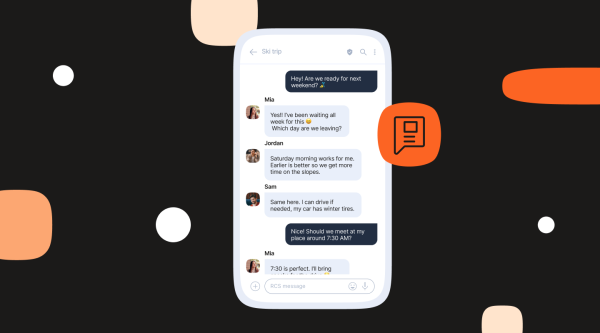
For RCS group chat to work fully, every participant must use a device that supports RCS, enable chat features, use a compatible messaging app, and have carrier support for RCS.
If even one person does not meet these requirements, the conversation automatically switches to SMS or MMS so everyone can still participate.
The system is adjusting to maintain compatibility. It is not broken.
RCS chats troubleshooting for brands
Now let’s look at this from a business perspective.
If you are evaluating RCS for marketing, customer support, or engagement campaigns, stability is critical. A failed message disrupts the customer journey and reduces campaign performance.
Consumer RCS depends on user settings and device configuration. RCS for Business works differently.
With verified sender status, brands send messages that display a company name, logo, and verification badge. This builds trust and reduces fraud concerns.
RCS for Business provides broad reach across supported devices, messaging apps, and carrier networks, helping brands connect with as many users as possible.
How Infobip prevents message failure
When brands send RCS for Business through Infobip, the platform performs RCS capability checks (Cap Check) in real time before delivering a message.
It confirms that the recipient’s device supports RCS, the operating system allows it, the carrier enables RCS, and RCS is active for that user.
The system sends RCS messages only to users who can receive them.
If a device does not support RCS, fallback logic activates automatically. Messages can switch to SMS, MMS, or another messaging channel of your choice, ensuring the conversation continues and maintaining full reach. This prevents delivery gaps and protects campaign performance.
Infobip supports delivery across major Android messaging environments and iOS where carrier support is available, providing the enterprise-grade infrastructure needed to scale RCS for Business reliably.
For brands, that difference matters. Instead of hoping RCS works, the platform checks first and routes messages through the best available channel.
FAQs about RCS chat issues
Common causes include disabled chat features, outdated apps, unsupported carriers, or the other person not having RCS enabled.
Yes, if both devices support RCS and both users enable chat features. Support may vary by carrier and region.
Confirm that all participants support RCS and have chat features turned on. If one person does not, the group switches to SMS or MMS.
No. The conversation will automatically switch to SMS or MMS.
Brands use RCS for Business platforms that check device support before sending and apply automatic fallback routing when needed.
Yes, Apple has rolled out RCS support in a number of markets such as the US, UK, Germany, and France, and this list is increasing.
Yes, when delivered through RCS for Business platforms with routing logic, verified senders, and fallback options. Without those safeguards, delivery can vary.
Use RCS through Infobip to reach everyone, everywhere
You have seen the history, now be part of the future. Discover how RCS is reshaping global communication by turning every native inbox into a rich engagement platform.