





RCS BUSINESS MESSAGING GUIDE / CHAPTER 3
RCS Business Messaging for the finance industry
BFSI institutions can use RCS Business Messaging to transform customer experiences, boost engagement, and solidify client trust. Learn how.
70%
of consumers are looking for their banks to offer them personalized financial advice
26%
are satisfied with the level of personalization

Five ways RCS Business Messaging is improving the banking experience
- Improved customer service: RCS Business Messaging enables quick, interactive conversations. Customers can resolve queries, get account updates, and receive personalized support directly within their messaging app.
- Secure communication: Verified business profiles and reduced spam potential build trust, which is crucial for banking interactions.
- Proactive notifications: Banks can deliver fraud alerts, balance updates, payment reminders, and appointment confirmations with richer visuals and clear call-to-action buttons.
- Streamlined processes: RCS Business Messaging can facilitate loan applications, document sharing, and appointment scheduling with carousels, suggested replies, and integrated chatbots.
- Personalized marketing: RCS Business Messaging allows banks to send targeted offers, new product announcements, and financial education content with eye-catching visuals that resonate with your customers.
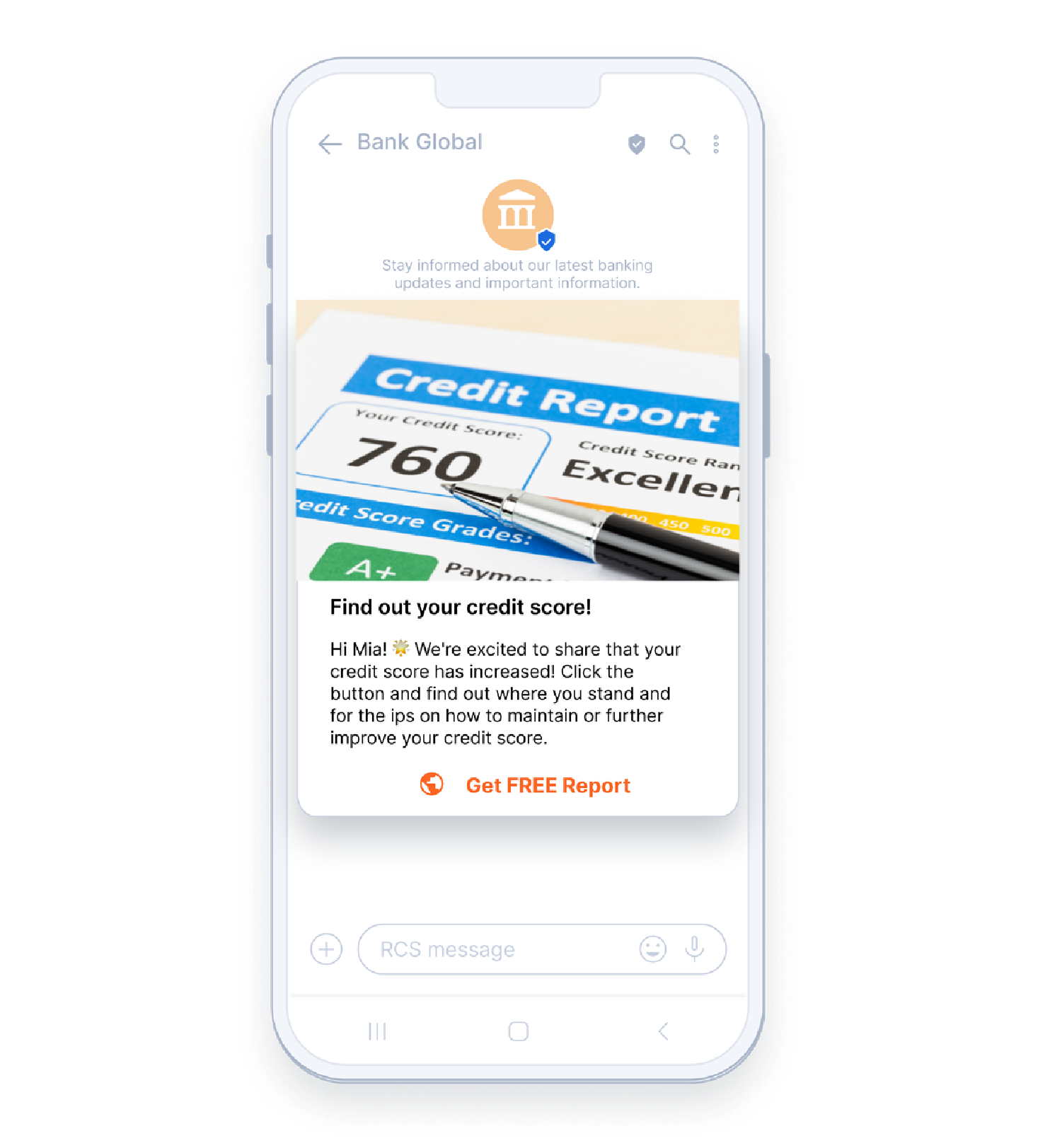
Create banking conversational journeys over RCS Business Messaging
Send relevant banking products and services updates
Electronic Know Your Customer
Assist in the search for nearby branches
Promote and inform on loyalty offers
Provide self-service contact information updates
Highlight and manage FAQs
Automate new account creation
Send e-policy renewal reminders
Deliver security codes and authenticate transactions
Offer appointment booking
Provide support during facilitation or financing
Send new service recommendations
Deep dive into the world of banking via RCS Business Messaging

Look how others have done it:

Niva Bupa: Increasing customer acquisition and ROI with a rich, omnichannel marketing strategy .
75%
ROI on RCS Business Messages .31%
delivery rate for RCS Business Messages .
Life Insurance Department at Covéa Group: 11% conversion rate with pioneering conversational marketing campaign via RCS powered by Infobip .
11%
conversion rate .
BankBazaar: 130% higher CTR with RCS Business Messaging .
130%
higher CTR rate .{{title}} .
{{meta.stats[0].number}}
{{meta.stats[0].content}} .{{meta.stats[1].number}}
{{meta.stats[1].content}} .{{meta.stats[2].number}}
{{meta.stats[2].content}} .Build customer relationships over every possible channel
Deliver true omnichannel experiences on the most robust platform.

RCS BUSINESS MESSAGING GUIDE / CHAPTER 2
RCS Business Messaging and Vertex AI
RCS Business Messaging and Google’s Vertex AI can work together to revolutionize how businesses interact with customers.
Vertex AI is a Google Cloud platform that combines all the tools you need to build, deploy, and manage machine learning (ML) models and AI applications.
Generative AI is transforming every industry, including RCS Business Messaging.
RCS Business Messaging combined with Vertex AI allows your business to create engaging, interactive chatbots and messaging experiences for your customers. This provides a more convenient and direct way for customers to connect with your brand than websites or phone calls.
Vertex AI provides a suite of powerful tools for building and deploying advanced AI models:
- Natural language understanding (NLU): Vertex AI’s NLU capabilities allow RCS Business Messaging chatbots to interpret and understand customer queries accurately, even if expressed in unstructured, conversational language.
- Conversational AI: Vertex AI powers the development of sophisticated chatbots that can hold meaningful conversations, provide personalized recommendations, and even complete transactions.
- Sentiment analysis: Vertex AI helps detect customer sentiment within RCS Business Messaging conversations, assisting businesses to measure satisfaction and identify potential issues.
Benefits of RCS Business Messaging and Vertex AI integration
Enhanced customer experience
24/7 support, personalized interactions, and streamlined processes like product discovery and order placement. This all leads to higher customer satisfaction.
Reduced operational costs
AI-powered RCS Business Messaging chatbots can handle a significant volume of common customer inquiries, freeing human agents to focus on more complex issues.
Increased sales opportunities
Proactive product recommendations and product offers, as well as a simplified purchase process within the messaging conversation.
Data-driven insights
Valuable insights into customer behavior, preferences, and pain points.

Build customer relationships over every possible channel
Deliver true omnichannel experiences on the most robust platform.
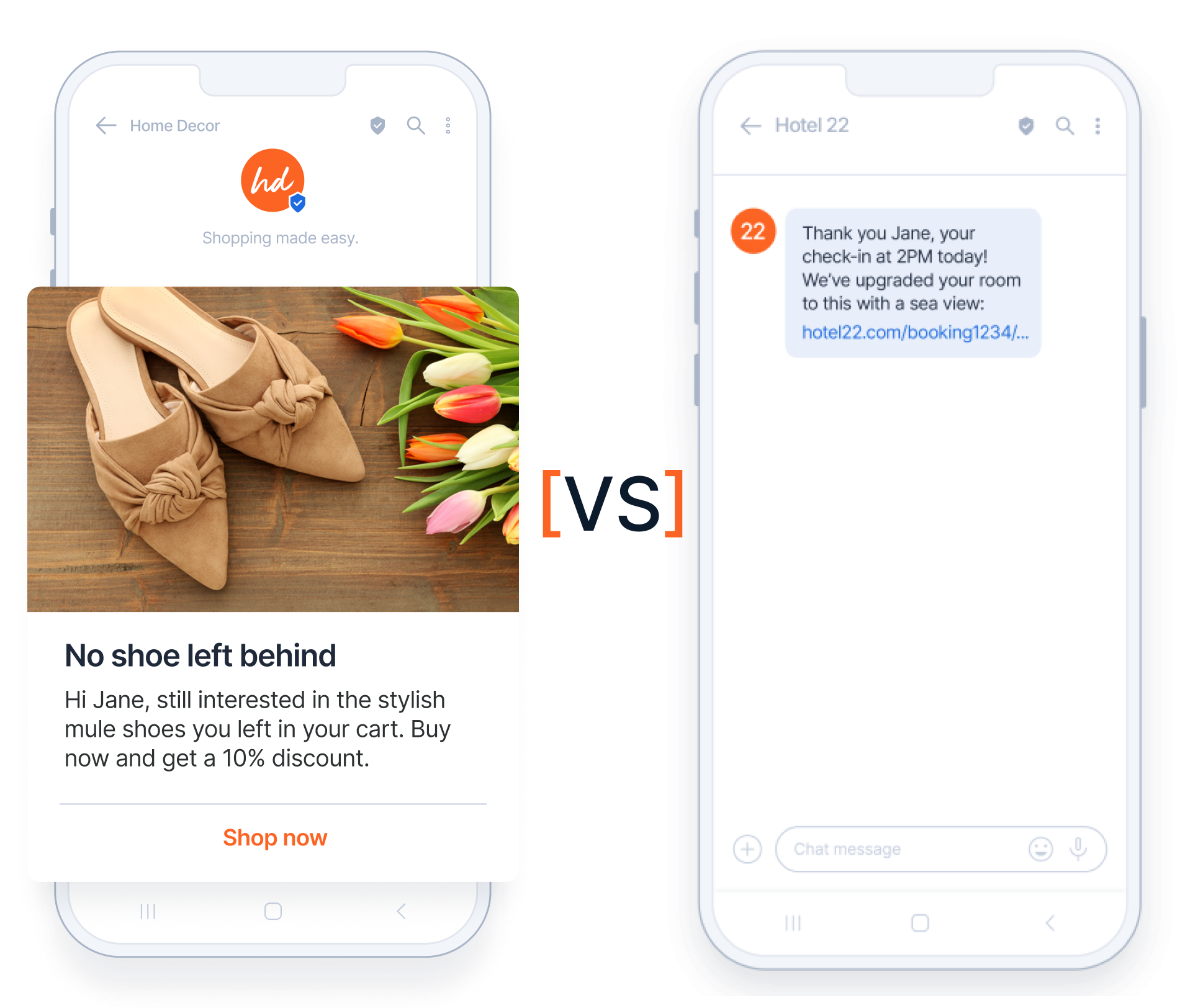
RCS BUSINESS MESSAGING GUIDE / CHAPTER 1
RCS Business Messaging vs other messaging channels
Discover the differences between RCS Business Messaging and other messaging channels.
RCS versus…
RCS Business Messaging vs SMS and MMS
RCS Business Messaging vs OTT apps
RCS Business Messaging
Build customer relationships over every possible channel
Deliver true omnichannel experiences on the most robust platform.
RCS BUSINESS MESSAGING GUIDE / INTRODUCTION
Elevating your brand with RCS Business Messaging: A practical guide
In the last couple of years, Rich Communication Services (RCS) has taken center stage as a leading customer communication channel.
It is the perfect blend of reliability of SMS messages and the rich features of modern messaging apps. With RCS Business Messaging, brands can build stronger customer relationships and see impressive results from their campaigns.
In this guide, we deep dive into the ins and outs of RCS Business Messaging. We’ll start by defining RCS and compare it with SMS, MMS, and over-the-top (OTT) messages (like WhatsApp or Viber). Next, we’ll explore use cases for various verticals – banking, eCommerce, healthcare, and more. Lastly, we are going to answer all your RCS-related questions.
Ready to boost customer engagement and drive sales with RCS Business Messaging? Then, keep reading.
What is RCS?
Rich communication services is an IP-based messaging service with rich messaging features similar to chat apps but provided through mobile network operators.
You might also hear RCS messaging called RCS chats or RCS texting.
RCS is now supported both on Android phones and Apple devices. Apple has enabled RCS and RBM with the release of iOS 18.1, which you can download and install since September 16th. This update transformed how Apple and Android users communicate.
This game-changing move bridges the gap between the two platforms, allowing uninterrupted and seamless communication across devices. Additionally, this will help RCS to have the second-biggest reach after SMS.
Learn everything about this new development and what it could mean for the future of messaging:

How do businesses use RCS?
As discussed, RCS is the core technology standard that both individual consumers and businesses use.
However, RCS Business Messaging (RBM) tailors RCS specifically for business-to-consumer communication.
To better understand the key differences between RCS and RBM, let’s take a look at the following comparison table:
| Feature | RCS | RCS Business Messaging |
|---|---|---|
| Target audience | Individuals | Businesses |
| Primary focus | Enhancing personal conversations | Improving business communication |
| Supported features | Rich media content, location sharing | Interactive buttons, suggested replies, campaign tracking |
| Example | Sending messages between friends, family, relatives, etc. | Sending delivery notifications for online orders, coordinating plans with co-workers, etc. |
10 RCS Business Messaging examples


Key features and benefits of RBM for your business
Gartner predicts that by 2025, 80% of customer service organizations will have abandoned native mobile apps in favor of messaging for a better customer experience.
RCS Business Messaging messages land directly on your customers’ phones, so they do not need to download an app. This ensures your message reaches its target audiences, leading to powerful benefits for your business.

Verified sender
Two-thirds of customers believe trust in companies matters more than it did before.
Since trust is very important to customers, they can be confident that the messages they receive are indeed from your business and not from a fraudulent source. This helps maintain credibility and reduces the likelihood of customers ignoring or flagging your messages as spam.
Branded messages
78% of consumers can recall the logo’s primary color, compared to only 43% who can remember the brand’s name.
That is why displaying your logo and brand colors directly within RCS Business Messaging messages reinforces your brand identity and makes you immediately recognizable.


Rich media cards
74% of customers expect companies to use existing technologies in new ways to create better experiences.
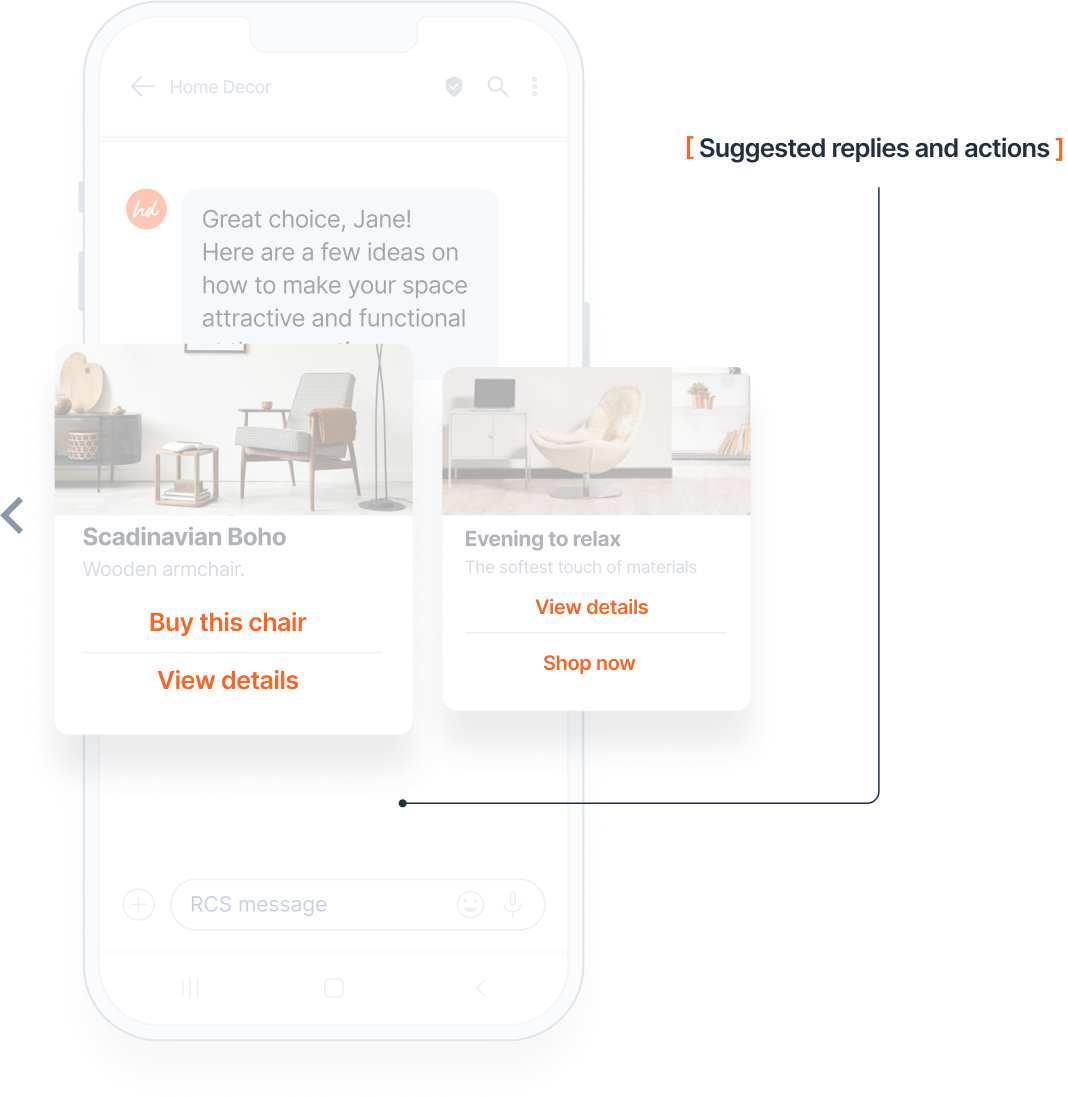
Since RBM supports interactive and visually appealing messages with features such as high-resolution images, carousels, buttons, and suggested replies, you can easily put links to your products and re-direct customers with one tap from the first message to the cart.
Suggested replies and actions
With suggested actions and replies, you can lead the conversation, and your customer needs minimum effort to react and engage with your visually appealing content, which leads to better conversion rates.

Analytics
With in-depth CTR analysis for each rich card, button, or document, you can track message performance to find what works best and optimize future communications.
Additionally, you can track campaign results and have better measurements with URL tracking (Infobip additional solution).

RCS Business Messaging market insights
RCS has been around since 2008, but its adoption is rapidly accelerating. Juniper Research predicts there will be more than 2.2 billion RCS active subscribers globally by 2028.
Apple’s announced RCS integration in 2024 will further fuel adoption, adding a projected 900 million users within two years, reaching 2.1 billion active users globally.
With Apple’s support for RCS Business Messaging and an increased number of operators rolling out RCS Business Messaging worldwide, the expected number of RCS-capable devices by the end of 2024 is 5.6 billion, an increase from 4.2 billion in 2023.
Revenue is also expected to grow significantly with an annual growth rate (CAGR 2024-2028) of 1.99%, resulting in a market volume of $1.6tn by 2028. Most revenue will be generated in the United States, $337bn in 2024. This presents a massive opportunity for enterprises; those who adopt RCS early will gain a competitive advantage in customer communications.
Juniper Research forecasts that the number of RCS business messages received per annum will increase from 41 billion in 2023 to more than 427 billion in 2028.
RCS isn’t just about growth; it’s about connecting with customers in the way they prefer:
- 74% are more likely to engage with a brand through RCS
- 35x more likely to read RCS messages than emails
[Juniper Research Leaderboard 2024]
Infobip is the leading global RCS Business Messaging player.

The proof is on our platform
We have seen a 62% increase in RCS interactions on our platform. The telecom and finance sectors saw a massive 1062% and 40% jump in RCS interactions, respectively.
RCS is even proving its effectiveness during peak shopping seasons:
- Black Friday 1564% growth
- Cyber Monday 112x growth
- Prime day 921% growth
The numbers don’t lie – RCS delivers the rich, conversational experiences modern customers want.
Find out more:
RCS FAQs
Build customer relationships over every possible channel
Deliver true omnichannel experiences on the most robust platform.
GET STARTED GUIDE
Getting started: FAQ
These are the most common questions we get from new customers signing up, as well as other Portal users.
Are there any limitations during the free trial?
Yes. During the free trial, users can only send to verified phone numbers and email addresses. Additionally, users who do not log in for more than 180 days will be automatically disabled.
Can I get custom pricing?
All Infobip portal user accounts are on the same pricing model which is updated monthly. However, for customers who want to be a managed account, there is a €129 EUR fee to become a managed customer.
Can I become a reseller?
Infobip portal user accounts are business engagement accounts. To become a reseller, there is a €499 EUR fee to start up as a reseller account with Infobip.
Can I speak with my account manager?
Infobip portal user accounts are managed by the self-service team – there are no dedicated account managers.
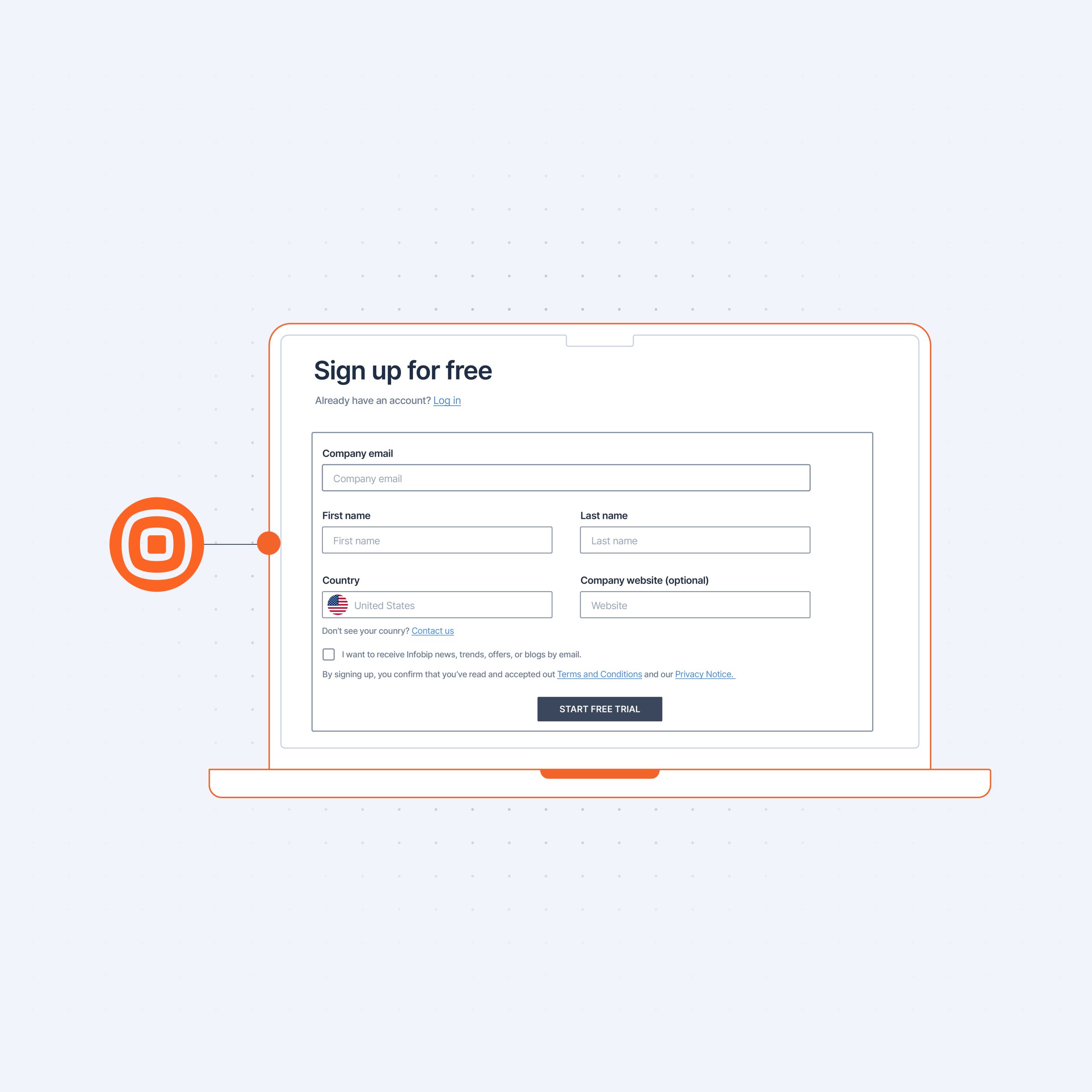
I can’t find my country in the dropdown menu at sign up
Some countries are not supported in Self Service due to strict restrictions and regulations.
I can’t send SMS during my free trial
Some countries that are available in the signup dropdown menu don’t have SMS coverage due to certain restrictions.
Build customer relationships over every possible channel
Deliver true omnichannel experiences on the most robust platform.
GET STARTED GUIDE
Getting started: Manage your account
Now that you’re a paying customer, you can add users and teams, set up account notifications, mange your account security settings, and view a full log of interactions on your account.
Users and user roles
Users are individual users, different from teams, which consist of groups of users with common account permissions.
To add new users, simply click on Add user.
To manage a user, click on their profile in the list.
Here you can view the user details and roles.
The main roles are:
- Account manager: This user manages everything related to account access and security. Assign this role to users who manage users and teams of users, apply restrictions with two-factor authentication, password policies and API keys.
- Analyze manager: Grants access to versatile reporting and data handling options. Assign this role to users who track engagement and communication efficiency on dashboards, schedule reports, troubleshoot message delivery and exchange data with other systems and storage.
- Communication manager: Creates engagement scenarios and sends Broadcast campaigns. Assign this role to users who design and execute flows targeting specific audiences or are triggered by behavioral events.
- Finance data manager: Has access to financial data and manages payments. Assign this role to users who work with communication costs, track account balance and top up when necessary.
- Integrations manager: Configures integration with third-party services and sets up products on the marketplace. Assign this role to users who manage mobile applications, purchase and release numbers for voice and SMS, configure email domains and perform other tasks required to use channels to communicate.
- People manager: Manages customer profiles on data platform. Assign this role to users who upload and modify customer data, define and adjust audience segments, tags, custom fields and handle stop lists.
If you are the sole account user, all these roles are assigned to you by default.
Help and support
If you run into any issues or have anything to report, click on the question mark icon in the upper right to access the help and support menu.
Here you can view help resources, or report issues you are encountering.
Additionally, you can open a Live Chat dialogue and chat with our AI assistant.

Build customer relationships over every possible channel
Deliver true omnichannel experiences on the most robust platform.
GET STARTED GUIDE
Getting started: Upgrade your account
Done testing? Ready to start engaging customers? Then it’s time to upgrade your account. Let’s show you how.
Start engaging customers
To start engaging customers, you need to upgrade to a paying account. Do this simply by clicking the Add Funds button.
You can also register your WhatsApp sender by buying a pre-verified or an existing number that you can verify during the registration process. Begin this by clicking Register Sender.
In addition, you will also need a Facebook Business Manager account. Sender registration for WhatsApp Cloud is hosted by Meta and provided by Facebook. To register a sender, you need to be a Facebook Business Manager admin. If you do not have a Facebook Business Manager account, you will be able to create one during the registration process.
Upgrade to paying account
You can try Infobip for free – no credit card required. But to access full features and to start engaging with your customers, you need to upgrade to a paying account.
You can upgrade to a paying account at any time by clicking Add Funds at the top of your screen or from you profile menu.
How to top up your account
To top up your account, you’ll need to add your personal details including full name, company name, tax number, country, address, city and postal code.
You can then choose whether to make a one-time payment and top up as needed.
To prevent running out of credits, you can also set a minimum balance recharge. Once your balance falls below this limit, it is automatically refilled.
You can also set a monthly recharge to refill your balance on the first day of every month.
Note: The minimum top-up fee is €5.00 EUR.
After you’ve entered your credit card details, you’re taken to the transaction summary. Here you will note a processing fee may be charged. This fee is charged by your credit card issuer, not Infobip. It may take a few minutes to process the payment.
Once it’s processed, you will receive an email notification that should look like this:

Additionally, you will receive payment confirmation and the funds will be available on your account.
Congratulations on becoming an Infobip customer and thank you for choosing us!
Build customer relationships over every possible channel
Deliver true omnichannel experiences on the most robust platform.
GET STARTED GUIDE
Getting started: WhatsApp Business Platform
The most widely used chat app with 2.7 billion users globally, WhatsApp is an important channel in any business’ communications toolbox. WhatsApp is a simple and secure solution for you to provide customers with complete end-to-end customer journeys within a single app.
Sending your first WhatsApp message for business users
During your trial period you have 100 free WhatsApp conversations. A conversation constitutes any number of messages exchanged between a business and a customer within a 72-hour period.
First, to test the solution, activate the Infobip test sender by scanning the QR code:
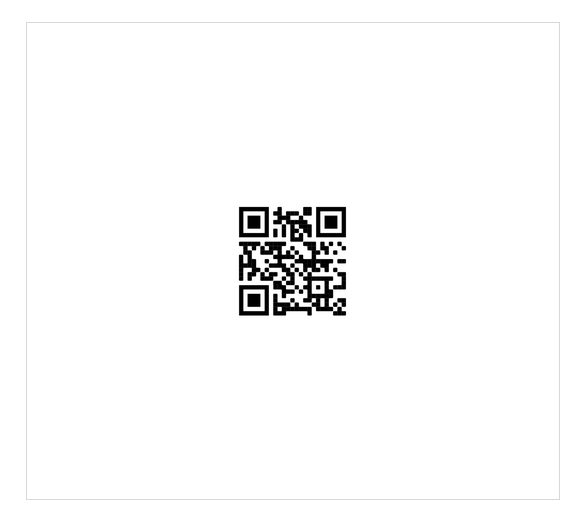
Then, enter your username in the message field and hit send.
Alternatively, you can also add the Infobip sender to your contacts in WhatsApp and send a message containing your username.
Send template message from Broadcast
To send your first template message, you’ll be taken to Broadcast. Follow the brief guide to get your bearings.
First step is to enter the recipient number – note, during the trial period you can only add the number you verified at sign-up. Add the sender – to add get your own sender, follow the steps here.
Next, add the content from the templates available in the dropdown menu. Set your desired language, choosing from the dropdown menu.
Adjust and add any placeholder parameters to customize your message.
Enable Failover to SMS for any critical messages – you will be charged for the SMS.
Schedule your messaging by setting the start date, start time and choosing the desired time zone. Leave empty to send immediately.
Set the delivery time window start time, end time, and days. This sets the allowed delivery time window outside of which no messages will get delivered. Leaving fields unassigned leaves the delivery time window open for delivery at any time.
Tracking and reporting helps you track customer actions and generate reports to discover more about your customers.
Follow the instructions for tracking clicks and enable Shorten URLs to be able to track clicks.
Enable delivery reports over API pull to get information on how many messages were delivered, and push delivery reports to webhook to subscribe to events happening on your account.
Use data payload to personalize messages to customers.
Under Advanced Settings, set the maximum number of messages per minute, hour or day to avoid congestion on your end.
Sending your first WhatsApp message for developers
Just like business users, developer users need to activate the Infobip sandbox to start testing. There are two ways to do this:
- Scan the QR code to open the Infobip test sender, then send your username in the message field and hit Send.
- Add the Infobip test number 447860099299 to your contacts in WhatsApp and send your username as a message.
Note that when you activate the Infobip test sender, all messages sent from your number to Infobip test sender will be mapped to your account. To unmap the sender, respond with STOP.
Next, send a WhatsApp message to your verified number:
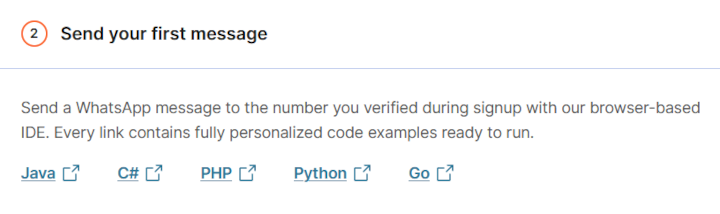
Every link contains custom code examples personalized for your account.
Build customer relationships over every possible channel
Deliver true omnichannel experiences on the most robust platform.

Craft end-to-end customer journeys with Viber for Business
The ideal channel for building closer customer relationships. Enable one-to-one marketing and drive conversions in 190+ countries with Viber business messaging solutions.


Build memorable customer journeys with Viber for Business
Viber’s rich features and widespread use enable you to engage with customers all over the world in vibrant and memorable ways.
1 billion
users in 190+ countries.
44+
languages supported.
8,500+
brands choose Viber Business Messages.
Achieve better results with Viber for Business
Communicate at scale
Switch to Viber to benefit from the reduced cost, wider reach, reliable fail-over, and helpful automation options available with the messaging app that your customers love.
Improve customer satisfaction
From conversational interactions between customers and agents, to chatbots providing 24/7 support, Viber for Business helps you provide the service that makes you stand out.
Boost engagement
Create memorable experiences at every stage of the customer journey with personalized promotional messages, and transactional messages that deliver crucial information direct to your customers’ inbox.
Implement flexible and cost-effective messaging throughout the customer journey
Viber Business Messages
Discover Viber Business MessagesViber Bots
Discover Viber BotsStart meaningful customer conversations with a messaging solution for every use case
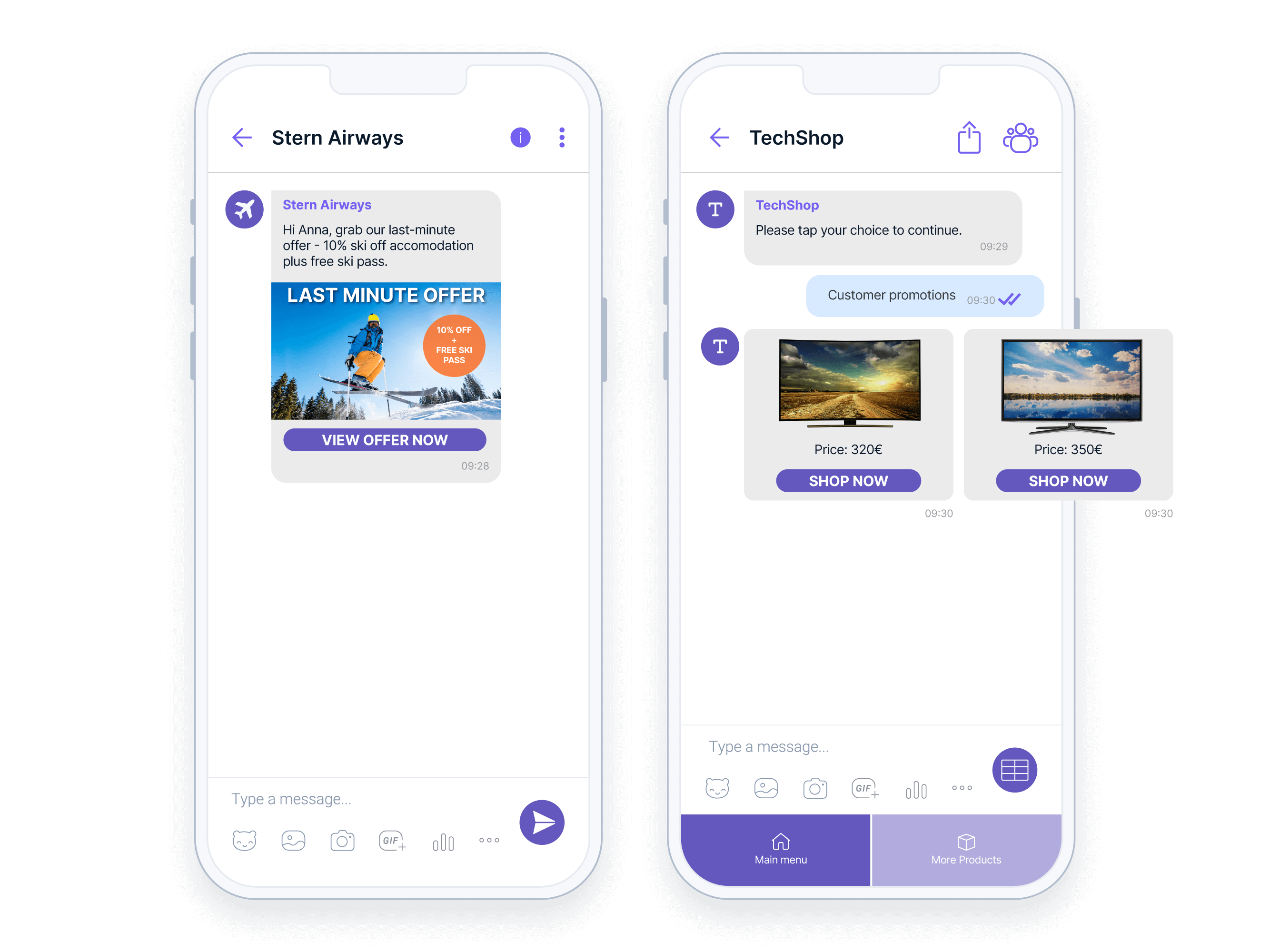
Promotional messages
Create compelling campaigns and boost conversion rates with Viber’s unique engagement features including interactive buttons, images, videos, stickers, and attachments.
- Personalized promotions and discounts
- Engaging product messaging with rich media
- Back in stock alerts
- Loyalty club welcome messages
- Re-engagement campaigns and renewal reminders
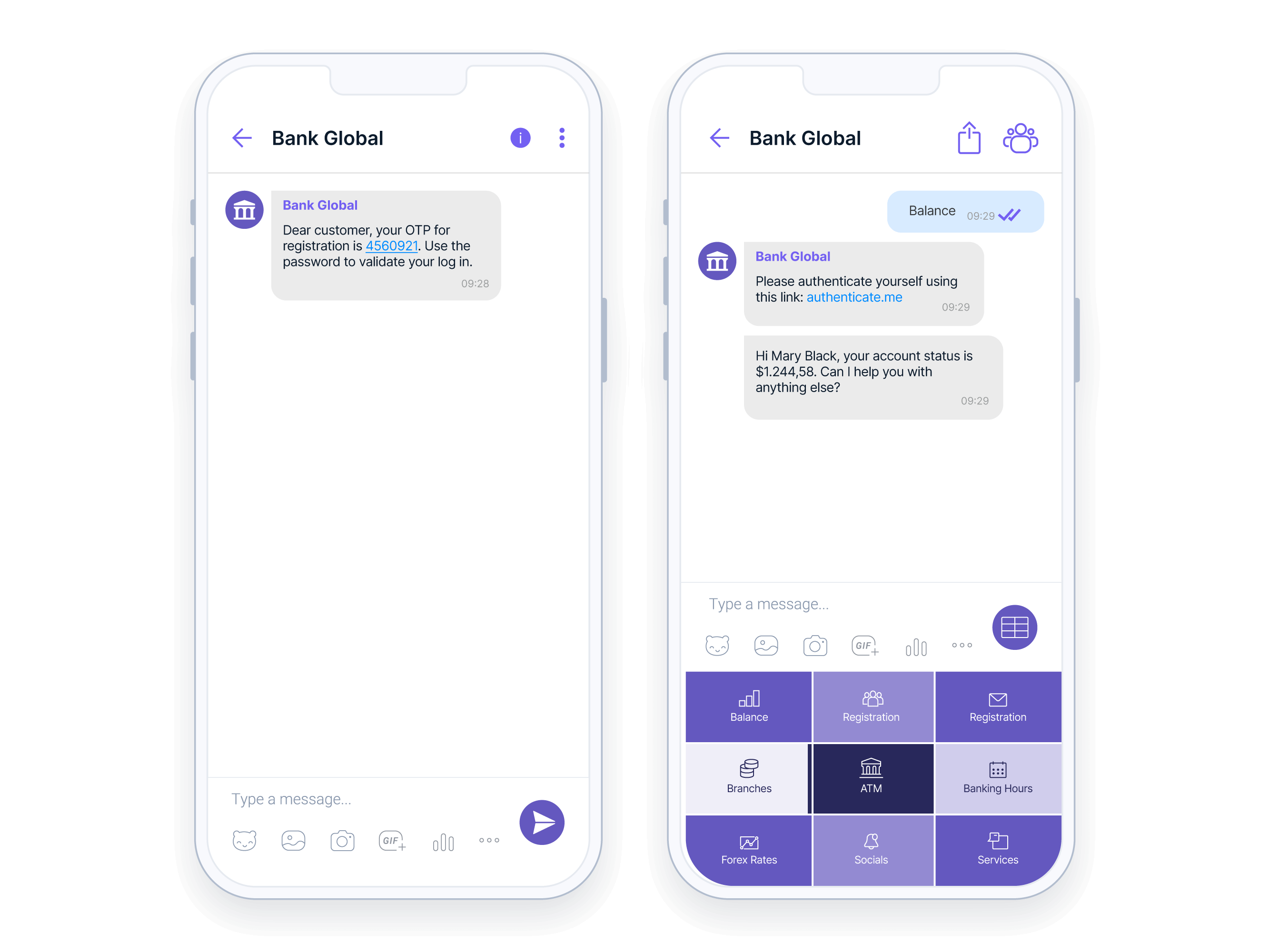
Transactional messages and notifications
Ensure that your customers always receive important notifications including one-time-passwords (OTPs), alerts, and reminders.
- Transaction and payment notifications
- Shipping and delivery notifications
- Event reminders
Conversational customer support
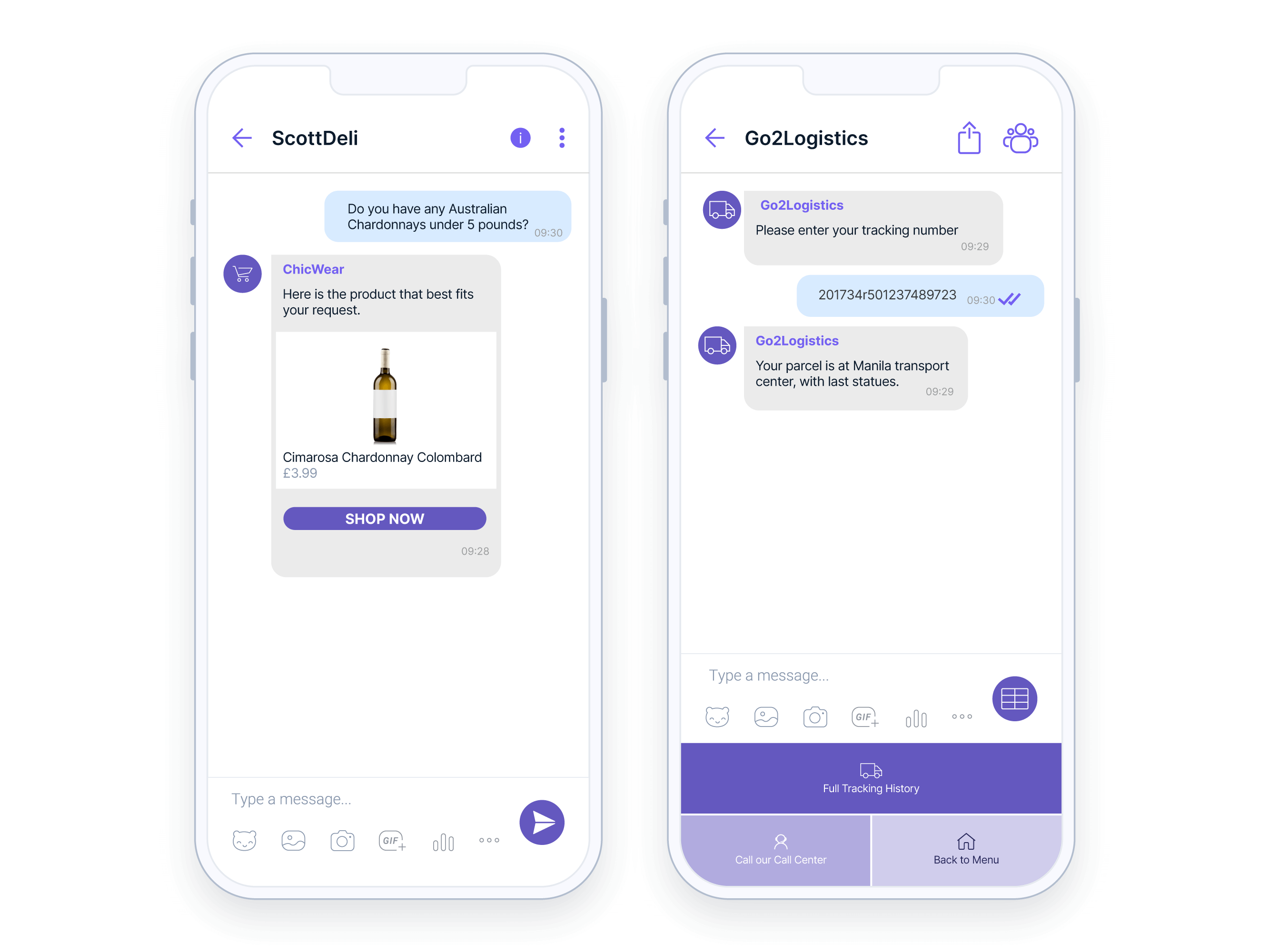
Provide superior customer support at every stage of the customer journey with two-way communication that can include multiple file types and rich media content for efficient issue resolution.
- Easy troubleshooting with one-to-one conversations or chatbots
- Account and service sign-up and quick verification
- Sales support and lead nurturing
- Collecting feedback and reviews
Craft the entire customer journey on a single app
Acquire
Check use casesGrow
Check use casesRetain
Check use casesLearn how top brands are using Viber Business Messages to drive sales and improve customer satisfaction

Yespo: 459% revenue growth using Viber via Infobip’s wholesale solution .
17x
more Viber messages .459%
revenue growth .
Primer Group: Boosting sales by 225% using Viber .
225%
increase in sales .
LEAP Summit: Improving attendee experience with Viber and SMS .
50%
decrease in queries .
ShoeBeDo: 4x order increase through personalized Viber communications .
4x
increase in orders .{{title}} .
{{meta.stats[0].number}}
{{meta.stats[0].content}} .{{meta.stats[1].number}}
{{meta.stats[1].content}} .{{meta.stats[2].number}}
{{meta.stats[2].content}} .Easily connect to the Viber Business Messages API
Benefit from the versatility of Viber Business Messages and build rich, cost effective, and scalable messaging solutions.
- Choice of a basic or fully featured API
- Rich engagement functions
- Clear API documentation
- Developer support


Speak to us about using Viber Business Messages with your existing systems
Automate Viber messages from your existing CRM and third-party platforms for event-triggered notifications, promotional messages, reminders and much more.

Harness over 15 years of experience with the world’s best connected platform.
With industry-leading expertise, you can deliver superb customer experience through our global network.
9,700+ global connections
And 800+ direct operator connections to facilitate reliable messaging and use cases anywhere in the world.
75+ offices on 6 continents
Global experience and local presence provides best-in-class service and solutions.
40+ data centers
Our worldwide data centers help you keep operations running smoothly and efficiently.

GET STARTED GUIDE
Getting started: Voice
Voice allows you to connect with customers over calls to quickly exchange information.
Sending your first voice calls (business users)
During your free trial you are only able to send voice messages to the number you verified at signup.
Additionally, Voice messages can only be sent to numbers in supported countries – check here for a link that will take you to a regularly updated list.
The first step is to enter the number(s) of your recipient(s).
Next, choose the sender. This is the number that will be displayed on the recipient’s device. During the trial you’re only able to use a pre-registered sender.
You can also buy numbers by navigating to Channels and Numbers -> Numbers.
Once you’ve added your desired sender, you can enter your message or upload a pre-recorded message (in .mp3 or .wav format, limited to 10MB in size).
If using text-to-speech, choose your language from the dropdown menu, then the voice you prefer, followed by the speech rate (i.e. the speed at which your message will be read).
Test the message and make any necessary adjustments.
Message scheduling is available for campaigns. This allows you to set start and end points by date and by hour, adjusting for time zones as necessary.
Tracking and reporting options help you see how many messages were delivered with reports over API pull, while pushing delivery reports to webhook allows you to subscribe to events with your integration installed.
With advanced settings you can limit the number of messages sent by minute, hour or day to prevent any unmanageable traffic spikes – e.g. a surge of inbound calls towards your contact center that your staff can’t handle.
You can also set a validity period after which undelivered calls will expire.
By enabling call retry you can set a maximum of 4 retries, and define minimal and maximal retry periods.
Answered call options provides you additional features including call recording. Please check restrictions for your destination, since call recording can be regulated in some countries. Answering machine detection let’s you know whether your call went to voicemail or was answered by a person.
Pause call duration defines how long of a pause to implement before playing the message, as well as maximum call duration (in seconds).
Interaction codes give you the opportunity to program an IVR menu. By defining maximum number of code digits, interaction code waiting period, and assigning an action to each tone.
After launching your test – or your campaign – you can check Logs to view the status of your message(s).
To get detailed insights, you can also create a report. Go to Reports for information about these.
Sending your first Voice message as a developer
Before sending your first Voice message, you will need to get a unique API key.
Your next step is to create your message adding your sender and recipient numbers, message, choosing your voice and language.
Once you’ve defined these parameters and sent your first test, response and request codes are generated. Simply copy these by clicking on the copy icon.
Learn how companies use Voice
Please explore our API documentation to help you get the most out of Voice, and discover uses cases to learn how companies are using Voice.
Build customer relationships over every possible channel
Deliver true omnichannel experiences on the most robust platform.